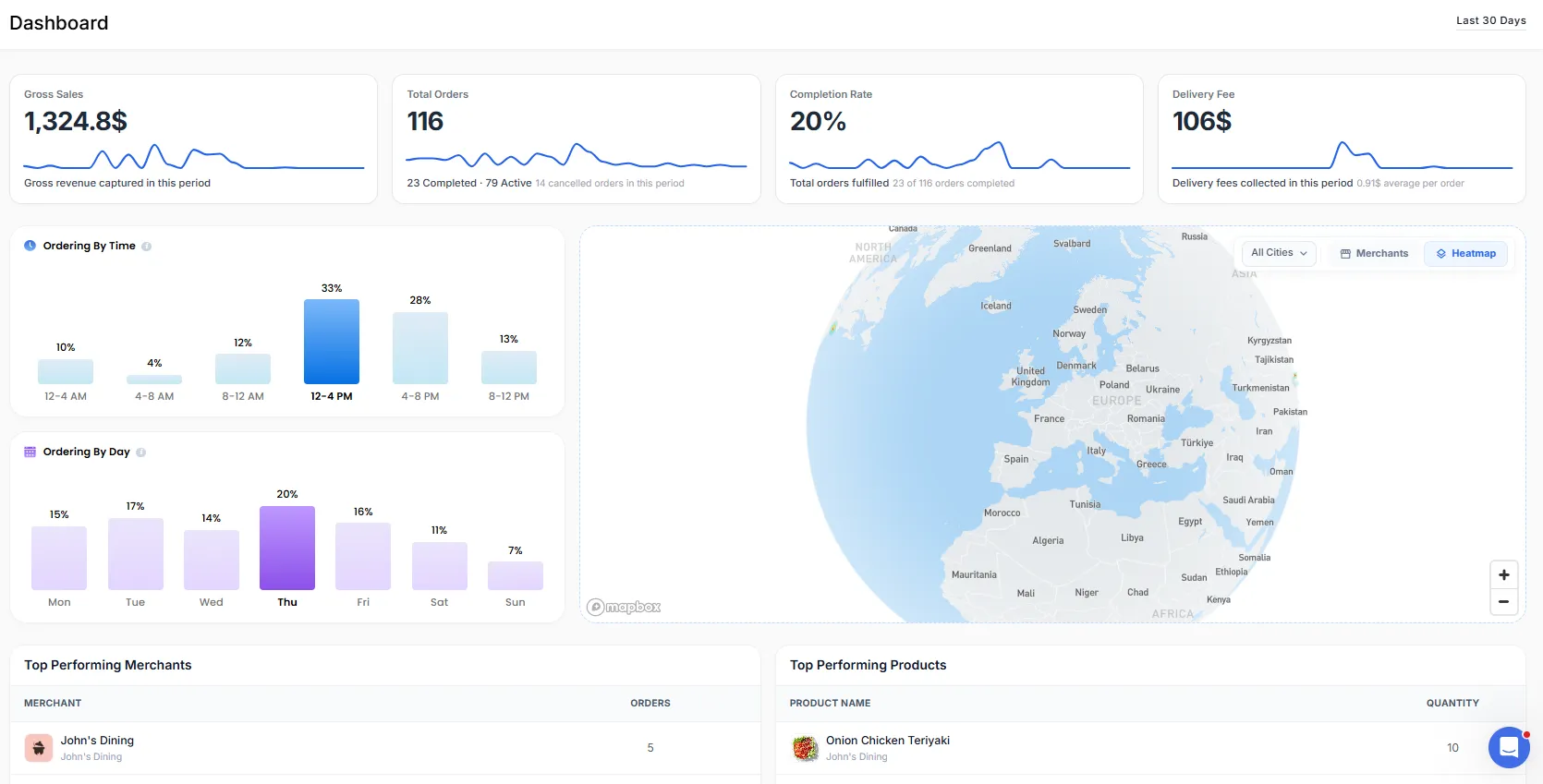
Admin Dashboard
The Dashboard is the central place in your admin panel where you can view and monitor your entire business performance on one screen.
It brings together important information such as sales, orders, delivery performance, and operational activity, helping you understand what is happening in real time and accordingly make informed decisions.
Admin Mobile App
In addition to accessing the Dashboard through the Admin Web Panel, you can also manage and monitor your platform on the go using the Admin Mobile App.
The Admin Mobile App provides access to key dashboard insights directly from your mobile device, allowing you to stay informed about your business performance anytime, anywhere.
This provides a convenient way to keep track of your business and monitor day-to-day operations directly from your mobile device.
Note: Use the same admin credentials that you use for the Admin Web Panel to log in to the Admin Mobile App.
Download the Admin Mobile App
You can download the Admin Mobile App using the link below:

Navigating to the Dashboard Section
- In the admin panel, click Dashboard to view the dashboard section.
Key Metrics
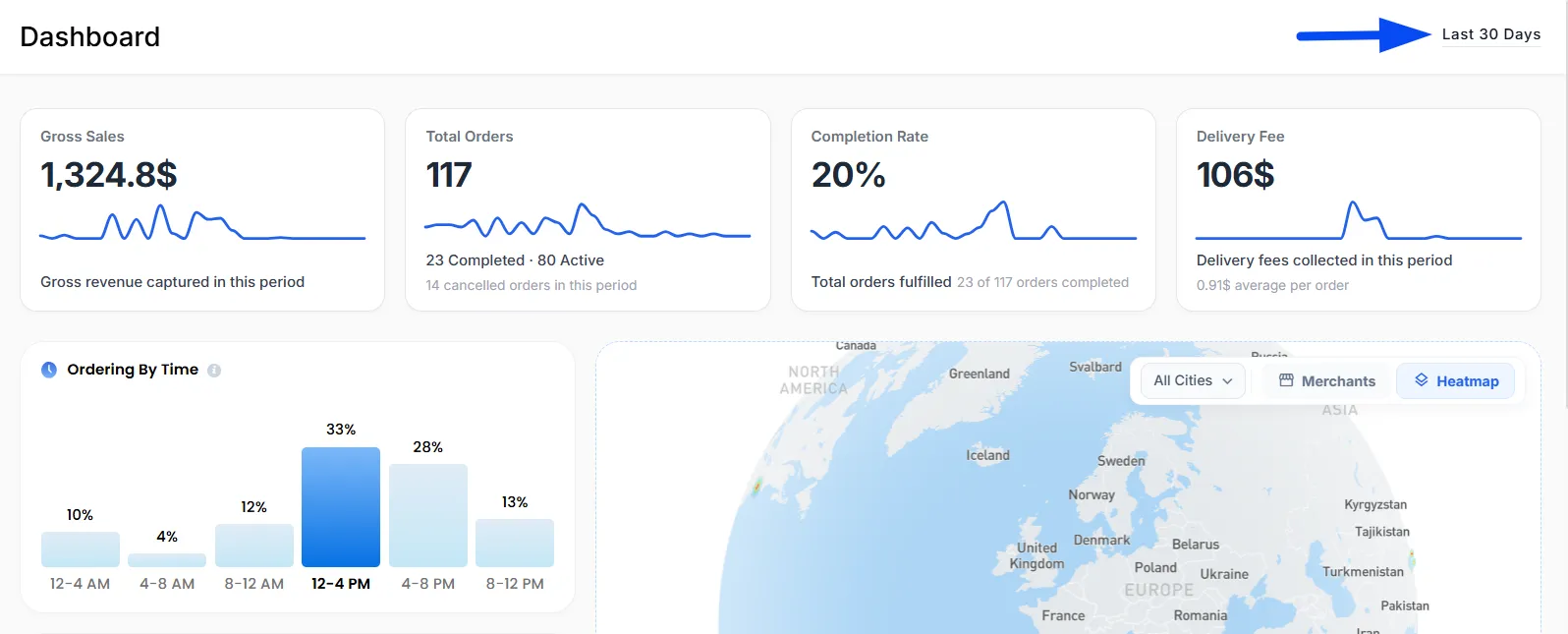
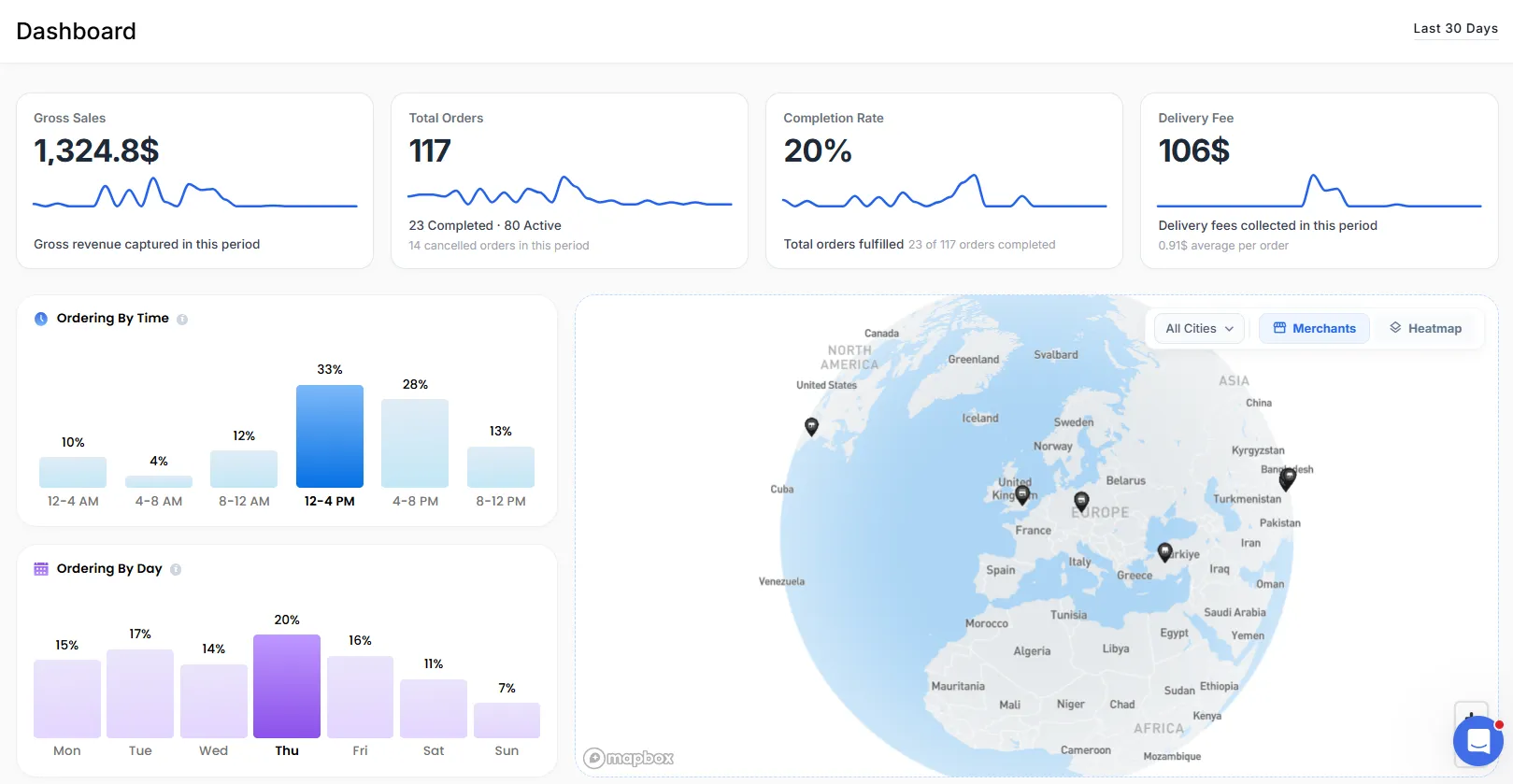
At the top of the dashboard, you’ll find key performance metrics that give you a quick overview of your business.
Gross Sales
Displays the total revenue generated during the selected time period, giving you a clear view of your overall sales performance.
Total Orders
Displays the total number of orders received, along with a breakdown of completed, active, and cancelled orders for better visibility of order status.
Completion Rate
Displays the percentage of orders completed, helping you measure overall order fulfillment performance.
Delivery Fee
Displays the total delivery fees collected, along with the average delivery fee per order, giving you a clearer understanding of your delivery revenue.
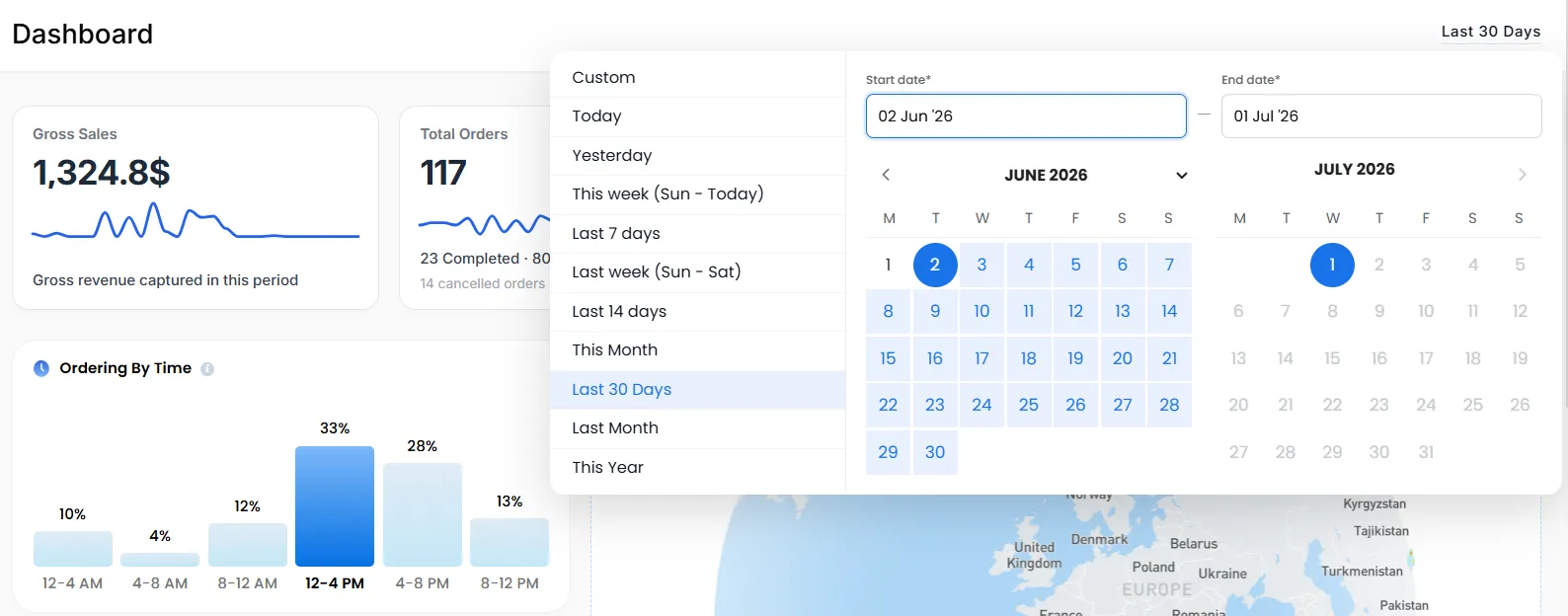
Date Filter
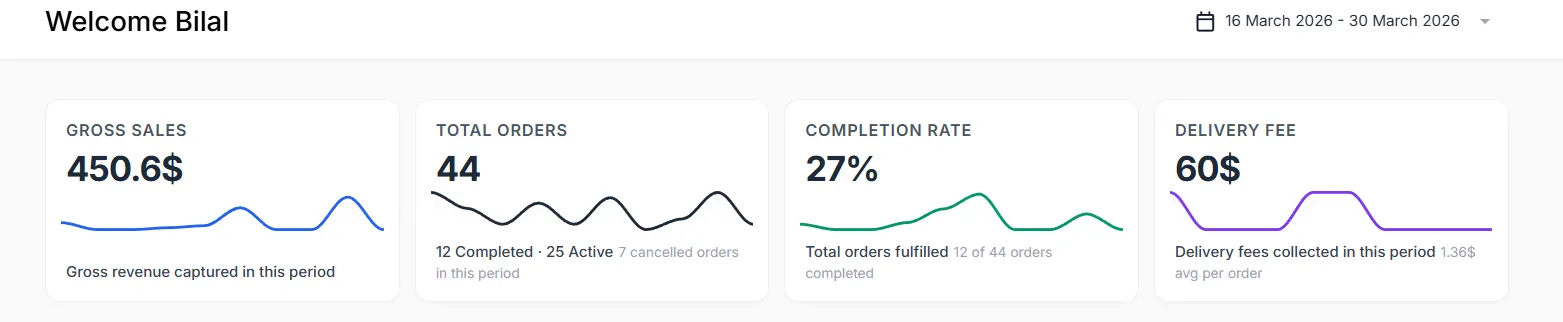
You can select a specific time period to view data on the dashboard. Once a date range is selected, all dashboard data, including sales, orders, and the heatmap, will automatically update to reflect information for that selected period.
Note: Through the date filter, you can quickly select preset options such as Today, Yesterday, This Month, or choose a Custom Date Range to view data for a specific period.
AI Powered Ordering Behaviour Analysis
North AI visualizes customer ordering habits through easy-to-read charts.
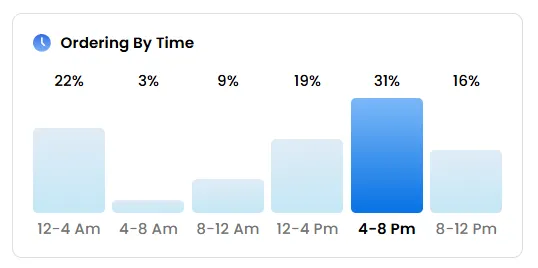
Ordering by Time
Shows the periods during the day when the customer most frequently places orders.
Example:
- 12 PM – 4 PM - Frequent lunch orders
- 4 PM – 8 PM - Frequent dinner orders
- Late-night activity - Potential late-night ordering customer
These insights can help you better understand customer purchasing habits.
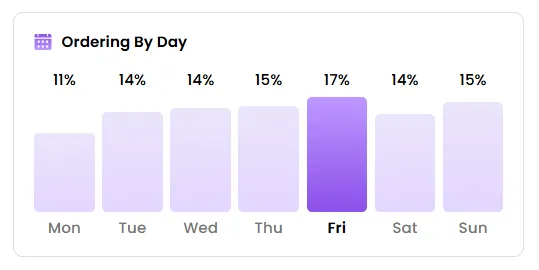
Ordering by Day
Displays which days of the week the customer orders most frequently.
Example:
- High activity on Fridays and weekends may indicate leisure or family purchases.
This can be useful when planning promotions or targeted marketing campaigns.
Order Activity Section
The Order Activity section provides a visual overview of where your orders are coming from, helping you understand geographic distribution and demand across different areas.
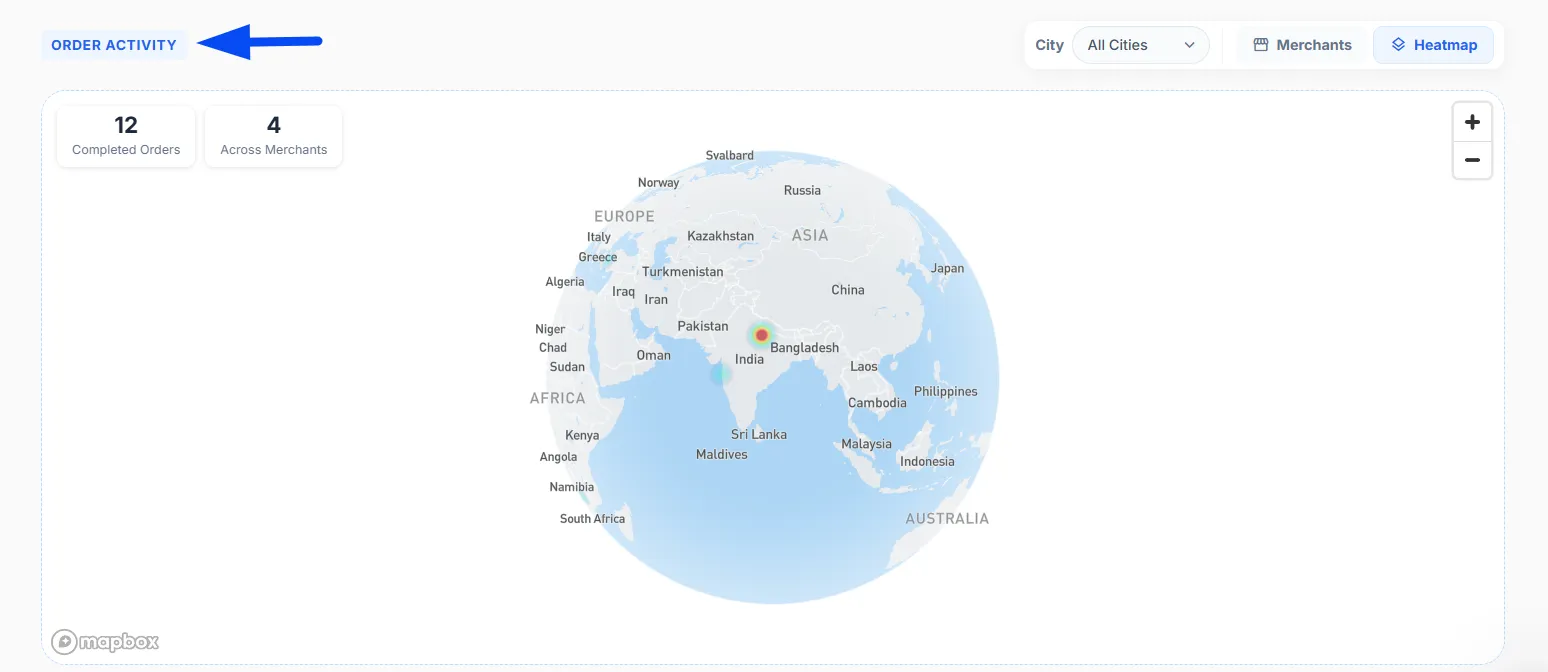
Map Controls and View Options
Above the map, you will find useful controls that help you filter and customize how the data is displayed.
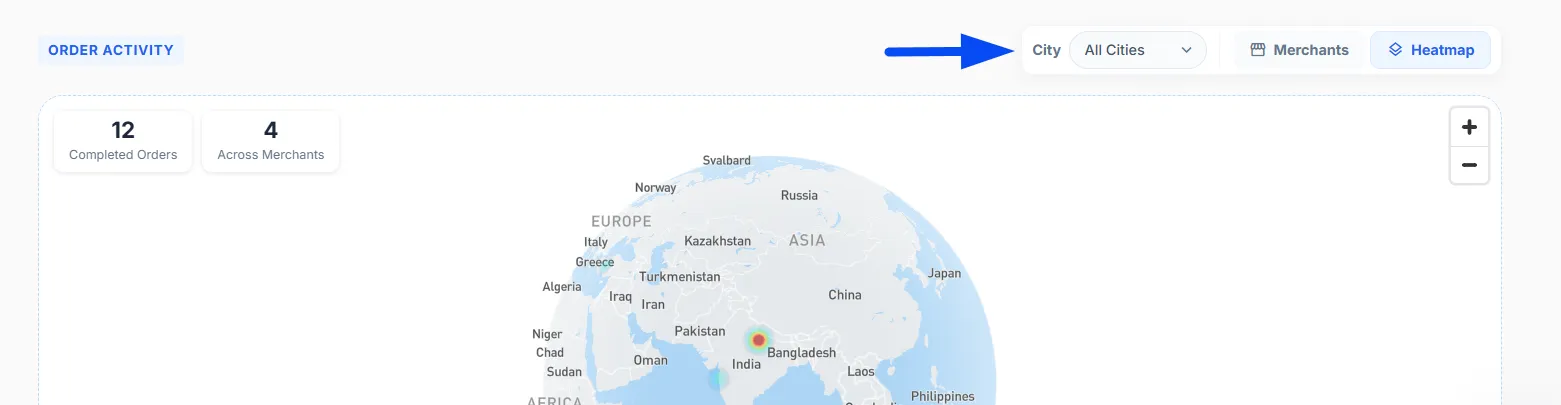
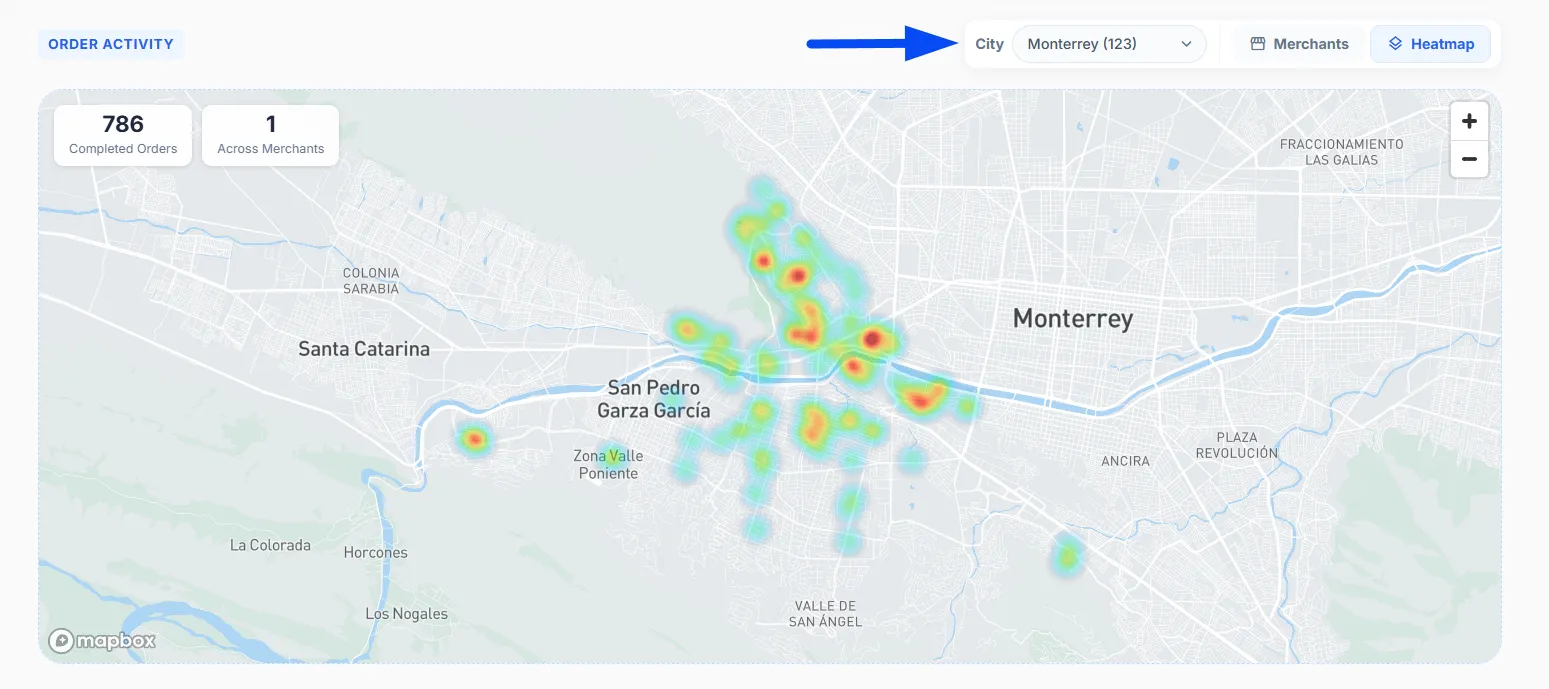
City Selection
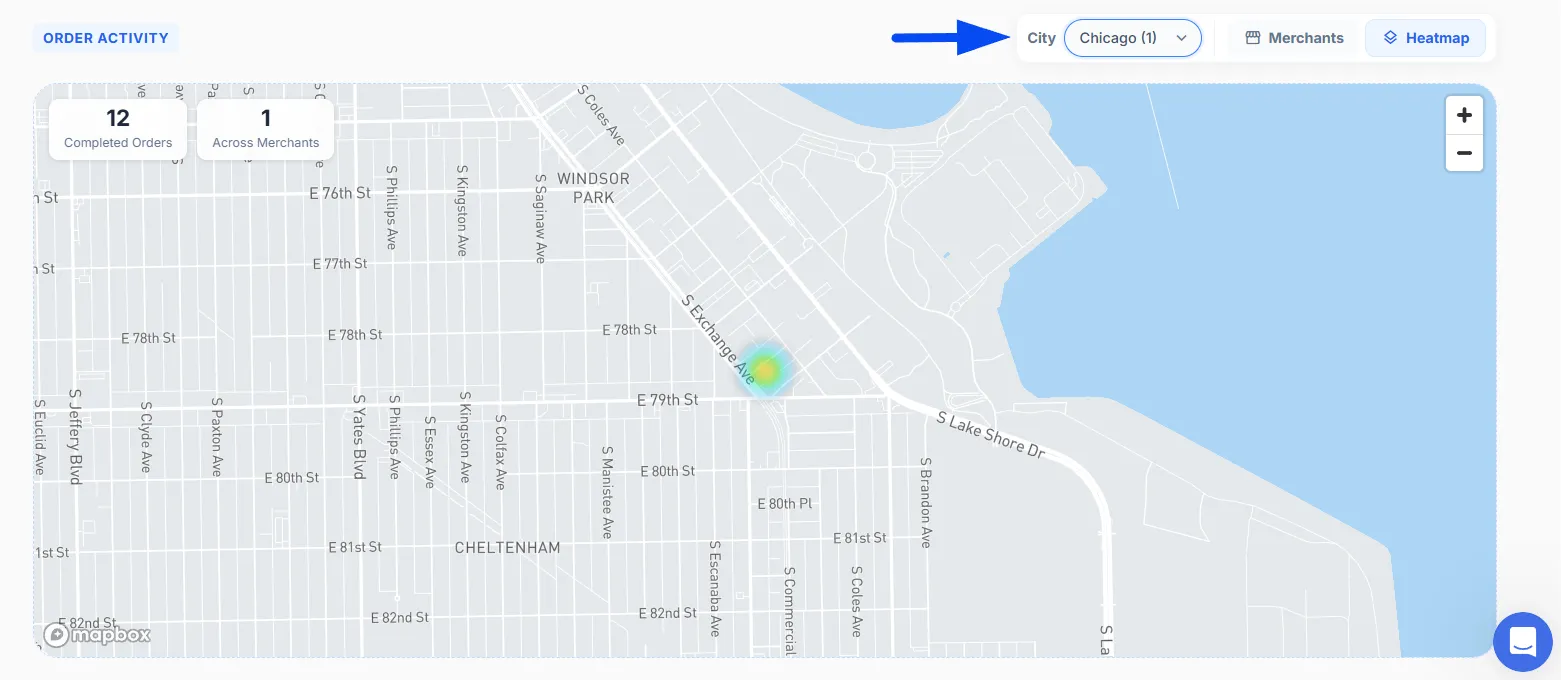
You can select a specific city to focus on its data.
For example, choosing Chicago will display only the orders and activity related to that city, making it easier to analyze performance for a particular location.
The cities in the dropdown are automatically populated based on where orders are being received and where merchants are operating. This ensures that only relevant cities with actual activity are displayed.
View Modes
You can switch between different views based on what you want to analyze:
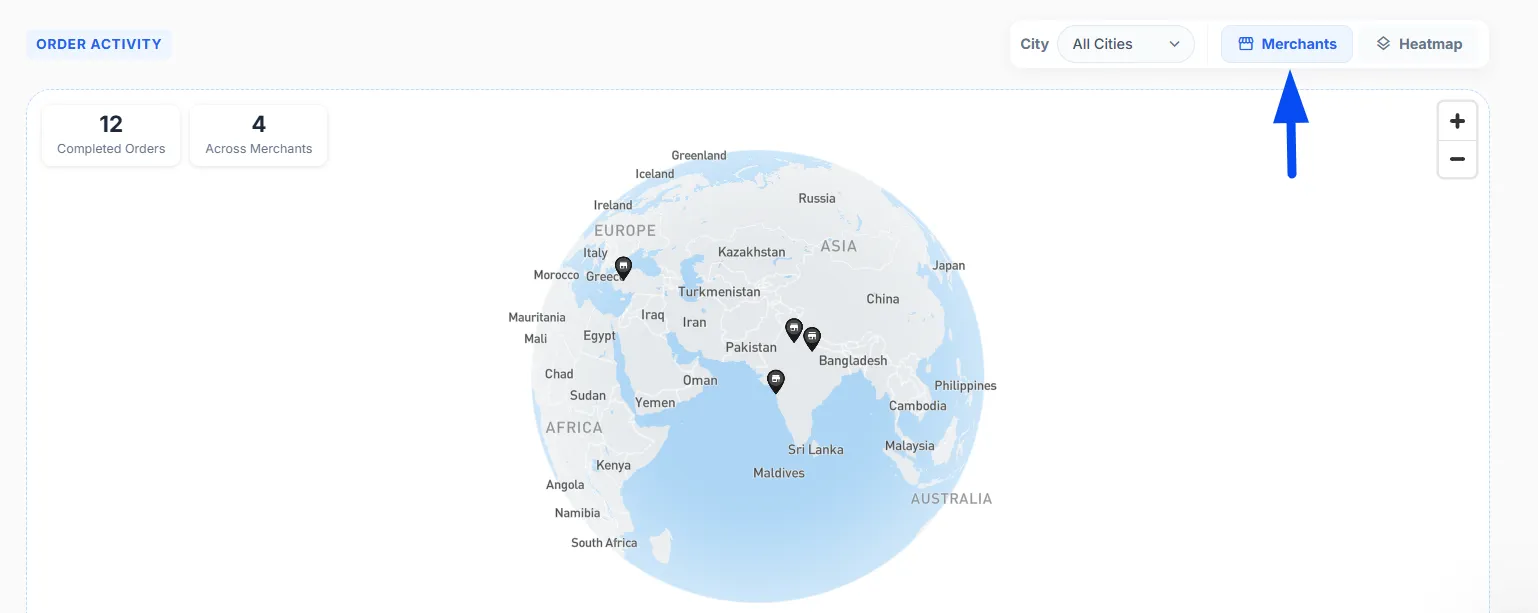
Merchant View
Displays the locations of all merchants on the map, helping you understand where your partners are situated.
Heatmap View
Shows order activity using color intensity, allowing you to quickly identify high-demand and low-demand areas. This is especially useful for analyzing customer behavior and planning operations more effectively.
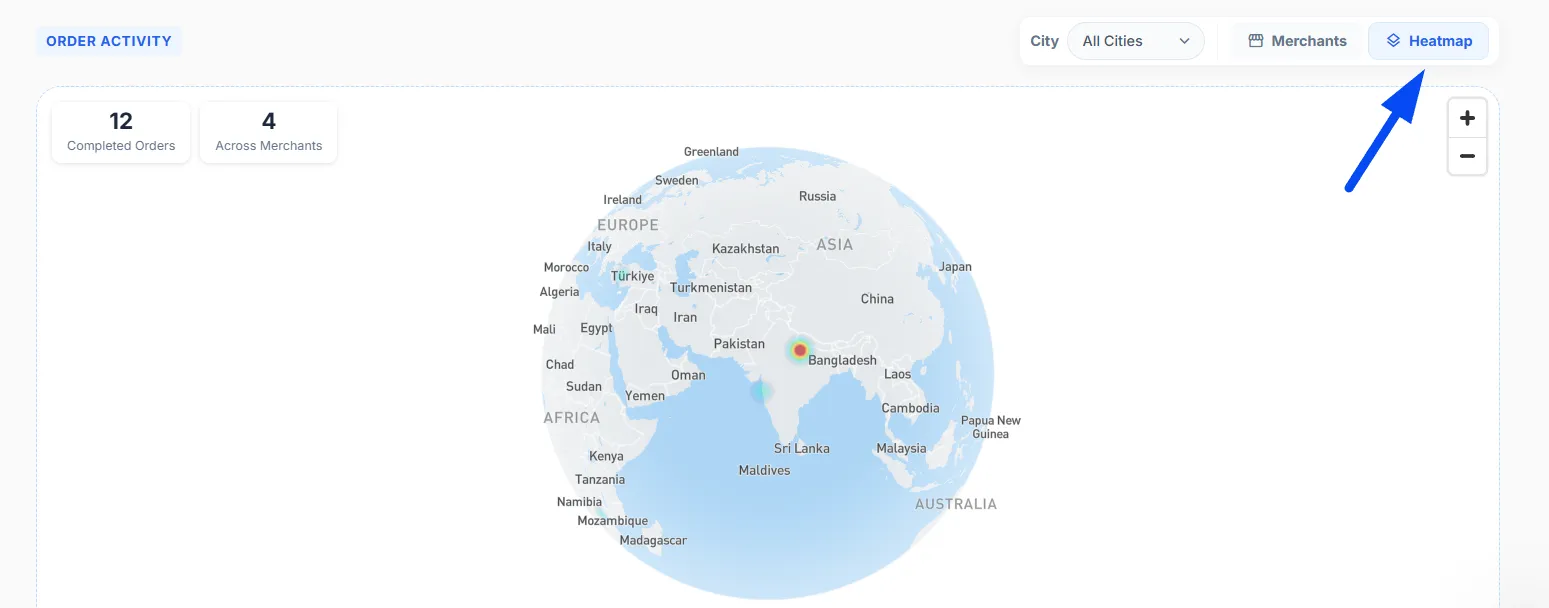
Heatmap – Understanding Demand at a Glance
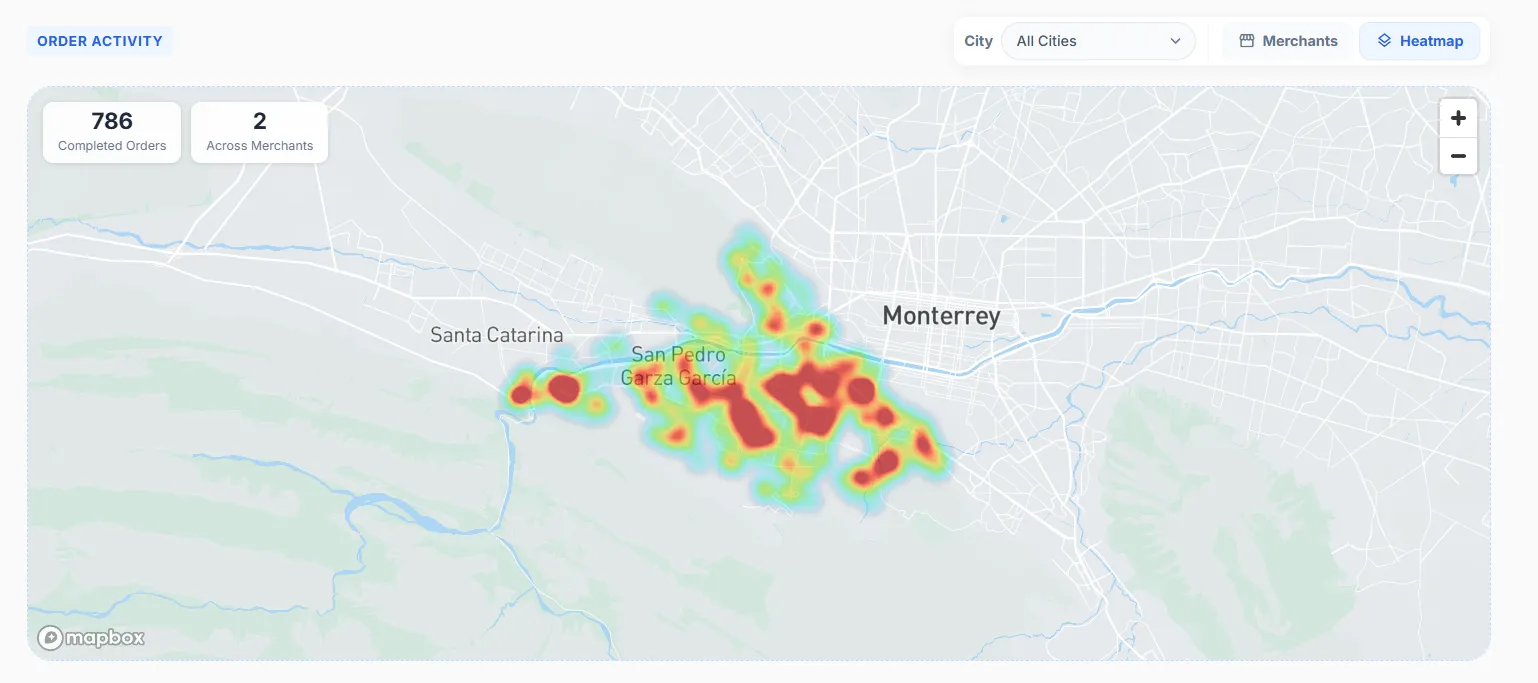
The Heatmap is one of the most powerful tools on the dashboard, designed to help you quickly understand where your orders are coming from and which areas have the highest demand.
Heatmap Insight: The heatmap uses colors to represent order activity across different areas on the map.
Red indicates high demand, Yellow shows moderate activity, and Blue/Green represents low activity. This allows you to quickly identify which areas are performing well and which may need attention.
You can also use the City filter to view the heatmap for a specific city, helping you better understand demand patterns and performance in that area.
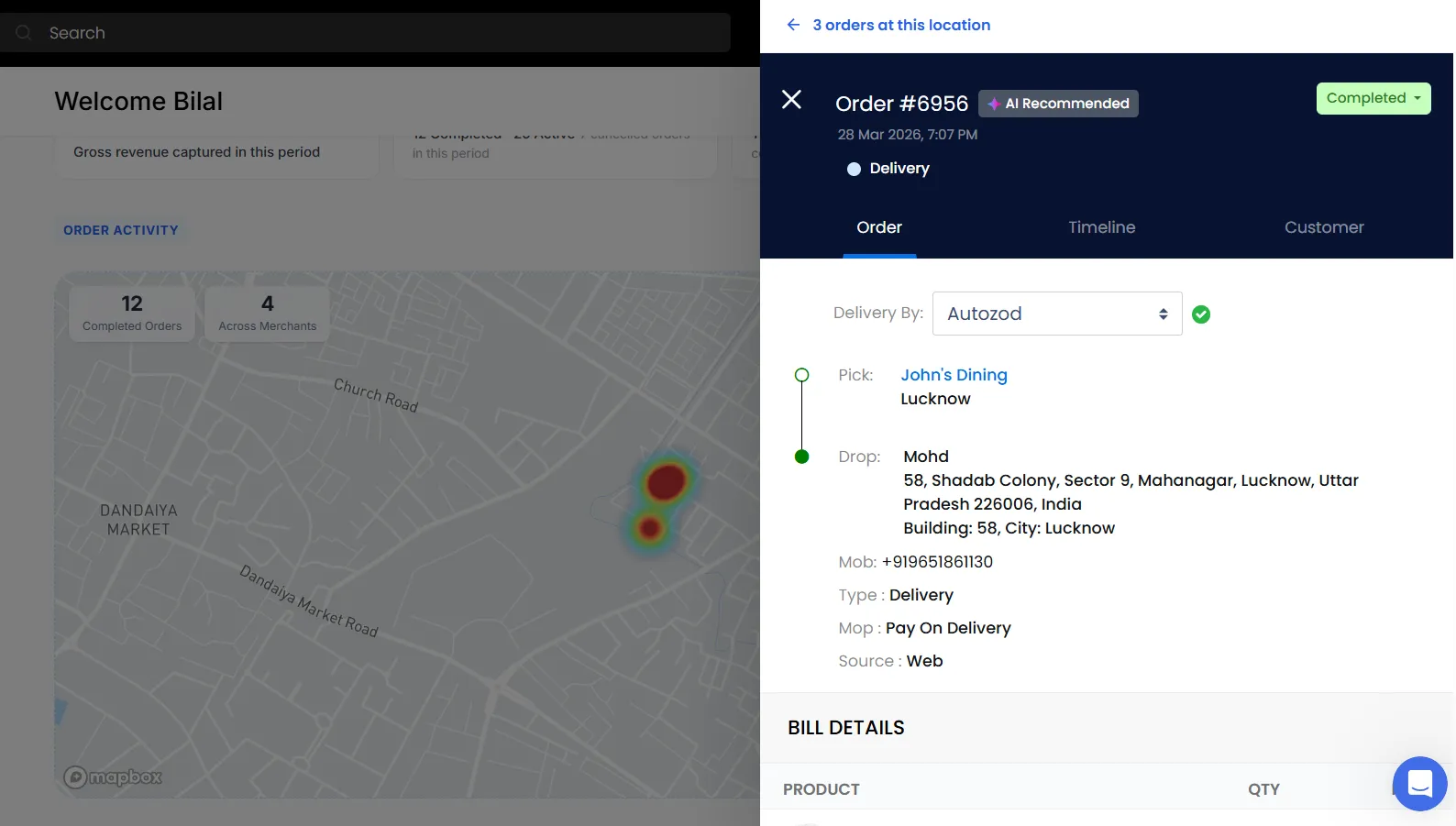
Viewing Orders from the Map
By clicking on a specific area in the heatmap, you can view the orders for that location.
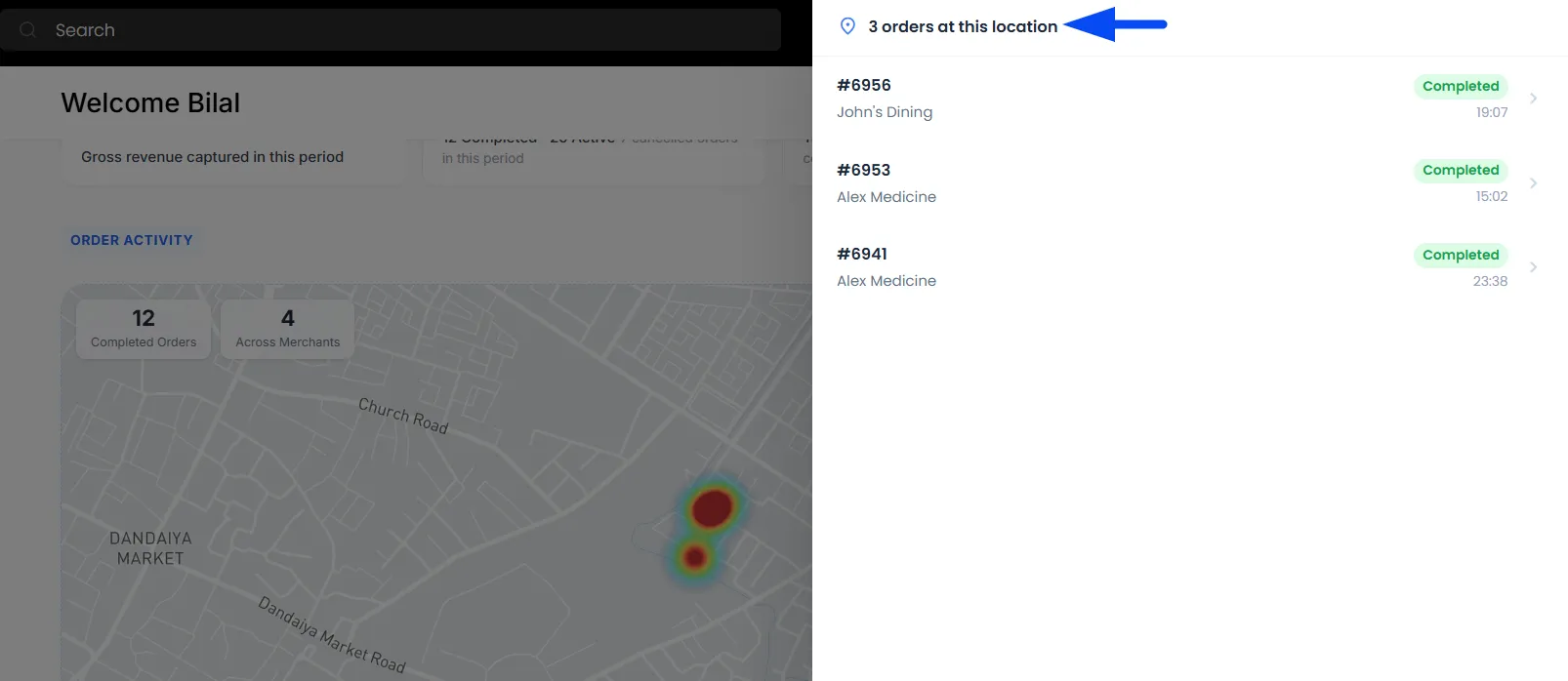
Viewing Order Details
Furthermore, you can click on a specific order as well to review the order in detail.
Performance Insights
This section provides a quick overview of your platform’s top performers, helping you understand which merchants and products are driving the most orders.
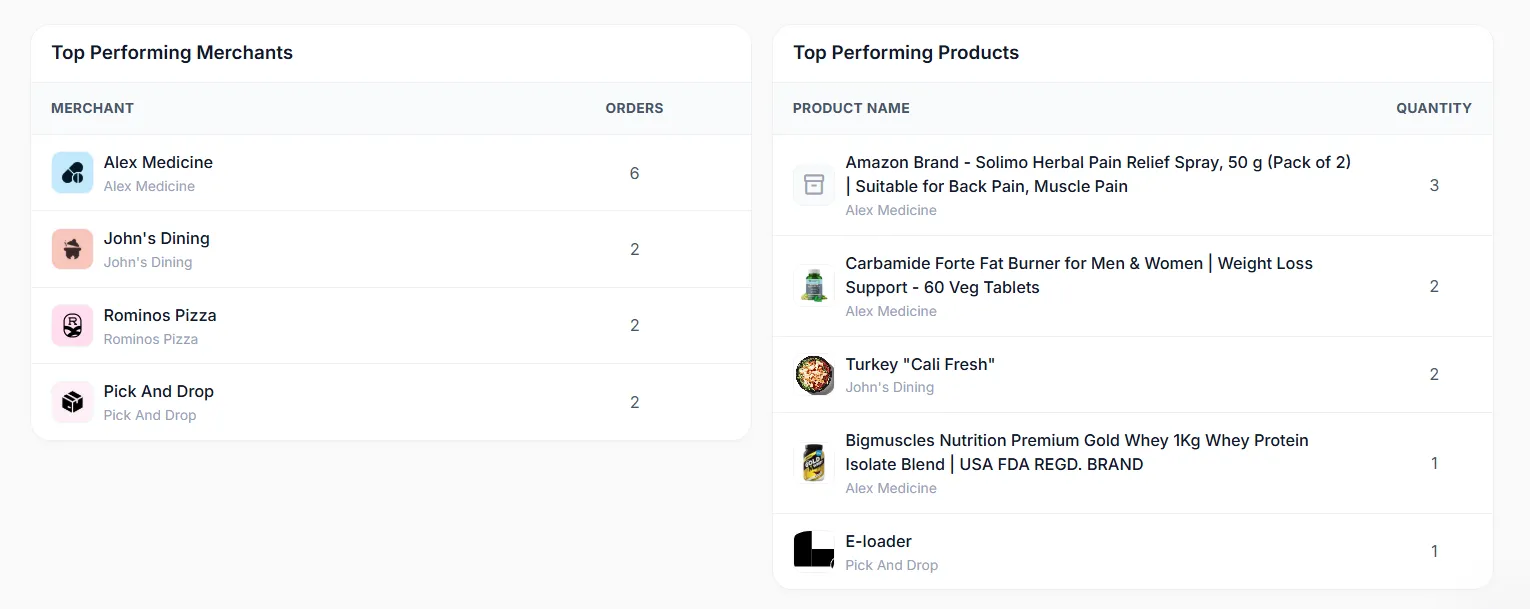
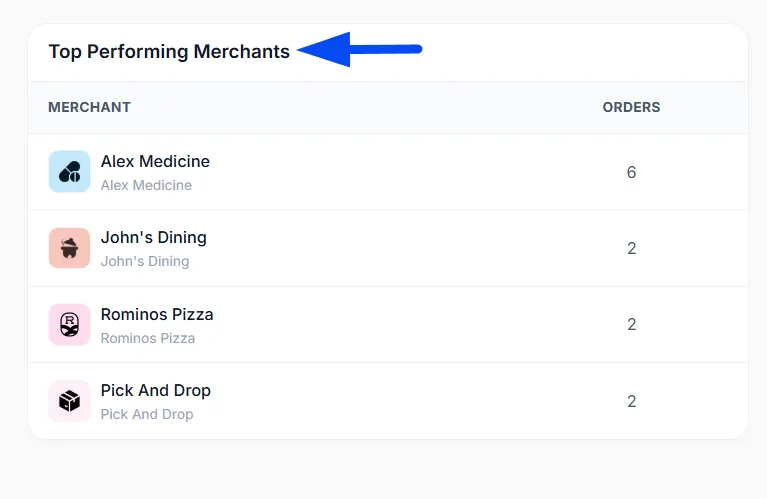
Top Performing Merchants
This section highlights the merchants generating the highest number of orders, helping you identify your top-performing partners.
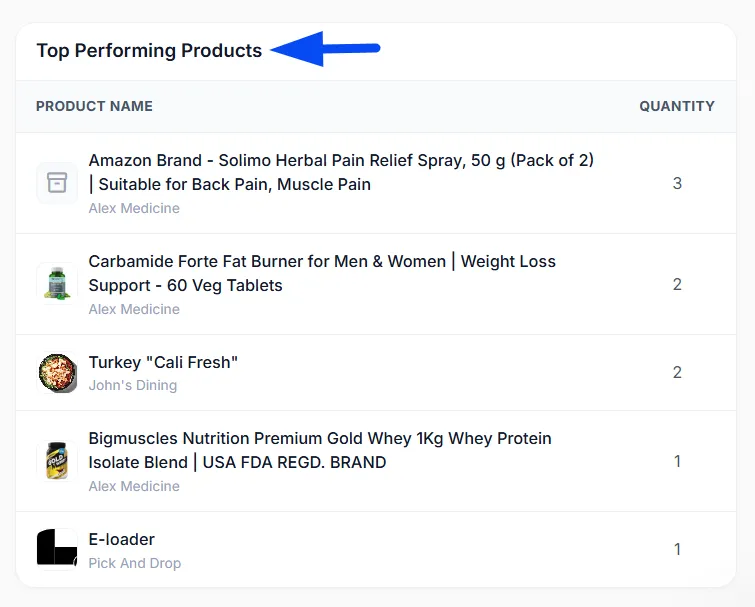
Top Performing Products
This section shows the products that are selling the most on your platform, giving you insight into customer preferences.