Highlight Merchants
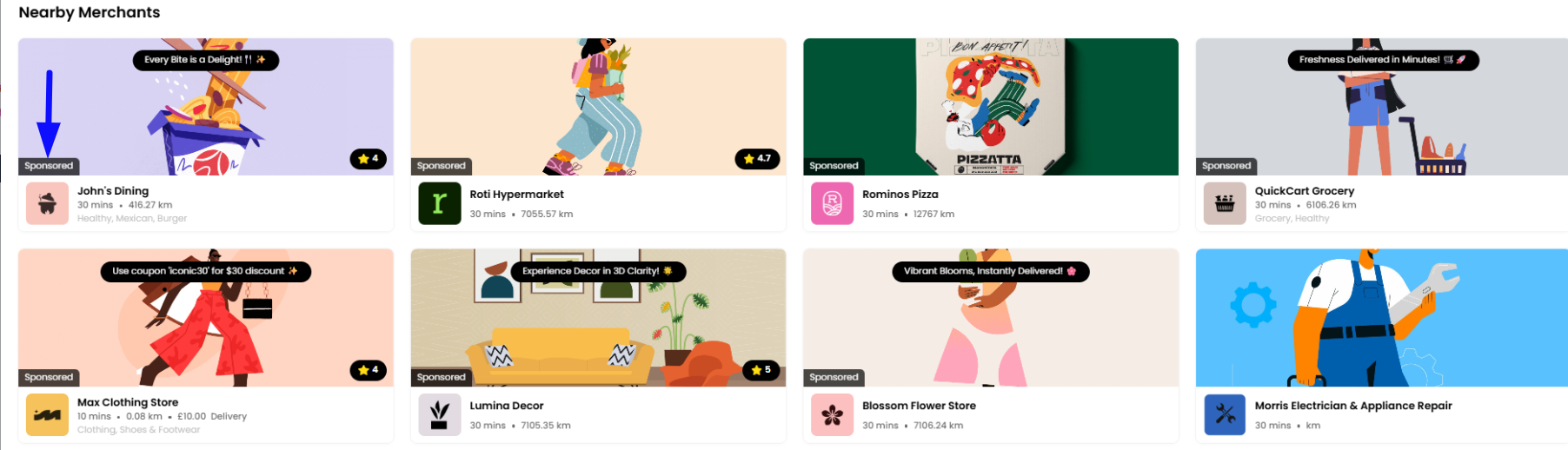
The Highlight Merchants section allows you to promote specific merchants by giving them higher visibility across your platform. This is especially useful for promoting priority merchants, running campaigns, or offering paid promotional placements, all while controlling how and where these merchants appear to customers.
Navigating to the Highlight Merchants Section
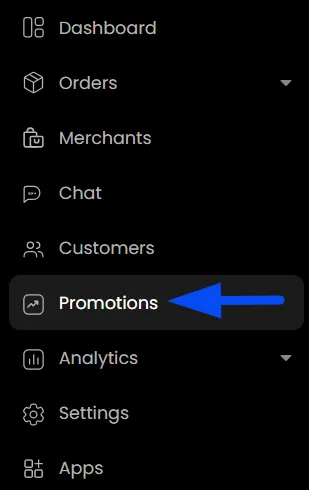
- On the admin panel, navigate to the Promotions tab.
- Within the promotions tab, switch to the "Highlights" section.
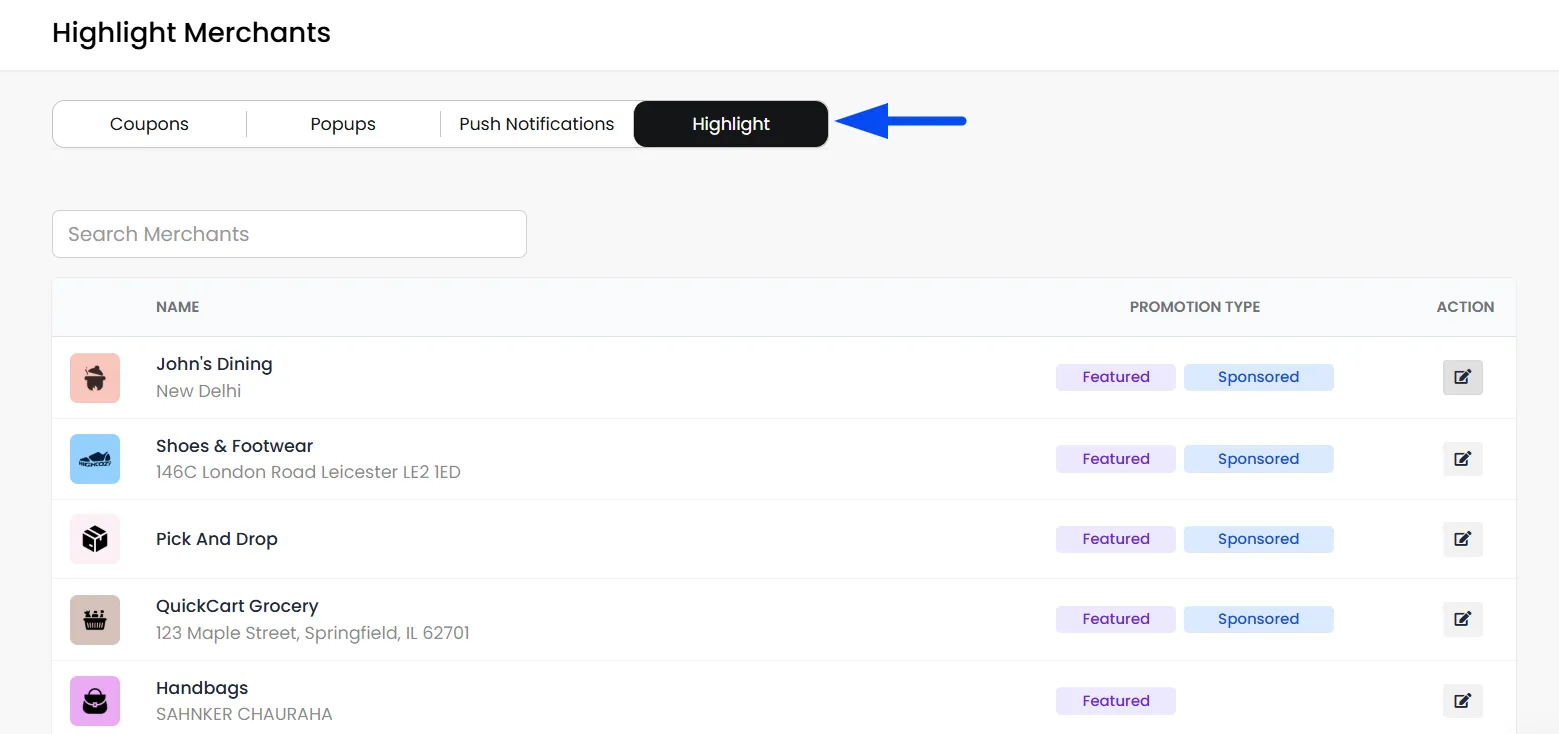
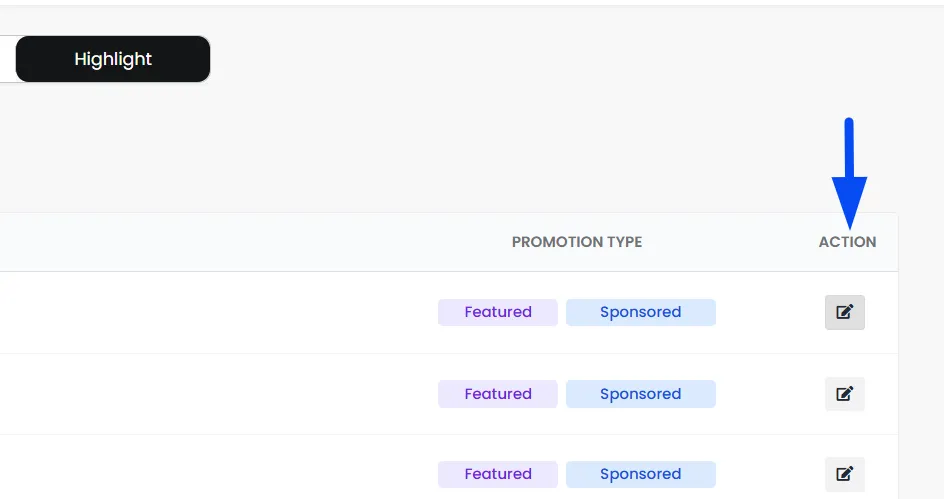
- You’ll see a list of all merchants. Use the search bar to find a specific merchant quickly. Click the edit icon next to a merchant to configure highlights.
Configure Highlight
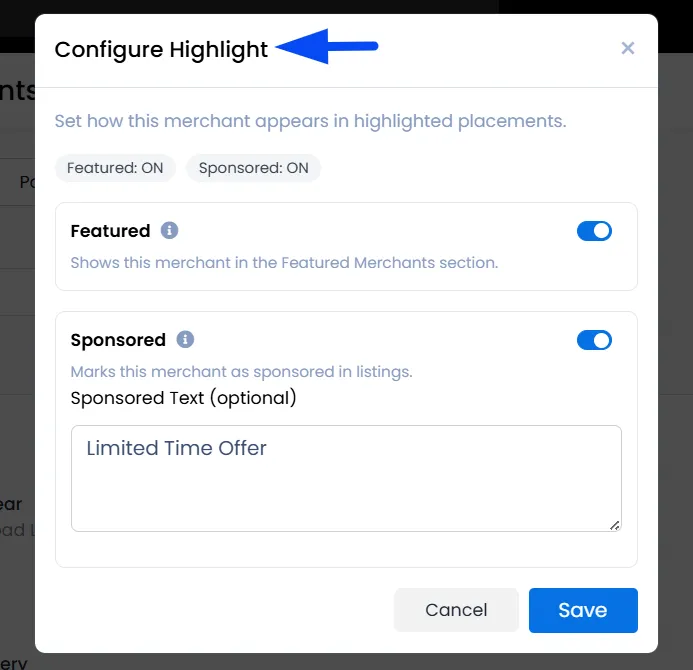
Choose how this merchant will be shown in highlighted sections across your apps and website.
Featured Merchants
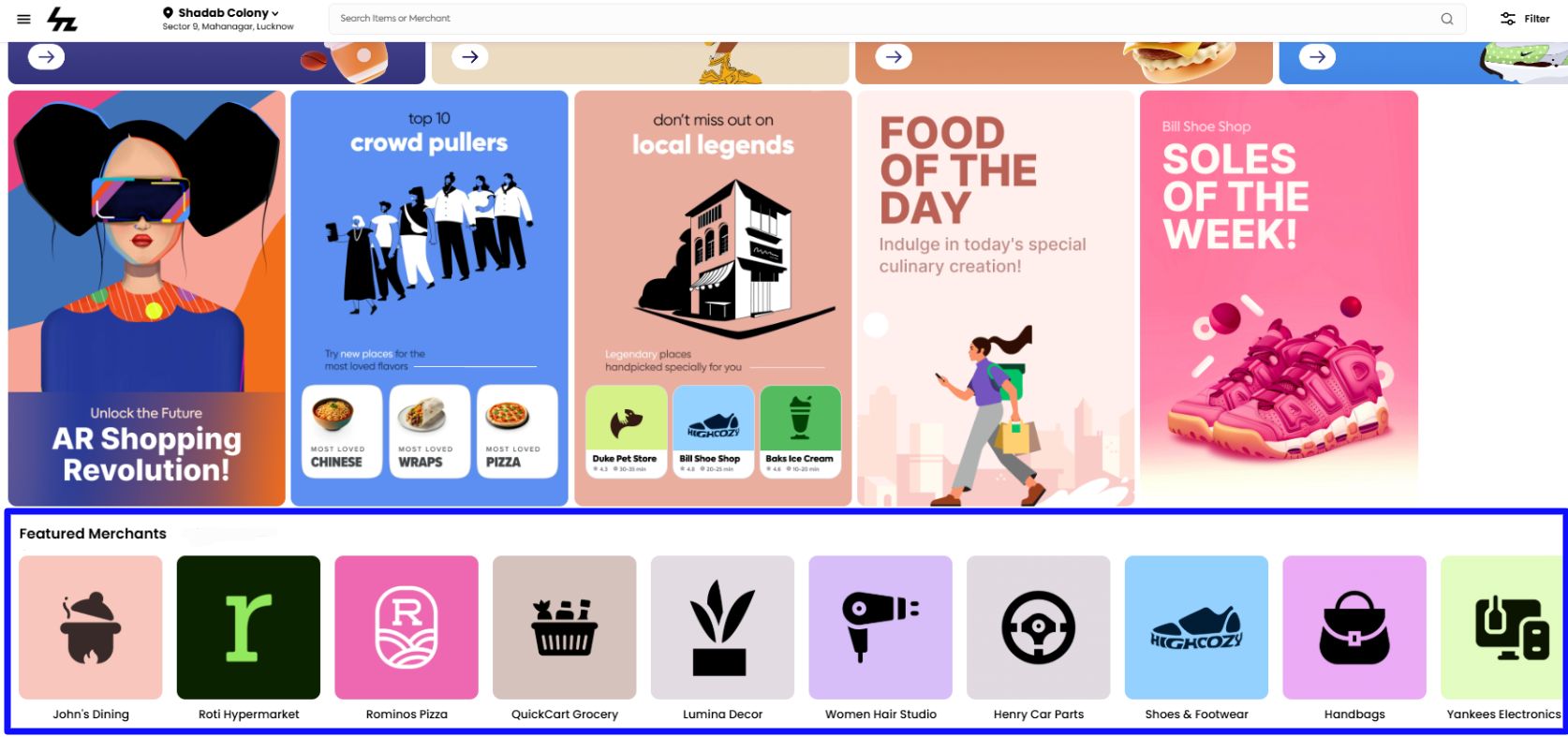
Enable the Featured toggle to mark a merchant as “Featured.” This typically displays them in a "Featured Stores" section on your website or app, giving them extra visibility.
Sponsored Merchants
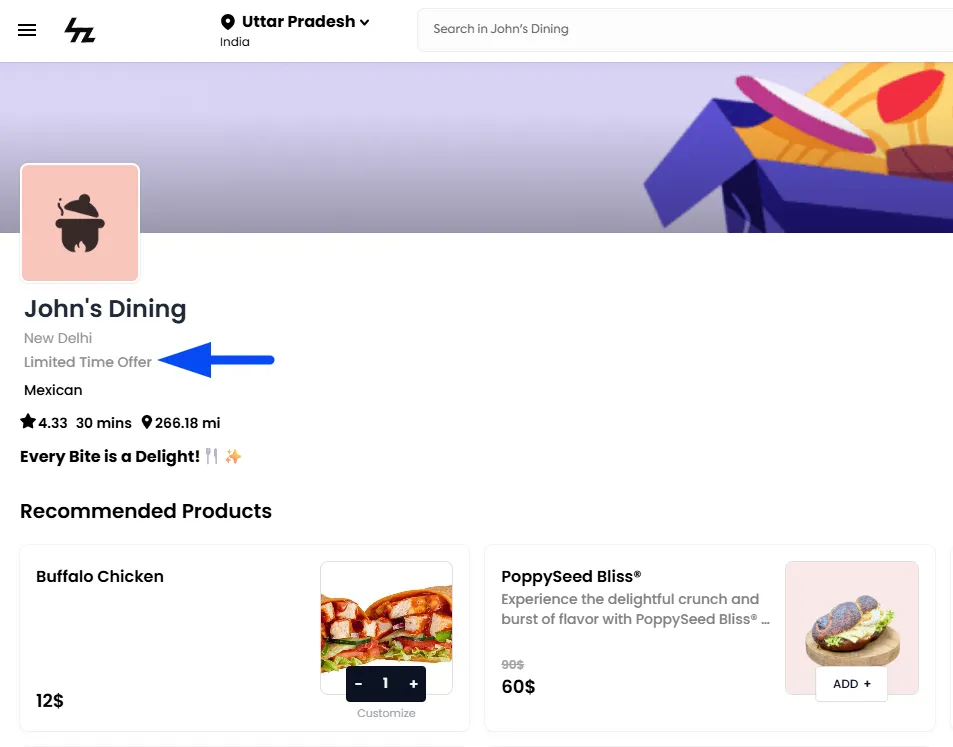
Marks the merchant for a paid promotional spot. Sponsored merchants are pushed to the top of the "Nearby Merchants" list, giving them priority visibility over others in that section. You can also add custom text (e.g., “Top Rated” or “Limited Offer”) to further highlight the promotion to customers.