Reviews
The Customer Reviews feature allows you to collect and display customer feedback and ratings on your storefront. Once enabled, customers can leave reviews for their completed orders, and you can showcase these reviews on your storefront to build trust and help potential customers make informed decisions.
Enable Customer Reviews
- To enable customer reviews:
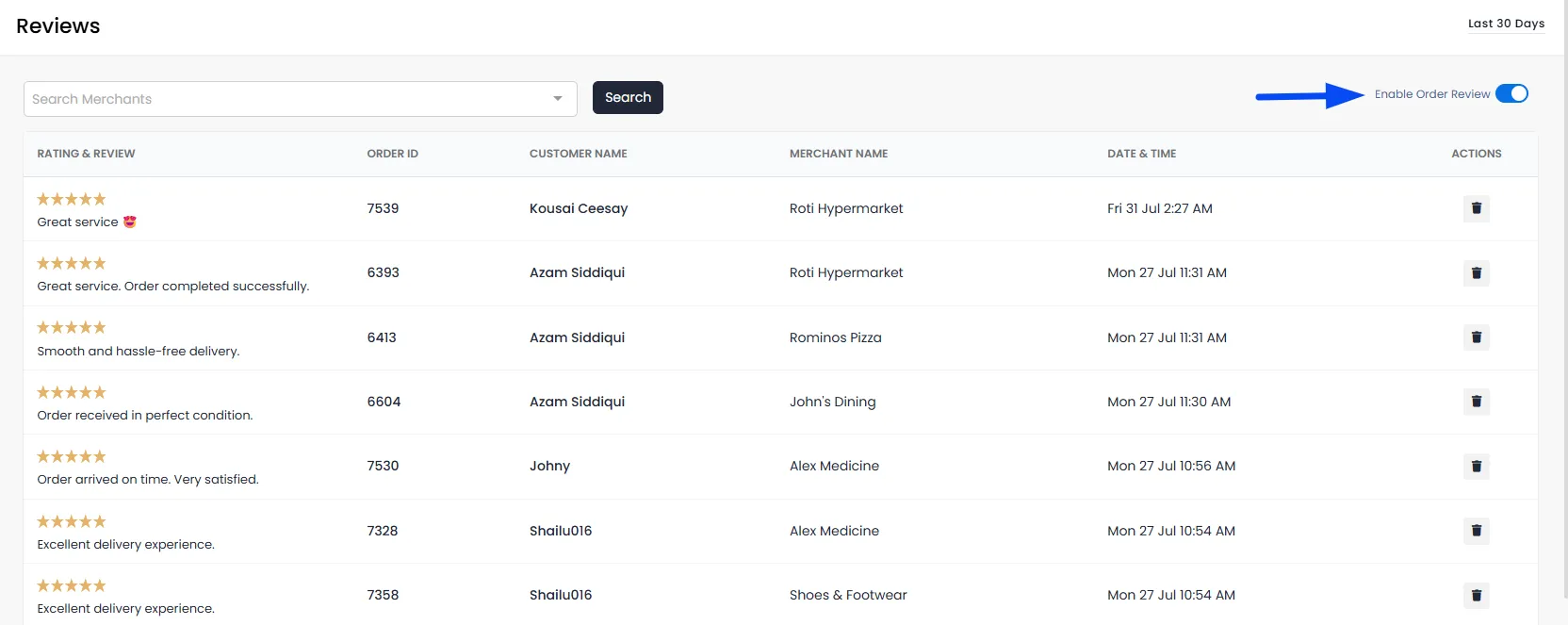
- From the Admin Panel, navigate to Analytics → Reviews.
- Enable the Order Review toggle.
- Once enabled, customers can submit ratings and reviews for their eligible orders.
Note: Once enabled, customers will see an option to rate their order and leave a review after their order is completed.
Add Reviews to Your Storefront
After enabling reviews, you can add the Order Reviews section to your storefront using the Theme Builder.
- From the Admin Panel, navigate to Settings > Theme Builder.
- Open the Merchant page for whom you want to display the reviews.
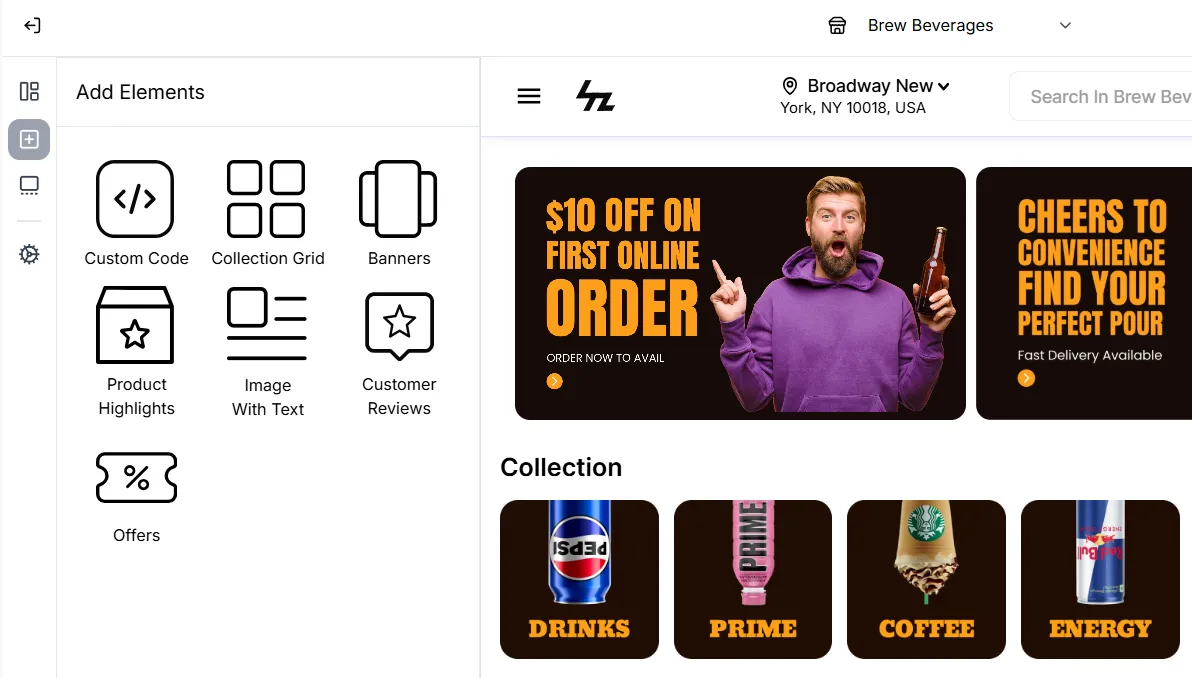
- From the left panel, select Add Elements.
- Select Customer Reviews.
- The Customer Reviews section will be added to your storefront.
- Configure the available display settings as required.
Customer Review Display Settings
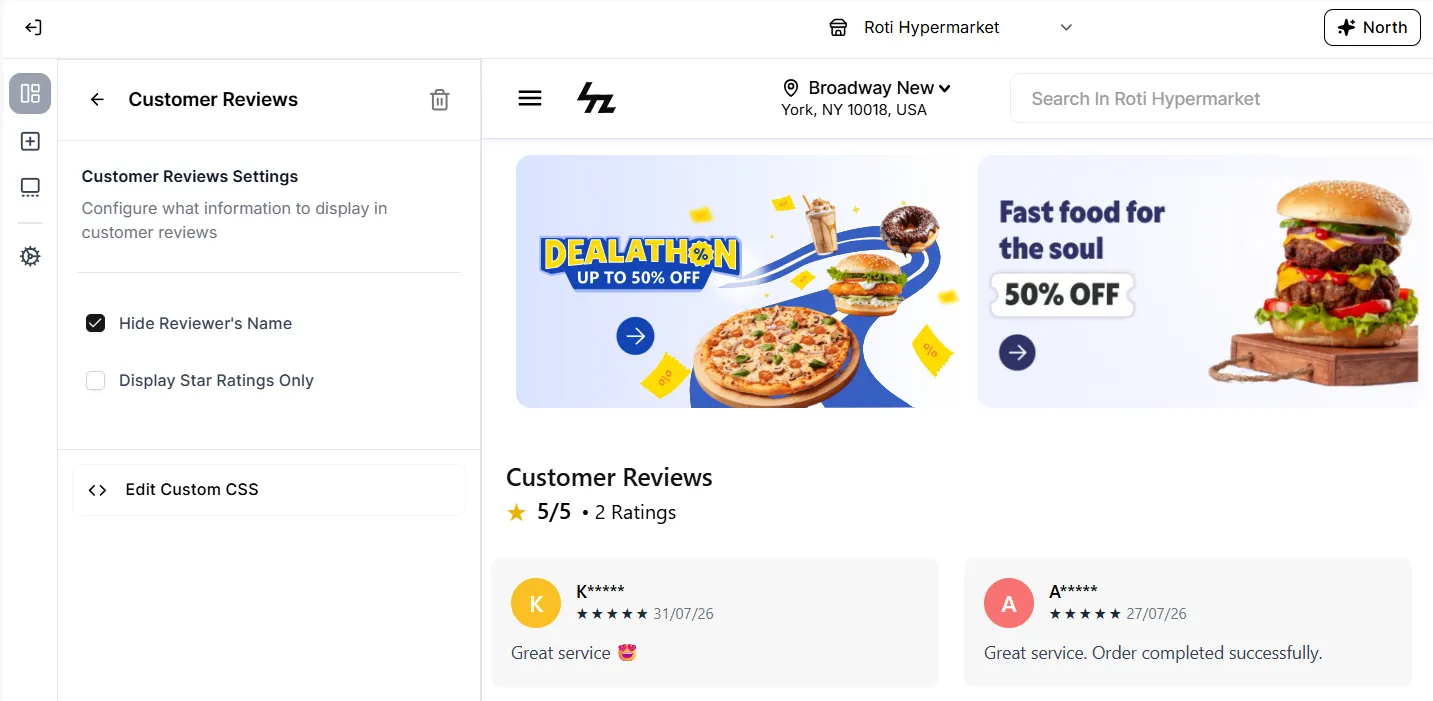
Once the Customer Reviews element has been added, you can customize how customer information and ratings are displayed:
- Hide Reviewer's Name: Hide the customer's name from the review card while still displaying the review.
- Display Star Ratings Only: Show only the customer's star rating without displaying the written review or additional reviewer information.
Note: We currently do not offer product-level reviews. The customer can leave reviews for the overall order.