Tapfiliate
Grow your business through affiliate marketing by integrating Hyperzod with Tapfiliate.
The Tapfiliate integration enables you to track referrals, manage affiliates, and reward partners automatically based on customer actions and completed orders. By connecting Hyperzod with Tapfiliate, businesses can expand their reach, increase customer acquisition, and scale marketing efforts through performance-based partnerships.
How to Connect Tapfiliate
- Sign up on Tapfiliate

Tapfiliate Credentials
- Once you have created an account on Tapfiliate, use the link below to obtain the API key and account ID, which you need to enter in the Hyperzod platform.
Guide to get the API key and Account ID - https://support.tapfiliate.com/en/articles/12793297-how-to-find-account-id-and-api-key
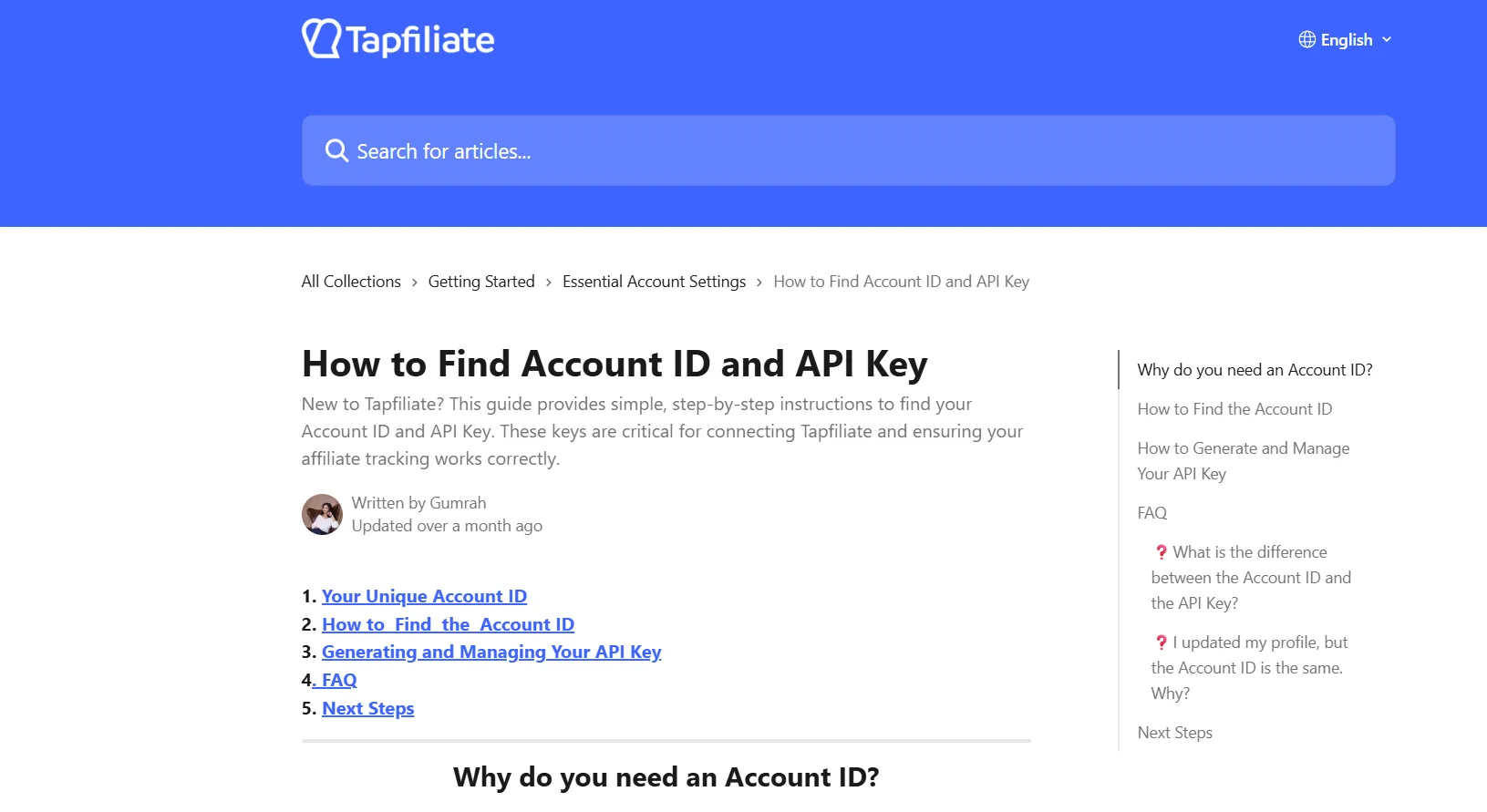
- Once the credentials have been obtained, navigate to the Admin panel > Apps > Loyalty and input the credentials within the "Live Environment."
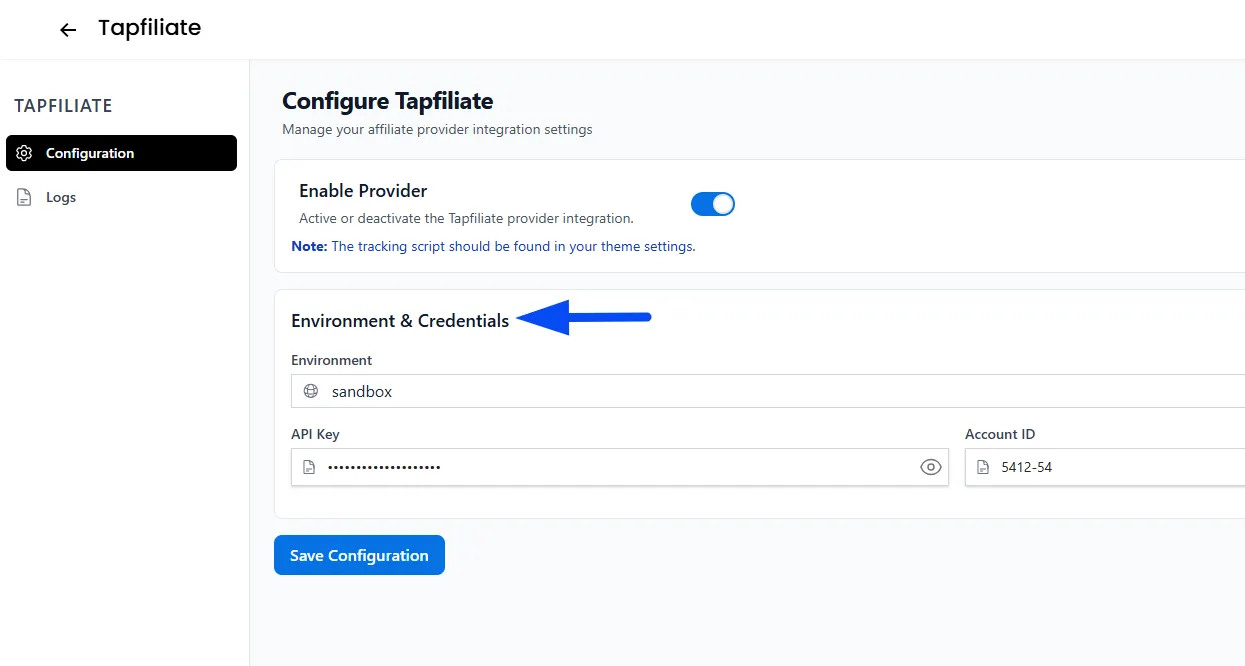
Embed the Tapfiliate Tracking Script
- After you have configured the credentials, you need to add the tracking script. Open the Tapfiliate tracking script guide provided below, copy the script provided, and replace "YOUR_ACCOUNT_ID" with your own Tapfiliate Account ID.
Get the official Tapfiliate tracking script here: https://support.tapfiliate.com/en/articles/13111065-how-to-integrate-with-tapfiliate-via-javascript
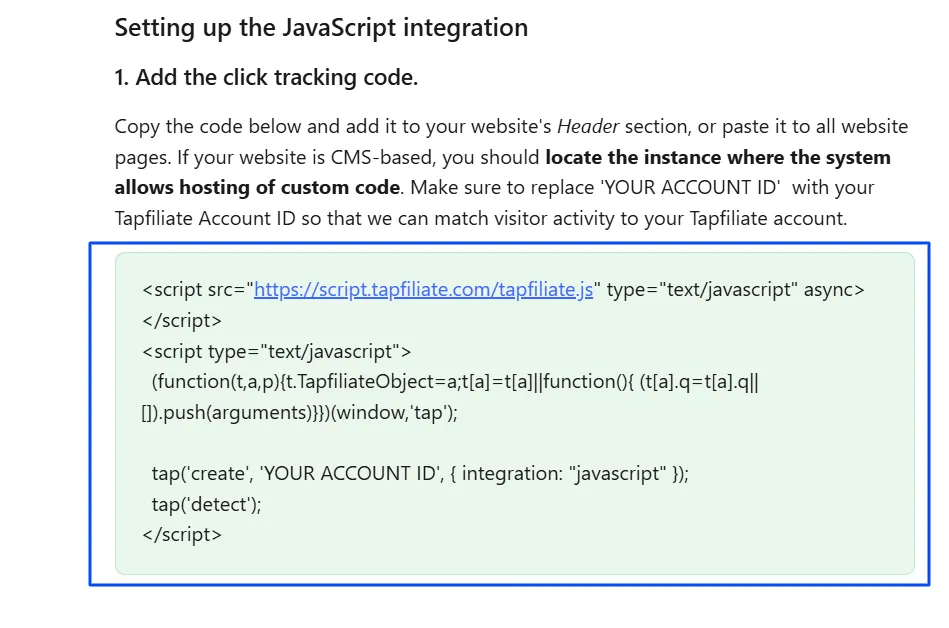
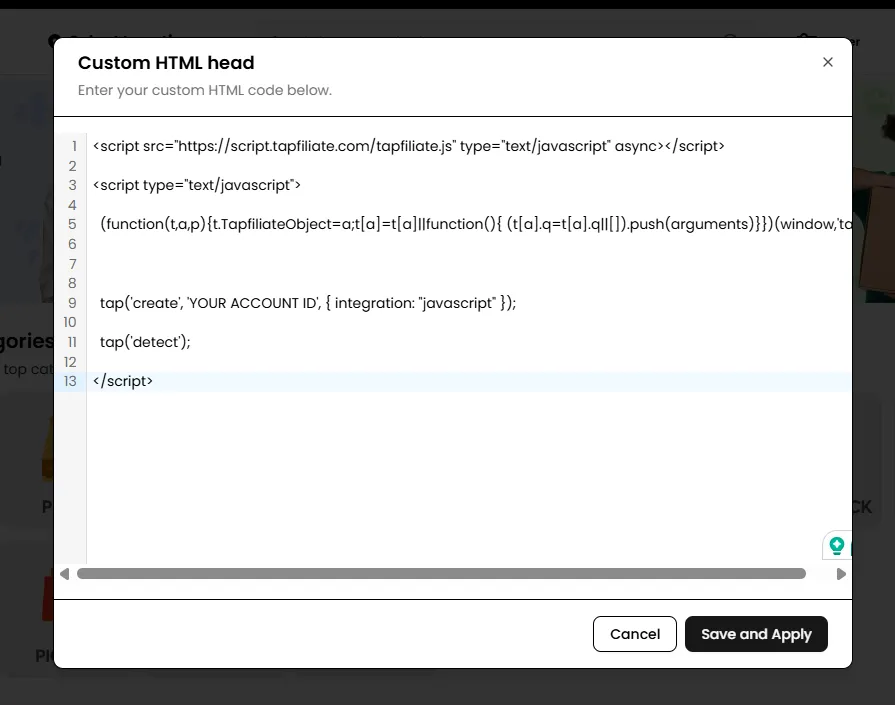
- Once the Account ID has been added to the script, navigate to Admin Panel > Settings > Theme > Custom Code > Custom HTML Head, paste the updated script into the appropriate section, and save the changes.
Configure Webhook
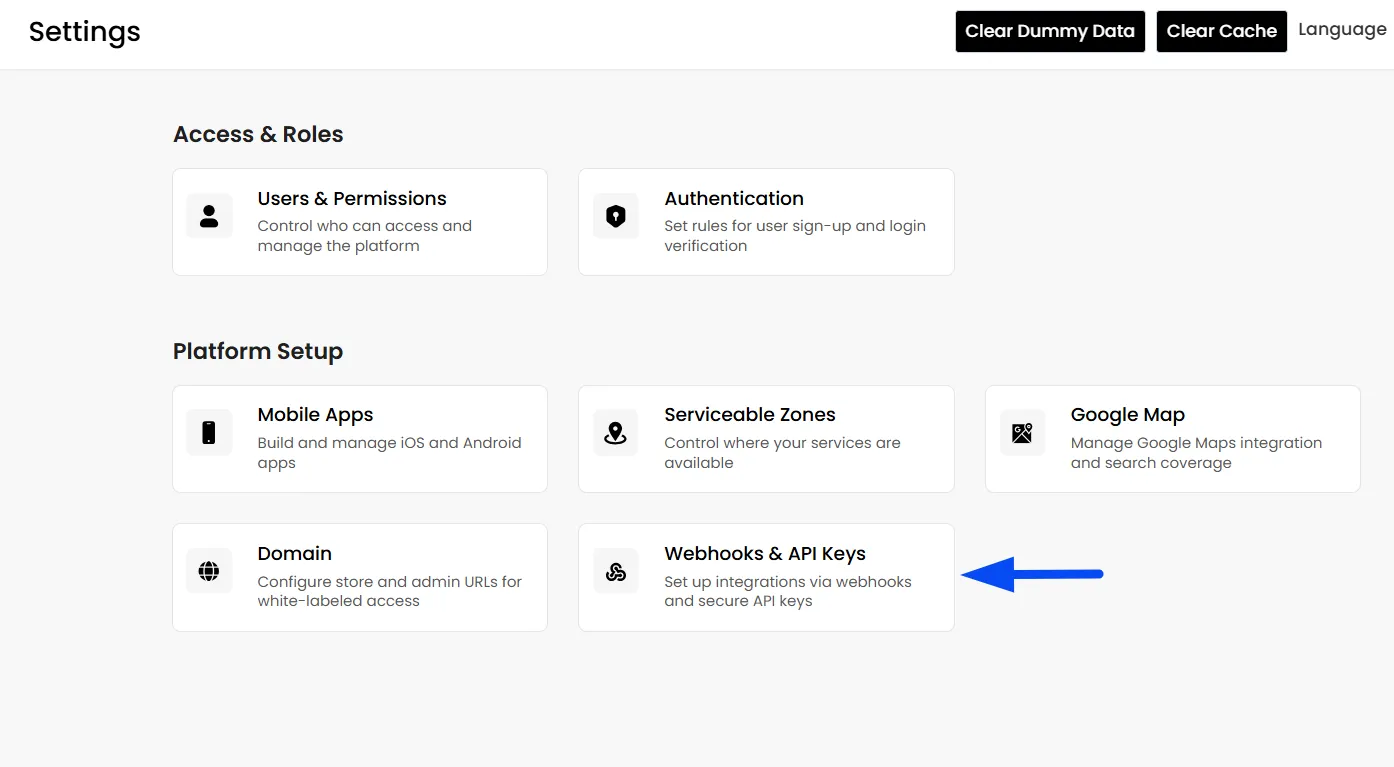
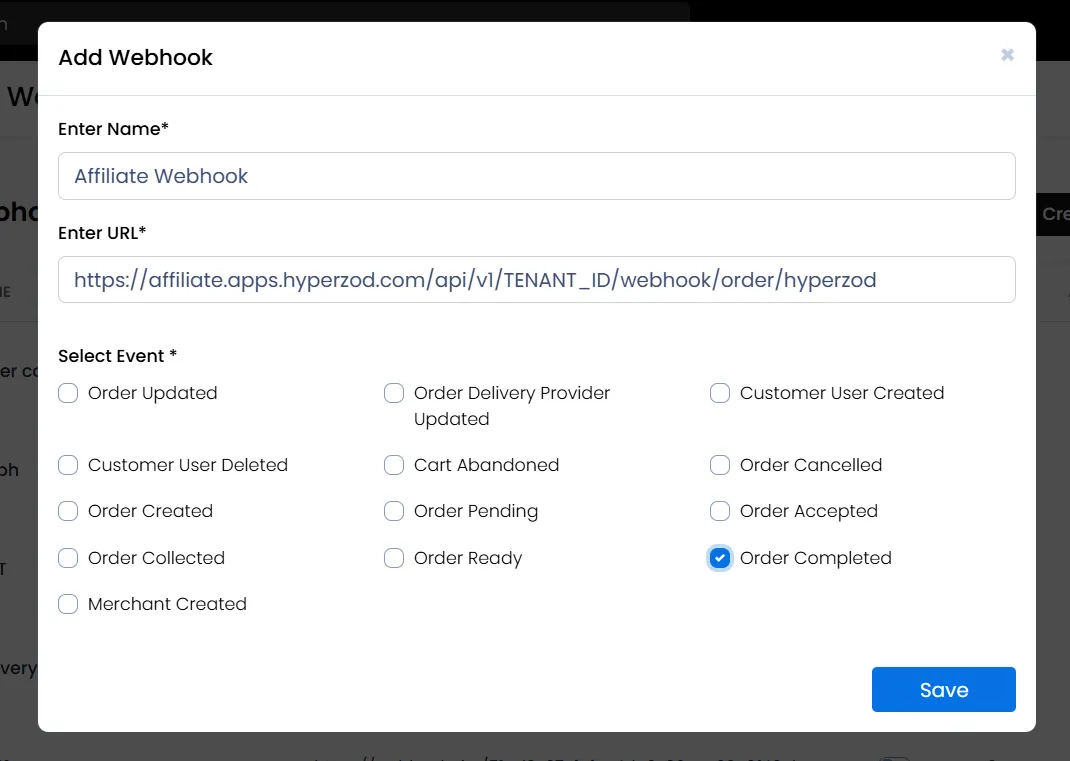
- To track successful conversions, navigate to Admin Panel > Settings > Webhooks & API Keys and create a new webhook.
Use the URL https://affiliate.apps.hyperzod.com/api/v1/TENANT_ID/webhook/order/hyperzod (replace TENANT_ID with your own ID) and select the event “Order Completed.”
This allows Tapfiliate to reward affiliates automatically based on completed orders.
You have now successfully configured Tapfiliate within the Hyperzod panel. No further setup is required on Hyperzod. The remaining configurations — such as creating affiliates, setting commission rules, and managing payouts — should now be completed directly inside your Tapfiliate account.