Cart Recovery
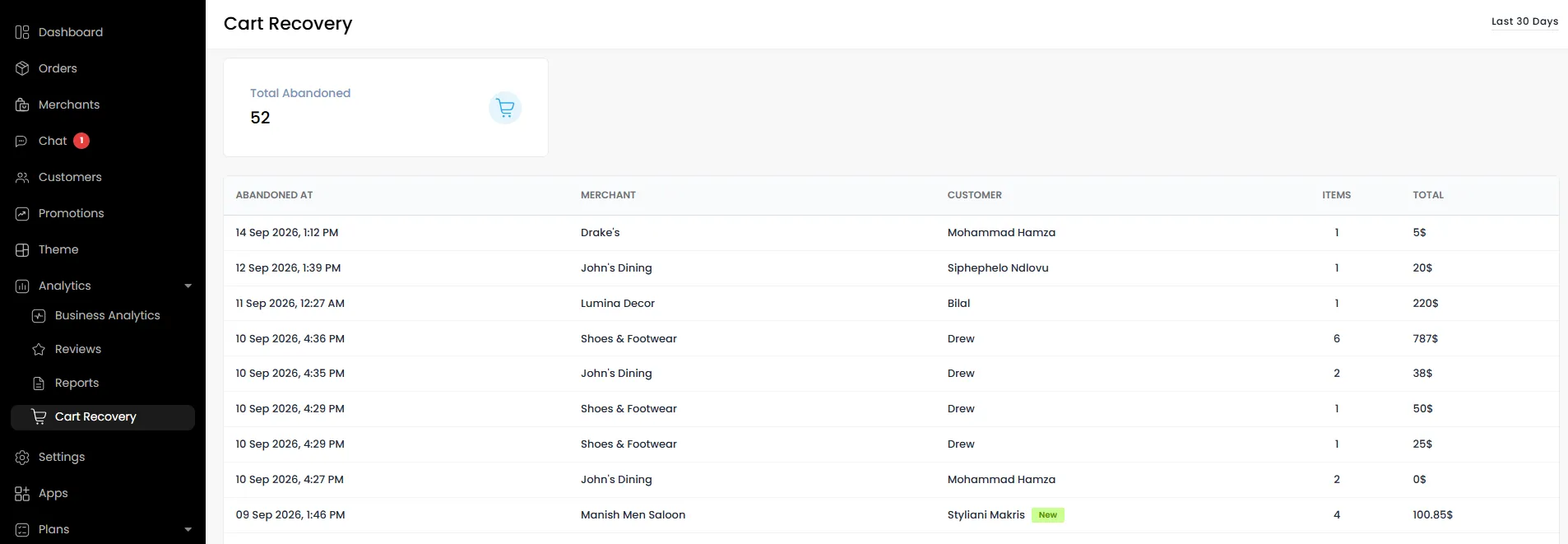
The Cart Recovery feature helps you identify, track, and re-engage customers who added items to their cart but didn’t complete checkout. It enables you to recover lost revenue by sending timely emails, SMS messages, and push notifications to customers who abandon their carts.
A cart is automatically marked as abandoned after 30 minutes of inactivity at checkout.
How to Access Cart Recovery
To view all abandoned carts:
- Go to Admin Panel > Analytics
- Click on Cart Recovery
Enabling Abandoned Cart Notifications
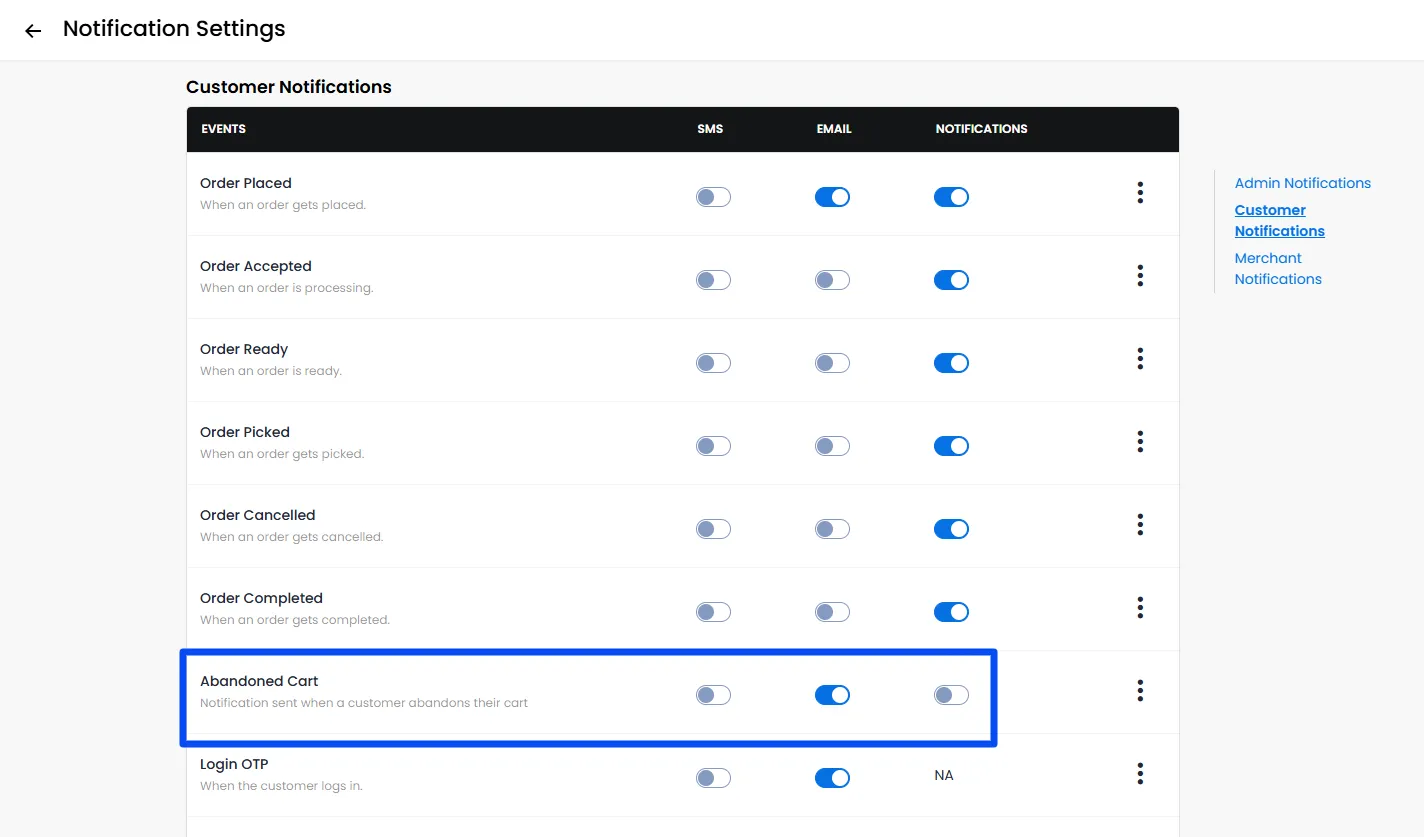
You can automatically notify customers when they abandon a cart via Email, SMS, or Push Notifications.
- Go to Admin Panel > Settings
- Open Notifications
- Under Customer Notifications, locate Abandoned Cart
- Enable the toggle for:
- SMS
- Push Notifications (as needed)
Once enabled, customers will receive reminders based on your configured channels.
Note: Cart recovery notifications are sent only once, when a customer’s cart remains inactive for 30 minutes.
Using Cart Recovery for Marketing & Automation
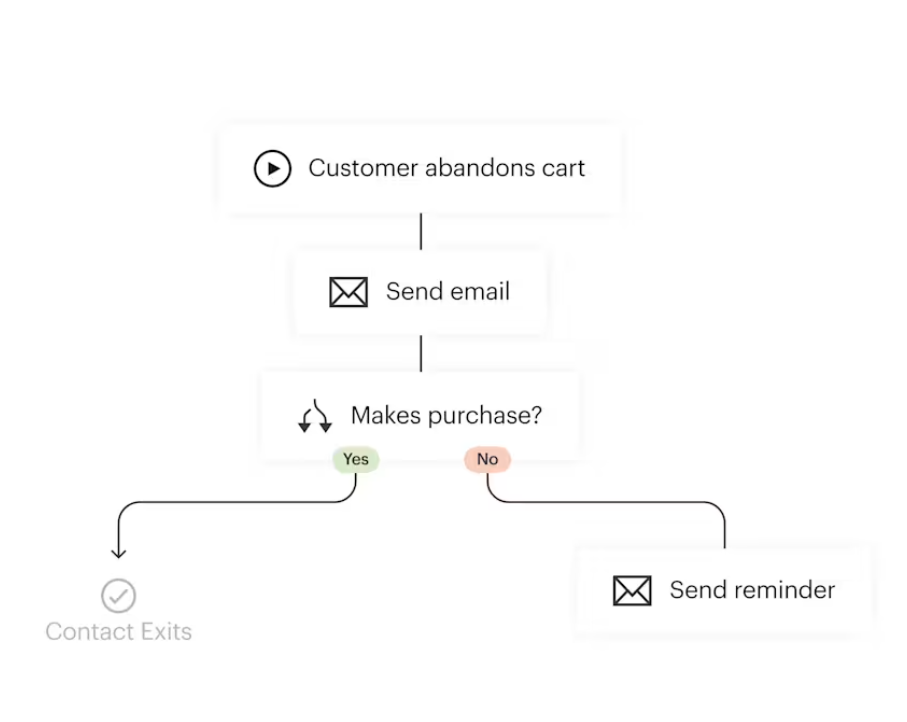
Abandoned carts act as a powerful trigger for recovery campaigns.
You can:
- Send personalised reminder messages
- Trigger marketing flows
- Offer discount codes or incentives
Example Use Cases
- “You left items in your cart — complete your order now.”
- “Finish checkout and get 10% off with code SAVE10.”
Webhooks & External Integrations
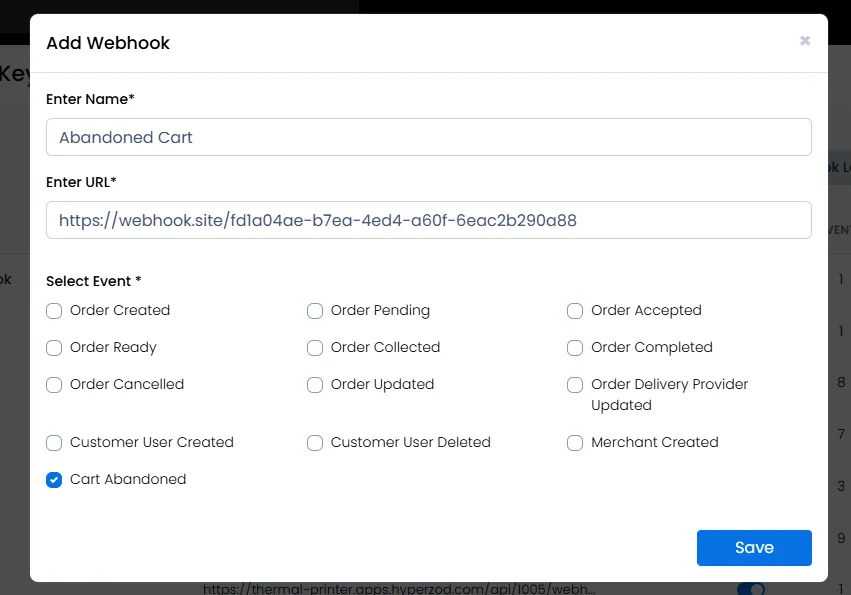
Abandoned cart events can be sent to external systems using webhooks.
How to Configure
- Go to Admin Panel > Settings
- Navigate to Webhooks & API Keys
- Add a webhook endpoint for Abandoned Cart events