Chat App
The Chat App is a fully integrated real-time messaging system designed to enable seamless interaction between all participants involved in an order.
It allows Customers, Drivers, Merchants, and Admins to communicate directly within the order workflow. By keeping conversations tied to the order context, the Chat App helps improve coordination, accelerate issue resolution, and ensure smoother delivery operations.
Navigating to the Chat App
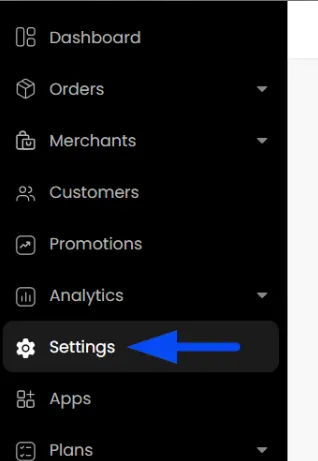
- On the Admin panel, navigate to the Settings page.
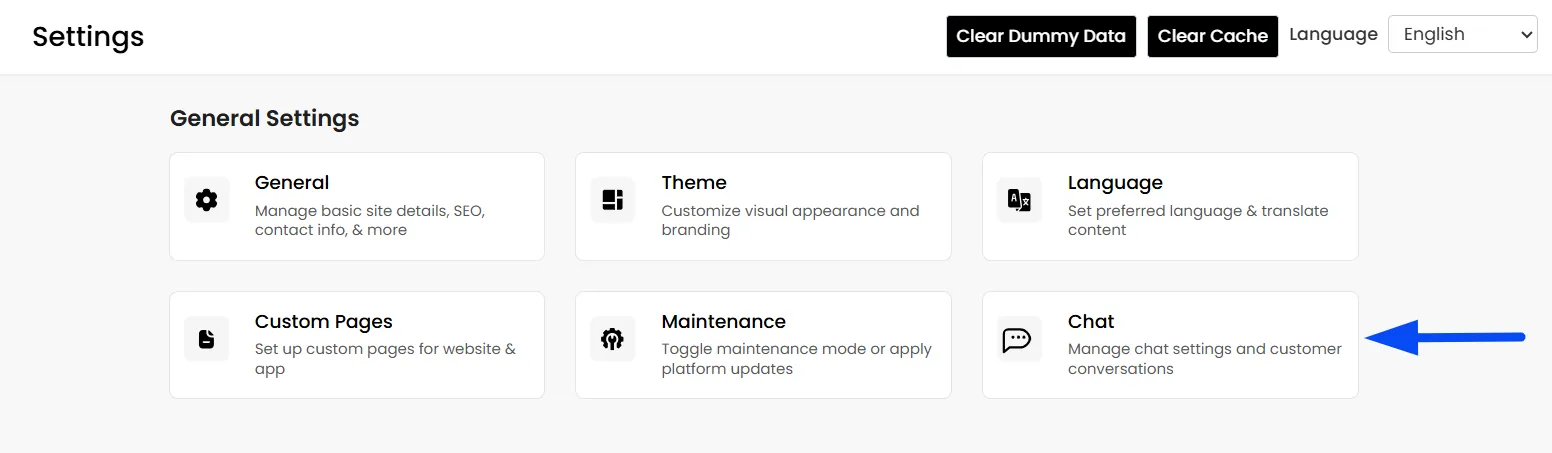
- On the settings page, click on the Chat App.
Enable Chat App
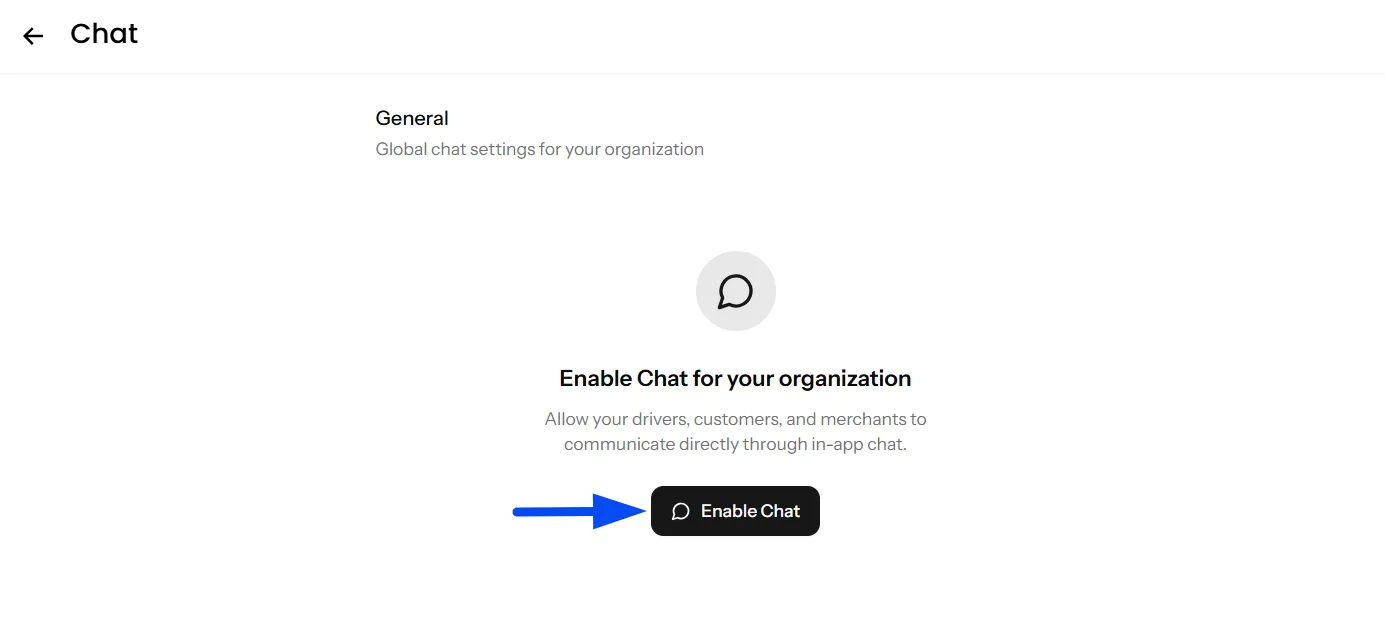
- Once on the Chat App within the settings section, click on "Enable Chat."
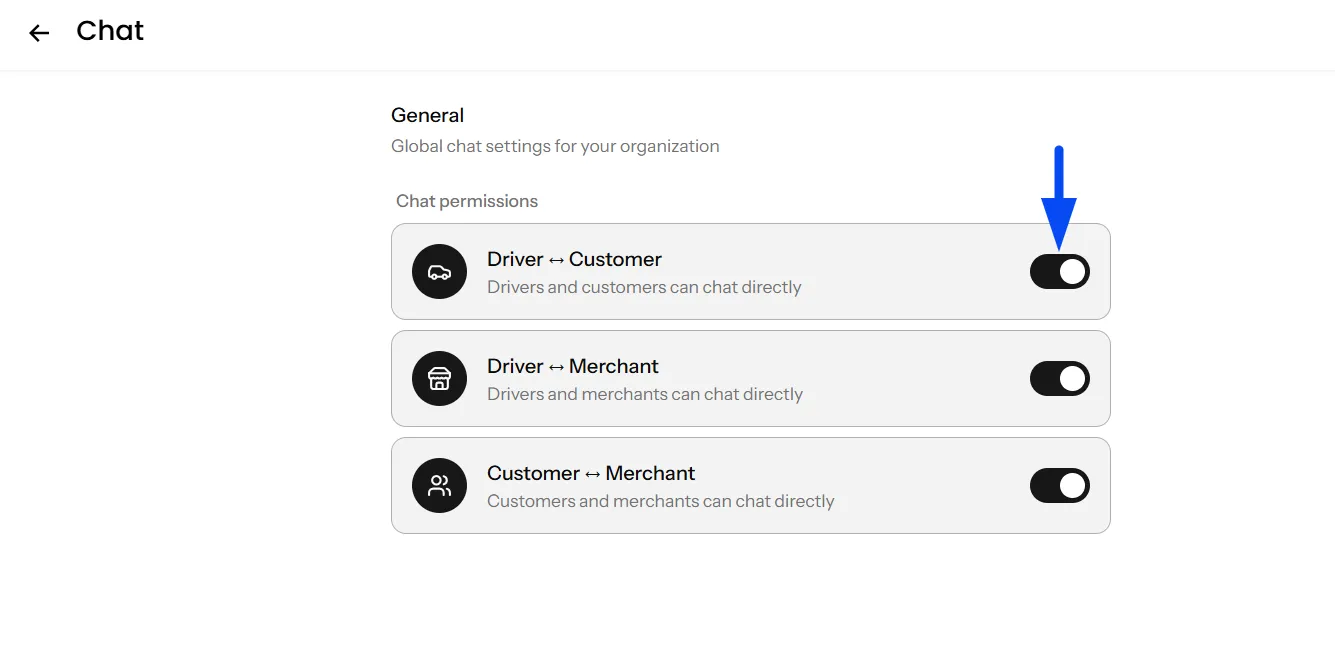
Communication Permission Settings
You can control which users are allowed to communicate on your platform:
- Driver ↔ Customer — Allows drivers and customers to chat directly for delivery coordination and updates.
- Driver ↔ Merchant — Enables communication between drivers and merchants regarding order readiness and handover.
- Customer ↔ Merchant — Allows customers and merchants to communicate for order confirmations and support.
Enable or disable each communication channel based on your platform requirements.
Chat Initiation Options
The platform allows chats to be initiated from multiple panels for smooth communication during deliveries.
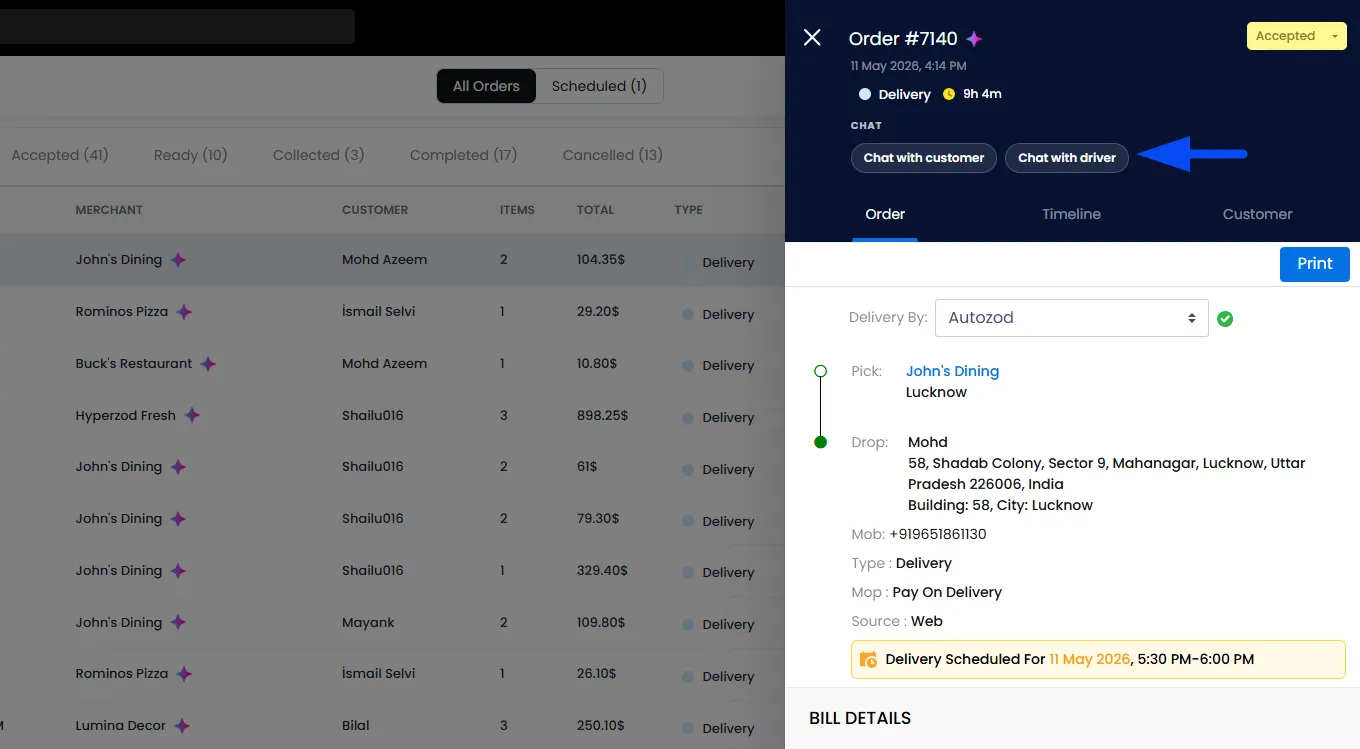
- Admins can start chats with customers or drivers by navigating to the Orders section, opening a specific order, and selecting the chat option as needed.
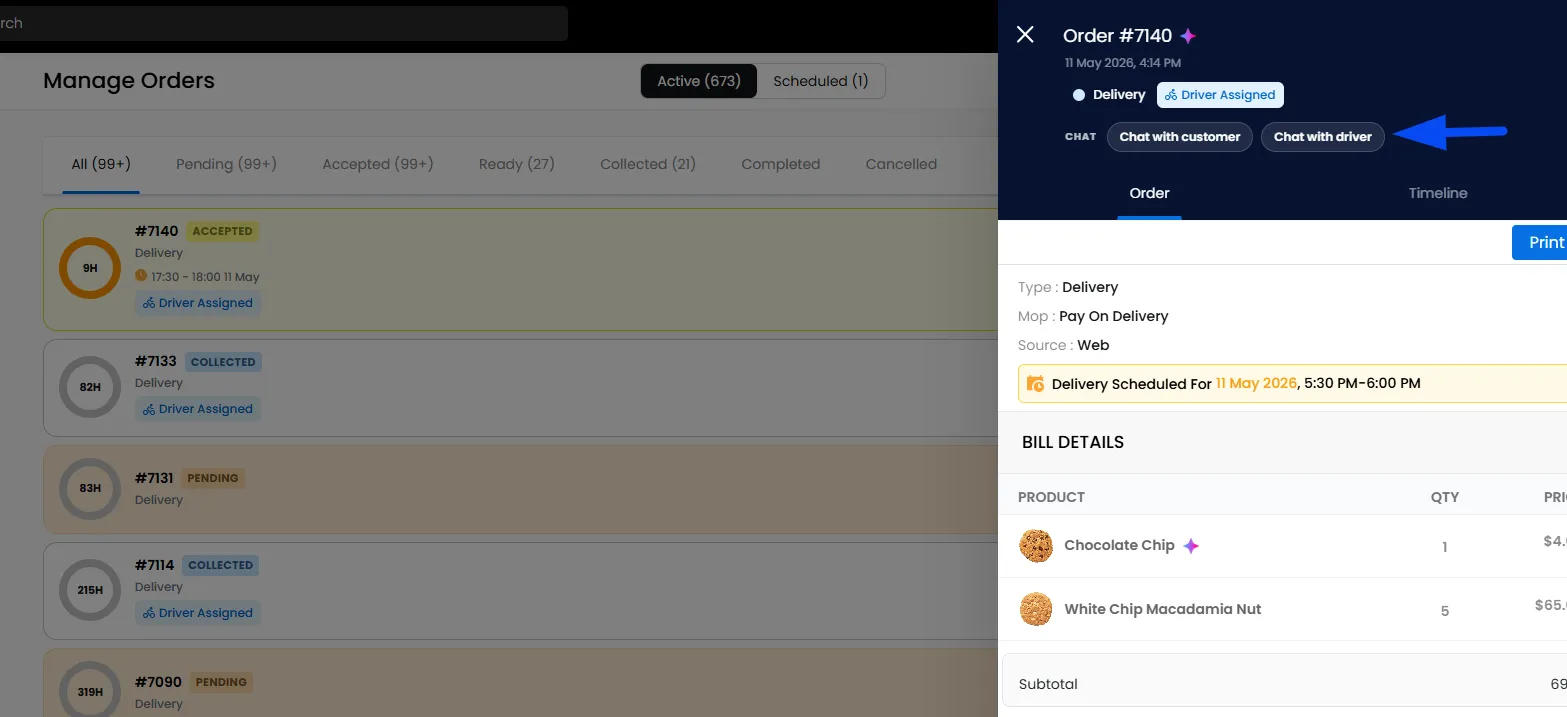
- Merchants can initiate chats with customers or drivers directly from the Order section within the Merchant Panel by clicking on the order.
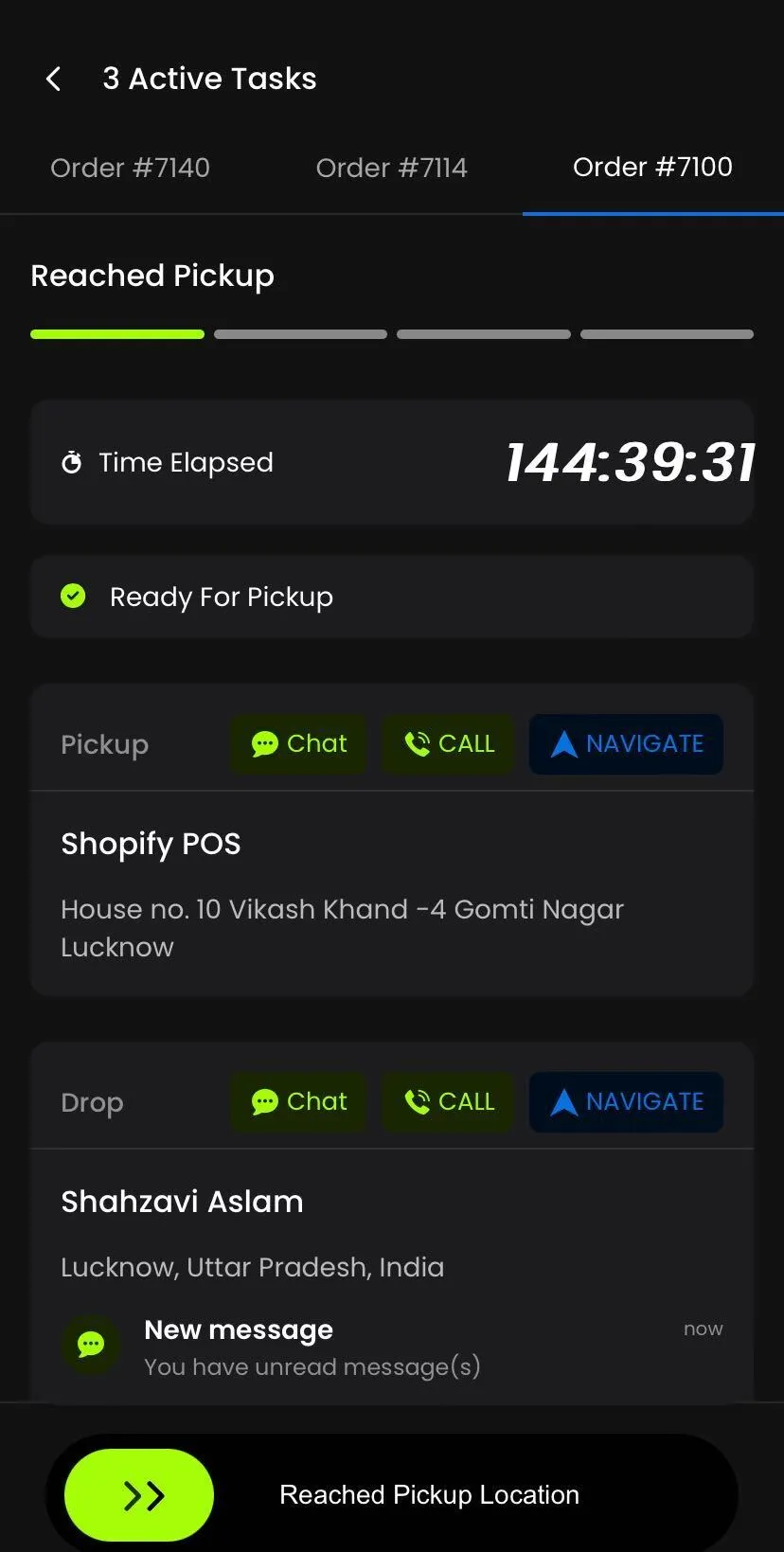
- Drivers can also start chats with customers or merchants directly from the Driver App during active deliveries.
Chat Monitoring & Management (Admin View)
Once the Chat App is enabled, Admin can navigate to the Chat App, and they have complete visibility across the entire platform.
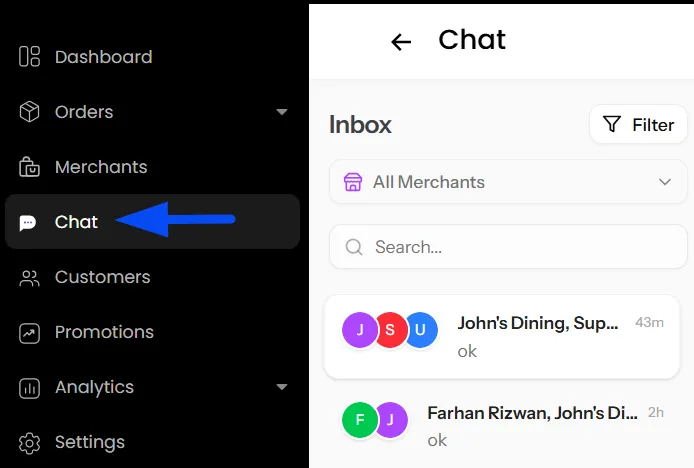
Advanced Filtering & Search
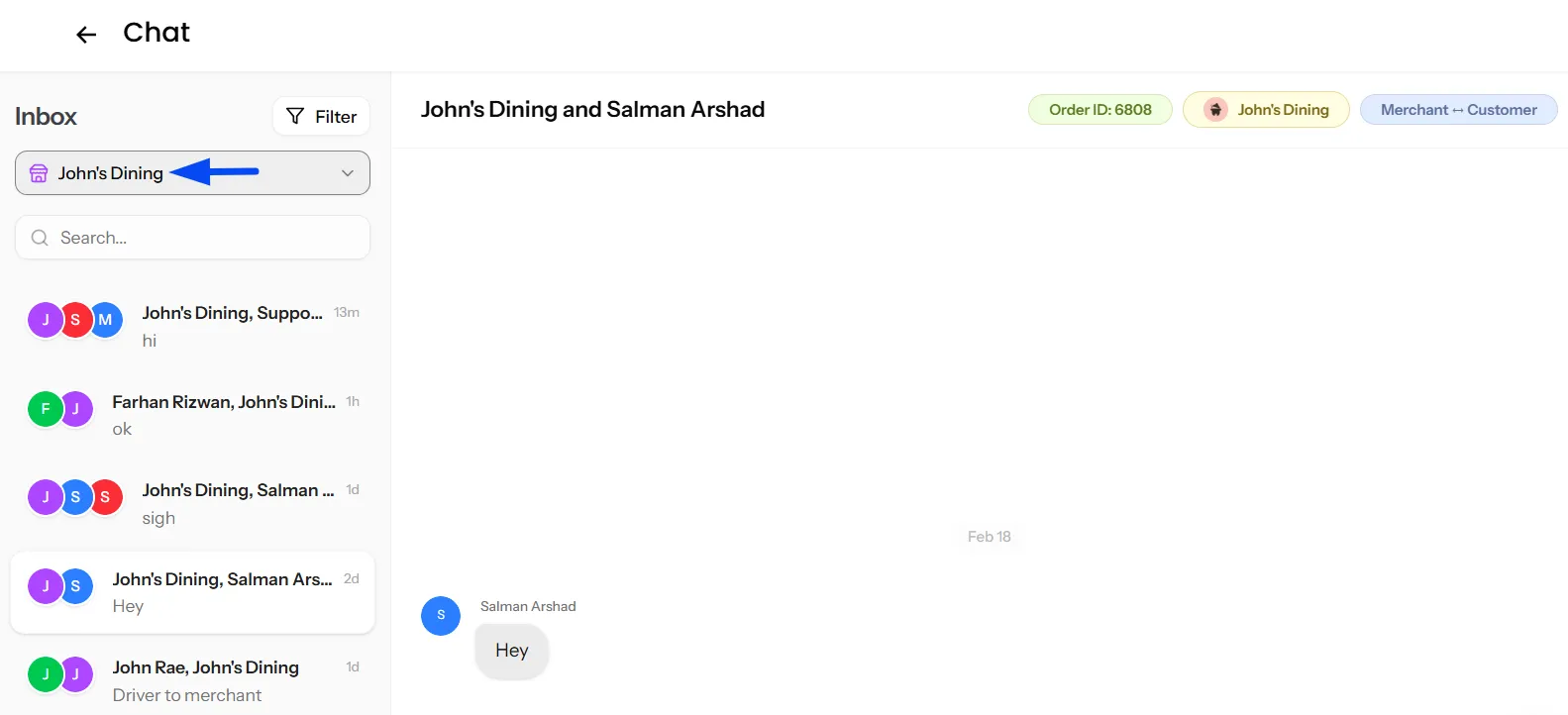
Admins can quickly locate conversations using the search option to filter chats for a specific merchant or view chats across all merchants.
Note: In both the Admin Panel and Merchant Panel, chats can be quickly located using the search option. Conversations can be searched by Order Number, Participant Name, or Message Content for faster access and management.
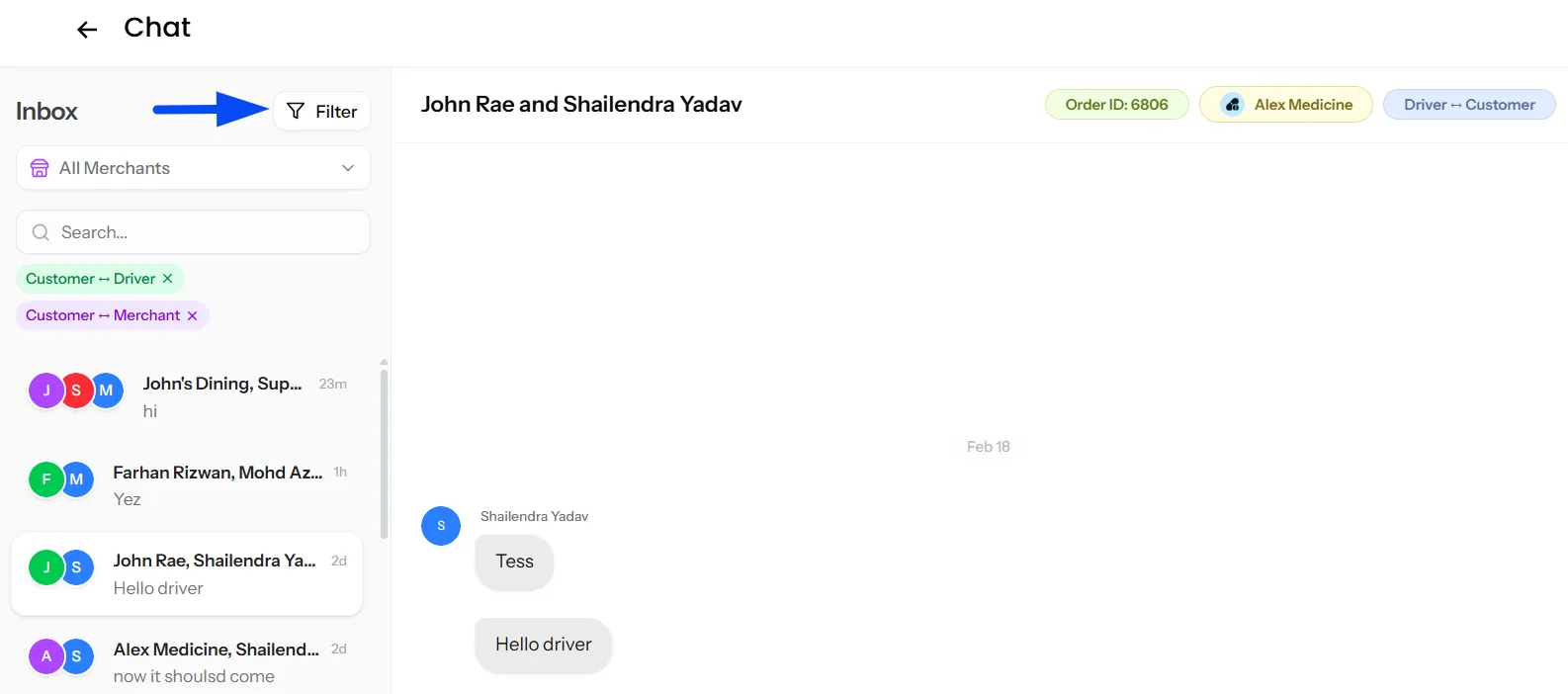
Unread & Conversation Filters
Admins can filter chats to view unread messages only or narrow conversations based on participants (driver, customer, or merchant). These filters work both platform-wide and merchant-specific, helping admins prioritize active or pending conversations efficiently.
Admin Responses & Notifications
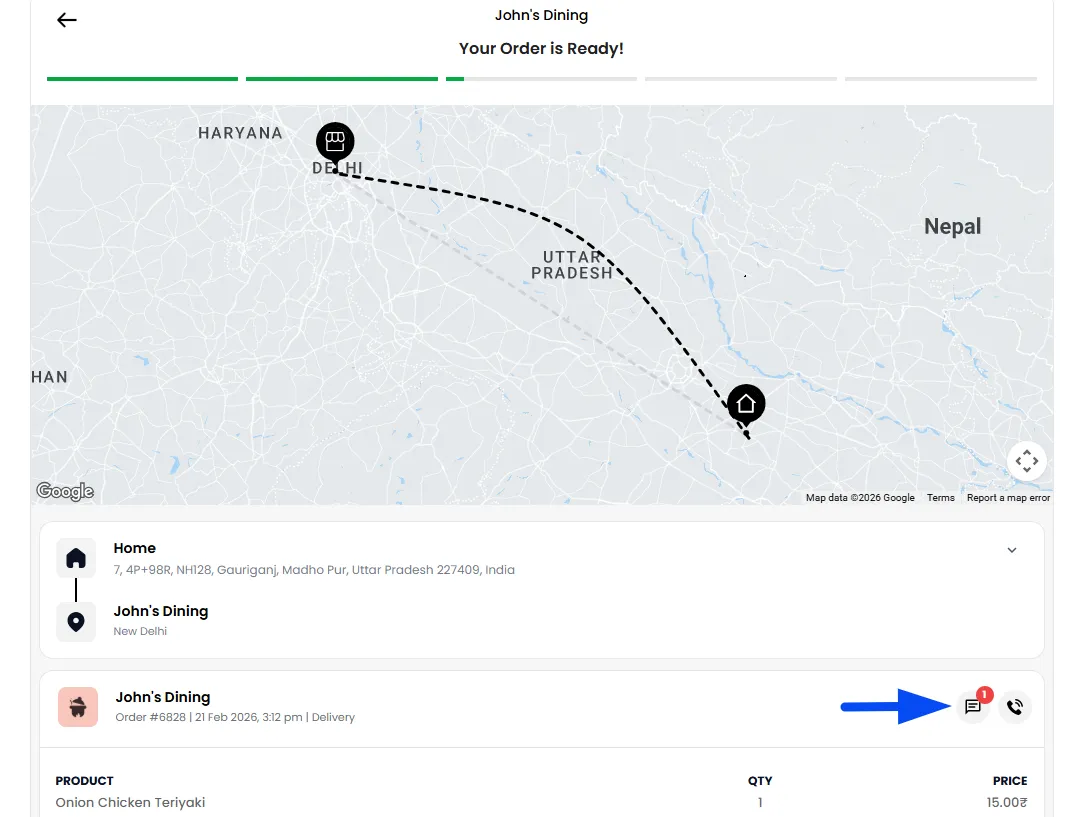
When an admin replies from the Admin panel, messages are sent under the identity “Support.” Whenever a message is sent, customers receive a push notification, and a new message indicator appears on the chat icon to notify them of unread messages.
Note: Push notifications are only received when the order has been placed via the Ordering application.
Chat Monitoring & Management (Merchant Panel)
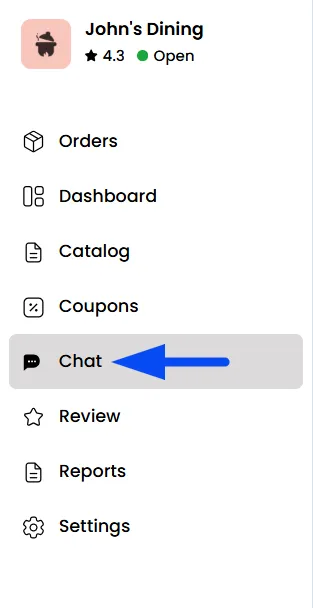
Each merchant store has its own dedicated Chat App, exclusively available for that store, allowing merchants to manage conversations and communicate directly with customers and drivers in real time.
Conversation Filters
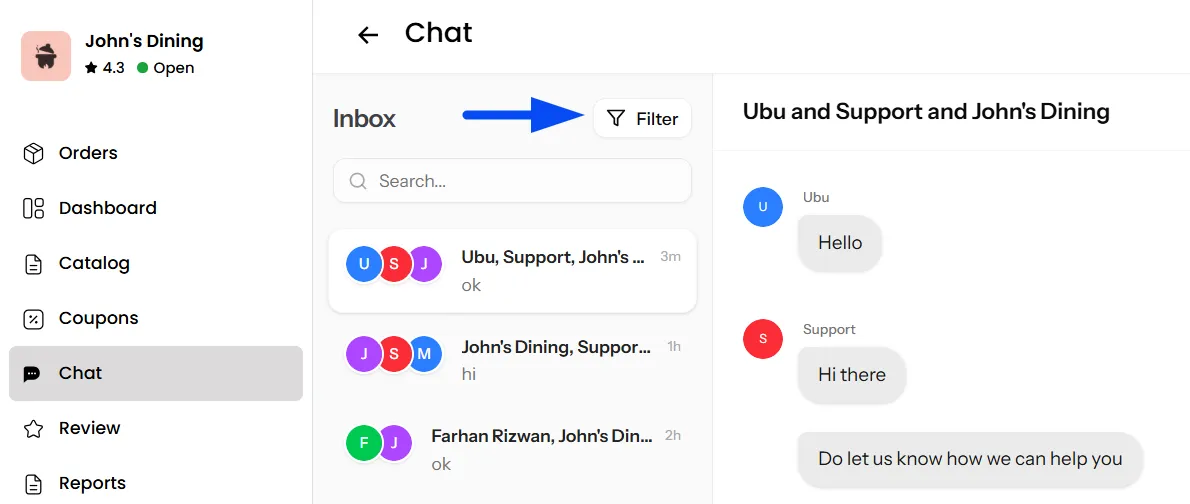
Merchants can access their chat inbox to manage conversations related to their orders. Chats can be filtered to show unread messages only, or conversations between Merchant ↔ Customer and Merchant ↔ Driver, and Customer <-> Driver, helping merchants quickly focus on active discussions.
Store Identity Messaging
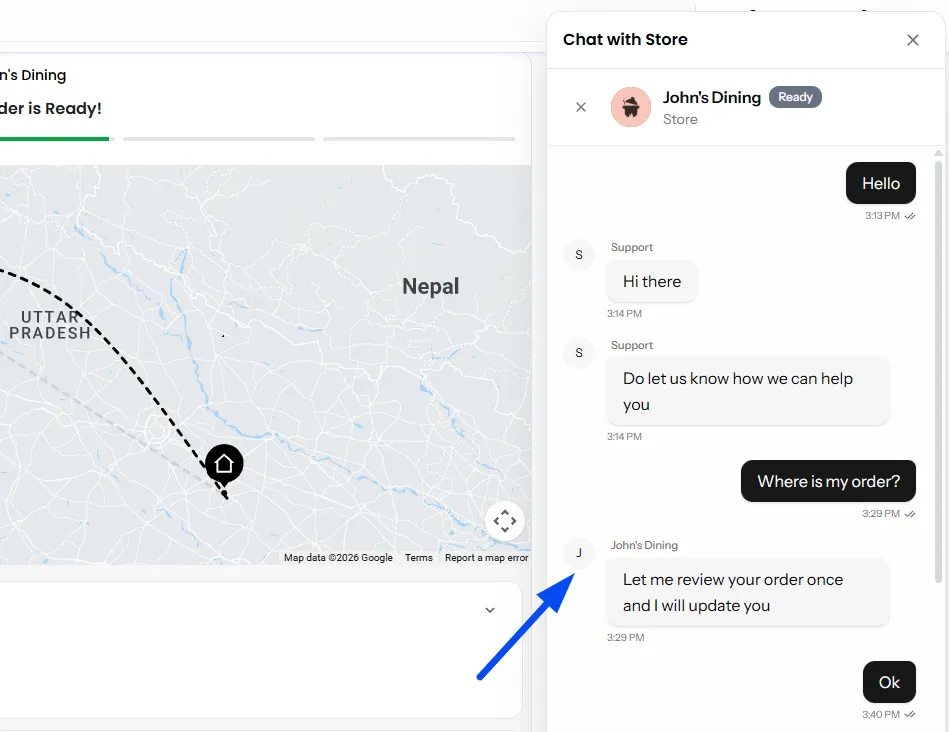
Messages sent from the Merchant Panel are delivered to customers and drivers using the store name as the sender identity. This ensures clear communication while maintaining proper order context.
Driver App Chat Communication
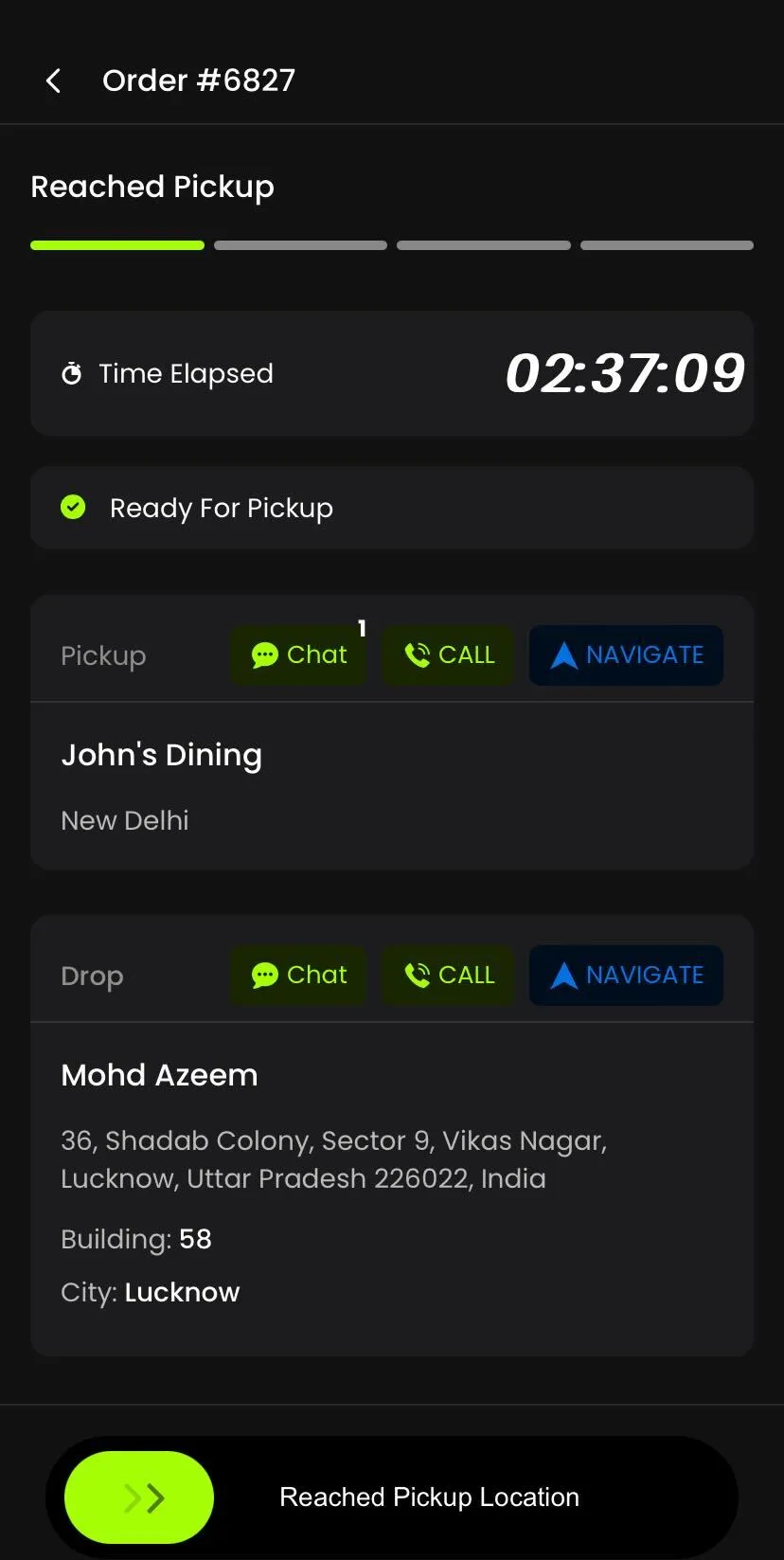
The Driver App includes an integrated chat option within every active order, allowing drivers to communicate seamlessly during the delivery process.
- Chat with Customer — Drivers can directly message the customer for delivery instructions, location clarification, or updates related to the order.
- Chat with Merchant — Drivers can also communicate with the merchant associated with the same order for pickup coordination and order readiness confirmation.
Chat options are available directly inside the order screen in the Driver App, enabling quick communication without leaving the delivery workflow.
Note: Push notifications are automatically sent to the Driver App whenever a customer or merchant sends a chat message, ensuring drivers never miss important communication.