Payment methods (Global)
What Is a Payment Gateway?
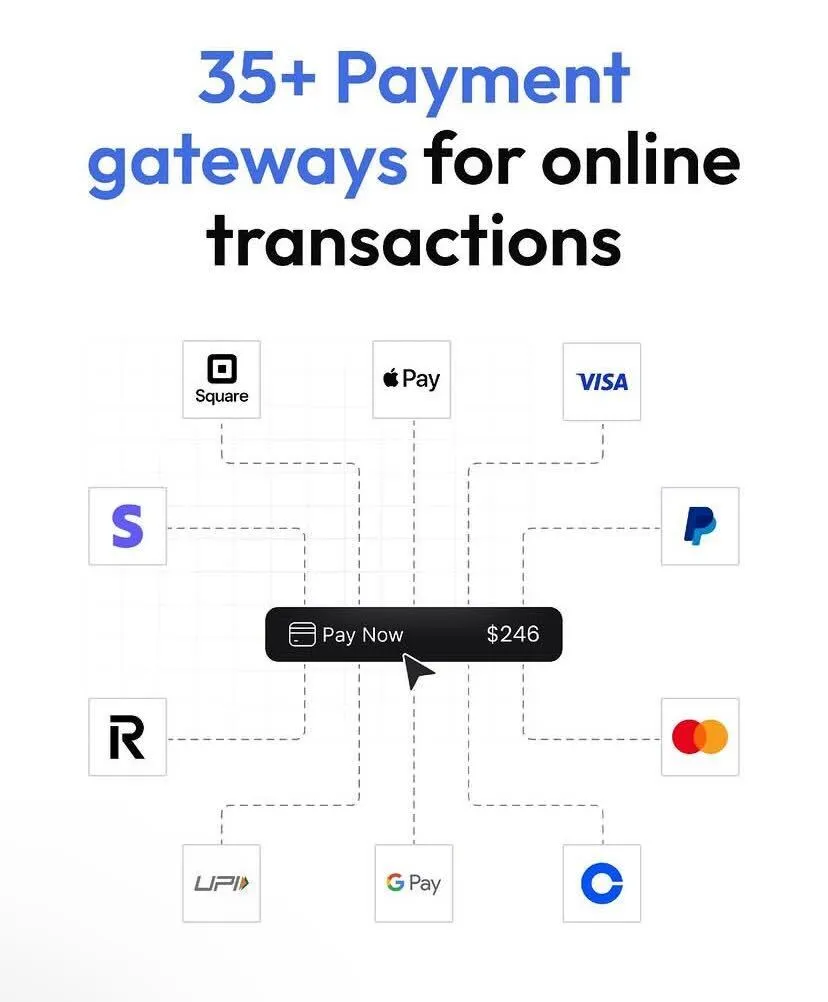
A payment gateway is a vital intermediary in online transactions, linking customers, businesses, and financial institutions, including banks. It ensures secure electronic payment acceptance, enabling businesses to process transactions seamlessly. Payment gateways encrypt sensitive payment data, authenticate its validity, and facilitate fund transfers between customer accounts and the admin bank account.
Moreover, they also support the acceptance of multiple local payment methods, catering to diverse customer preferences and enhancing accessibility. This secure and versatile process enhances customer trust and satisfaction, fostering successful e-commerce transactions. Overall, payment gateways play a pivotal role in facilitating electronic payments and enabling businesses to expand their online presence while maintaining the highest standards of security and convenience.
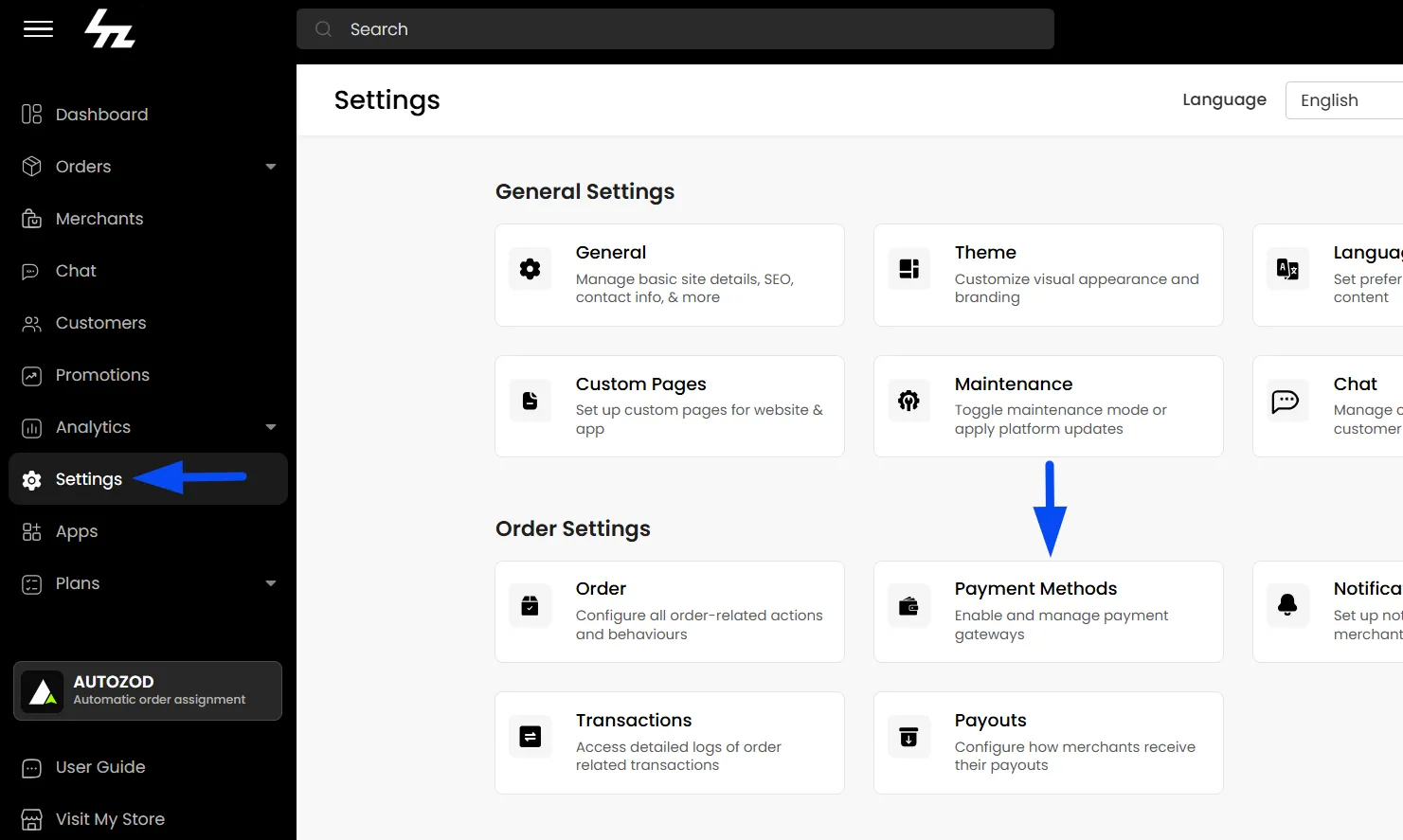
Navigating to the Payment Methods Page
To configure payment gateways:
- Log in to the Admin Panel
- Navigate to Settings > Payment Methods
Here, you will find all available payment methods supported on the platform.
How to Configure a Payment Gateway
To configure a payment gateway:
- Navigate to Admin Panel > Settings > Payment Methods
- Click on the payment gateway you want to configure
- Configure the settings under: Details and Environment
Details Configuration
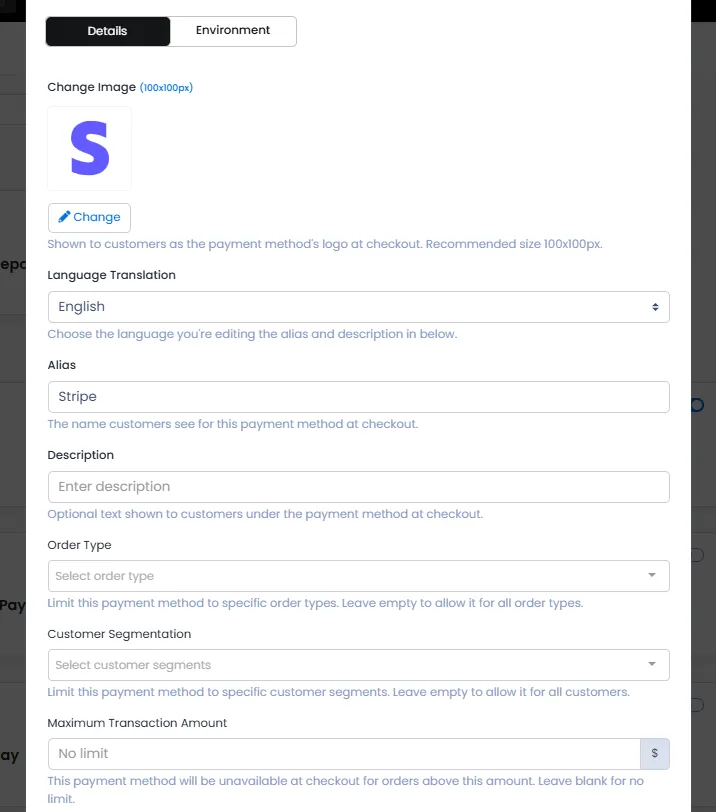
The Details section allows you to customise how the payment method appears to customers.
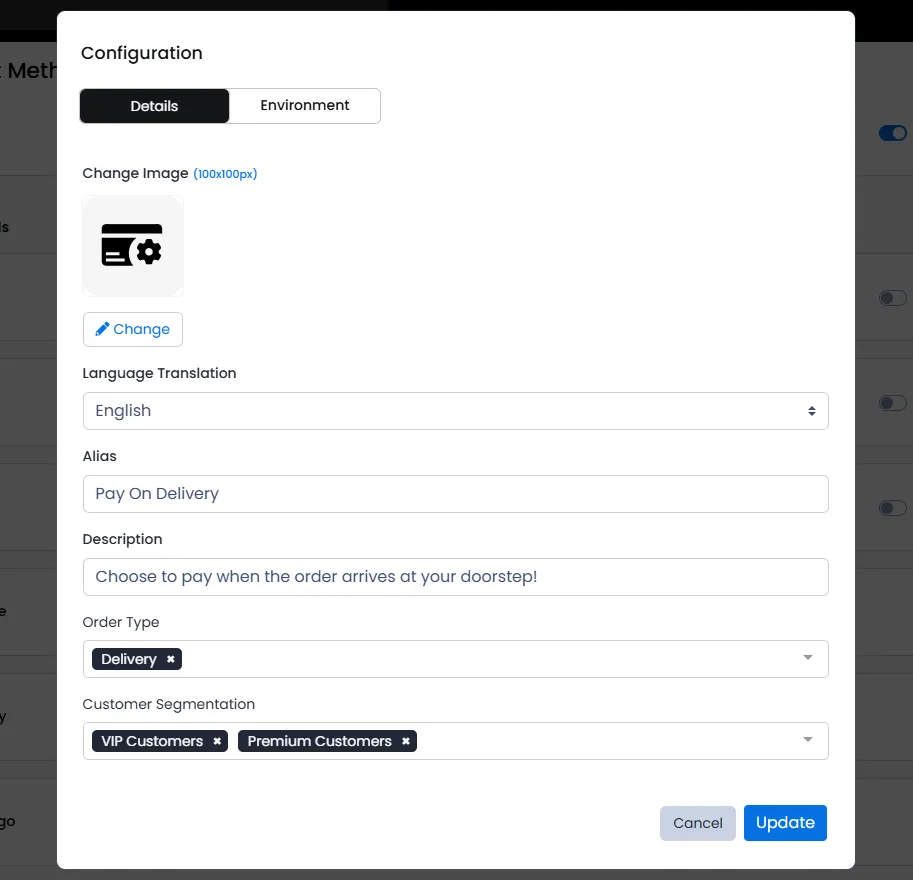
Language Translation
Choose the language for the payment method label.

Alias
Set a custom display name for the payment method.
Example: You can rename “Cash on Delivery” to: Pay on Delivery

Description
Add a short explanation or instruction for customers regarding the payment method.

Order Type
Control which order types this payment method should appear for.

Payment Methods by Customer Segments
Choose specific customer segments for which the payment method should be available. This allows advanced customization of payment visibility.
Example:
- Hide Cash on Delivery (COD) for specific customer groups
- Allow only online payments for selected customers
- Enable certain payment methods only for premium or verified customers
This helps businesses manage payment risk and create tailored payment experiences.
To configure such custom segments, you can refer to the guide on Segmentation

Maximum Transaction Amount
Set a maximum order amount for each payment method individually. If multiple payment methods are enabled, such as Stripe and Cash on Delivery (COD), you can define a different transaction limit for each method.
Example: If you set the maximum transaction amount for COD to $100, customers will not be able to select COD for orders above $100.
The payment method will be unavailable at checkout when the order amount exceeds the specified limit.

Environment Configuration
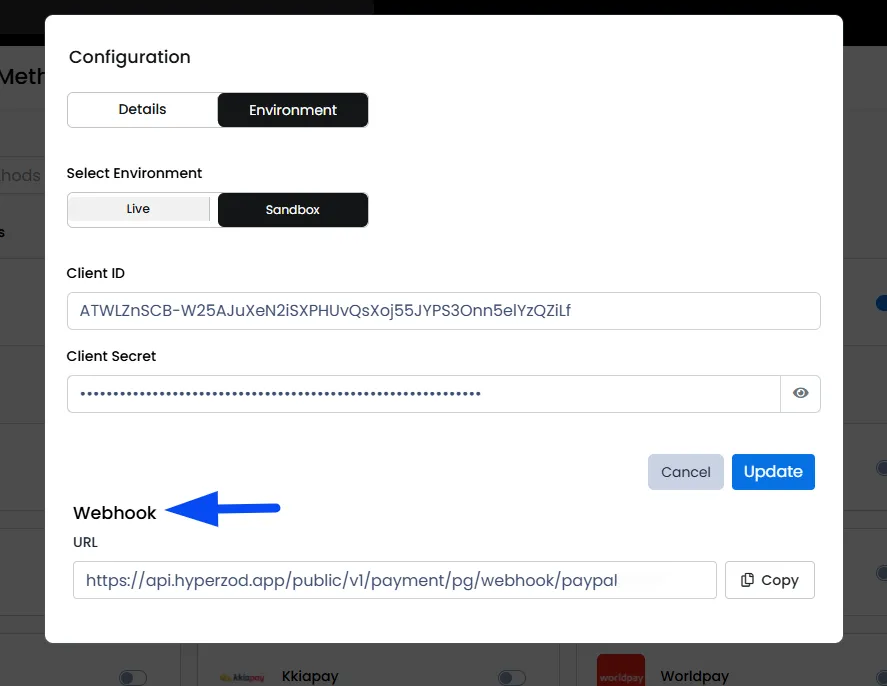
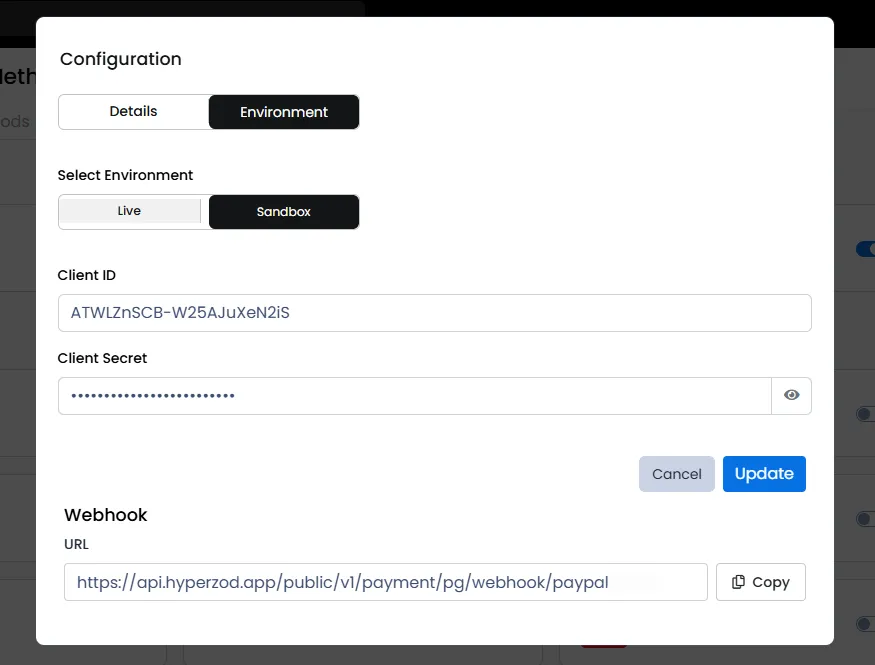
The Environment tab is used to configure the technical credentials required for payment processing.
Select Environment
You can configure:
- Sandbox Environment: Used for testing transactions
- Live Environment: Used for real customer payments
You can obtain the Sandbox and Live credentials from your payment provider and enter them in the respective configuration fields.
It is recommended to first test the integration using Sandbox credentials before switching to Live mode.
Webhook Configuration
The platform automatically generates a webhook URL for the payment gateway configuration.
You must copy and configure this webhook URL within your payment gateway dashboard to ensure proper payment confirmation and transaction status updates.