Shopping Assistant
The Shopping Assistant is an AI chat assistant that sits inside your storefront. Customers type what they want in their own words, and the assistant finds it for them. The assistant is part of North, Hyperzod’s AI product family.
It solves a simple problem: search boxes only work when the customer already knows the exact product name. The Shopping Assistant understands descriptions, questions, and follow-ups instead. A customer can type “something light for dinner” or “is John's Dining restaurant open right now?” and get a useful answer with tappable products and relevant stores.
Accessing the Shopping Assistant
To configure the Shopping Assistant:
- Log in to the Admin Panel.
- Navigate to Settings > North AI.
- Select the Shopping Assistant tab.
- You can now configure and manage all Shopping Assistant settings.
- The Shopping Assistant is turned off by default; you will need to enable it.
Note: For end users: Customers reach the assistant from the Web Store and Customer App (the ordering storefront). They must be signed in; the assistant is hidden for guests.
Setting up the assistant
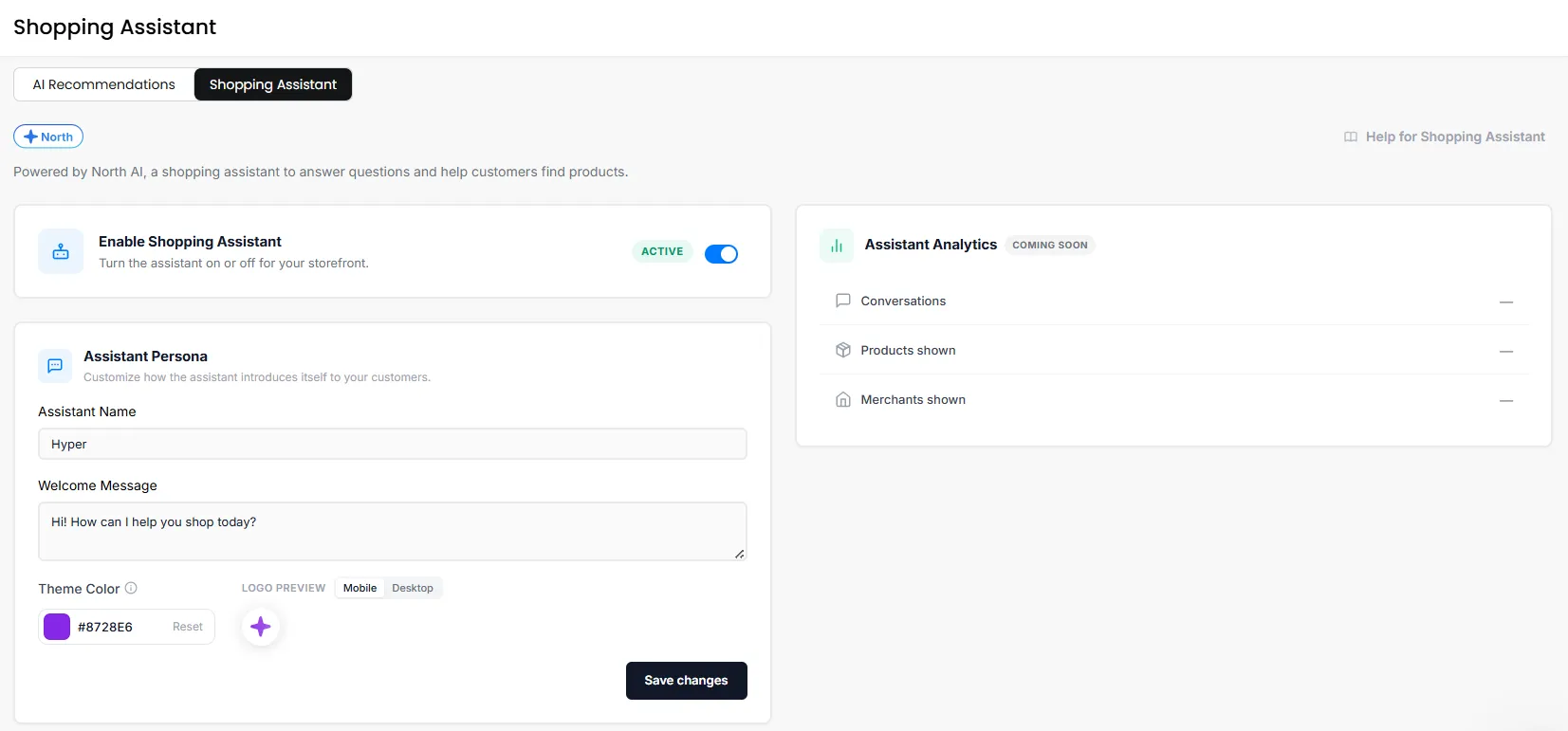
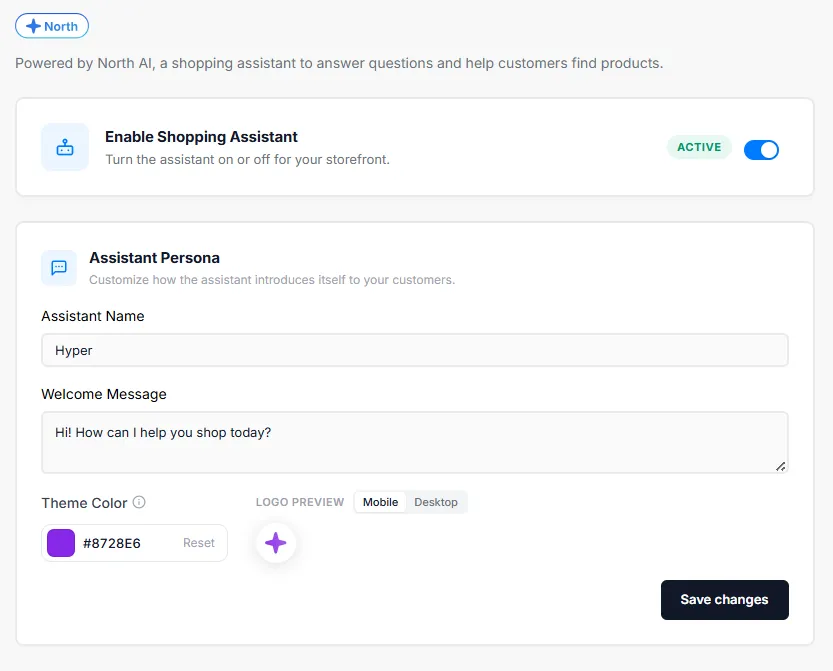
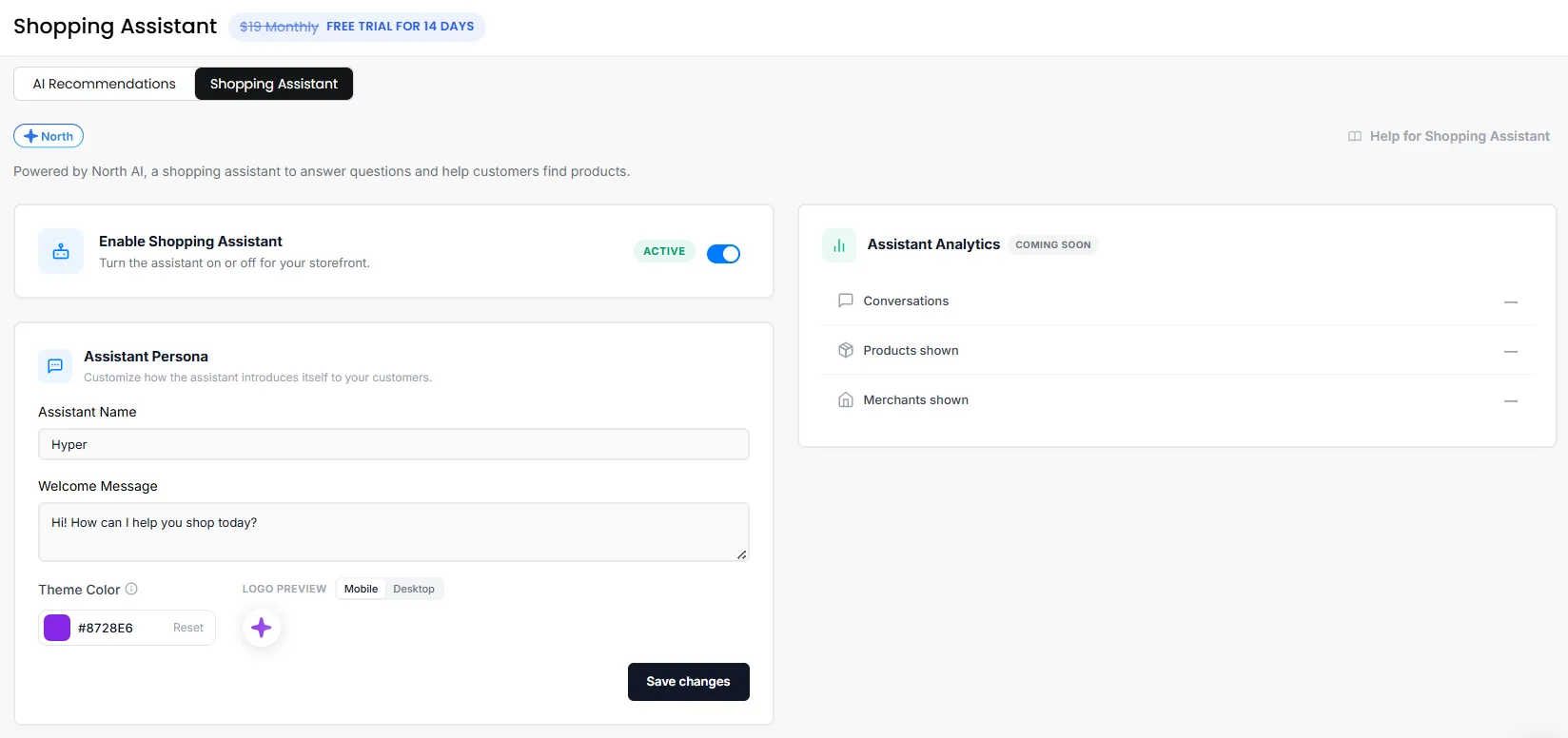
- Switch Enable Shopping Assistant on; the status badge changes from Inactive to Active.
- Fill in Assistant Name: the name customers see, for example "Aria."
- Fill in Welcome Message: the first line customers read when they open the assistant.
- Set Theme Colour: pick a colour from the swatch, or paste your brand hex code.
- Check the Preview panel. Switch between Mobile and Desktop to see both placements.
- Click Save changes.
Supported Capabilities
The Shopping Assistant can help customers throughout their shopping journey by answering questions, recommending products and merchants, providing store information, and assisting with order-related queries.
Product Discovery
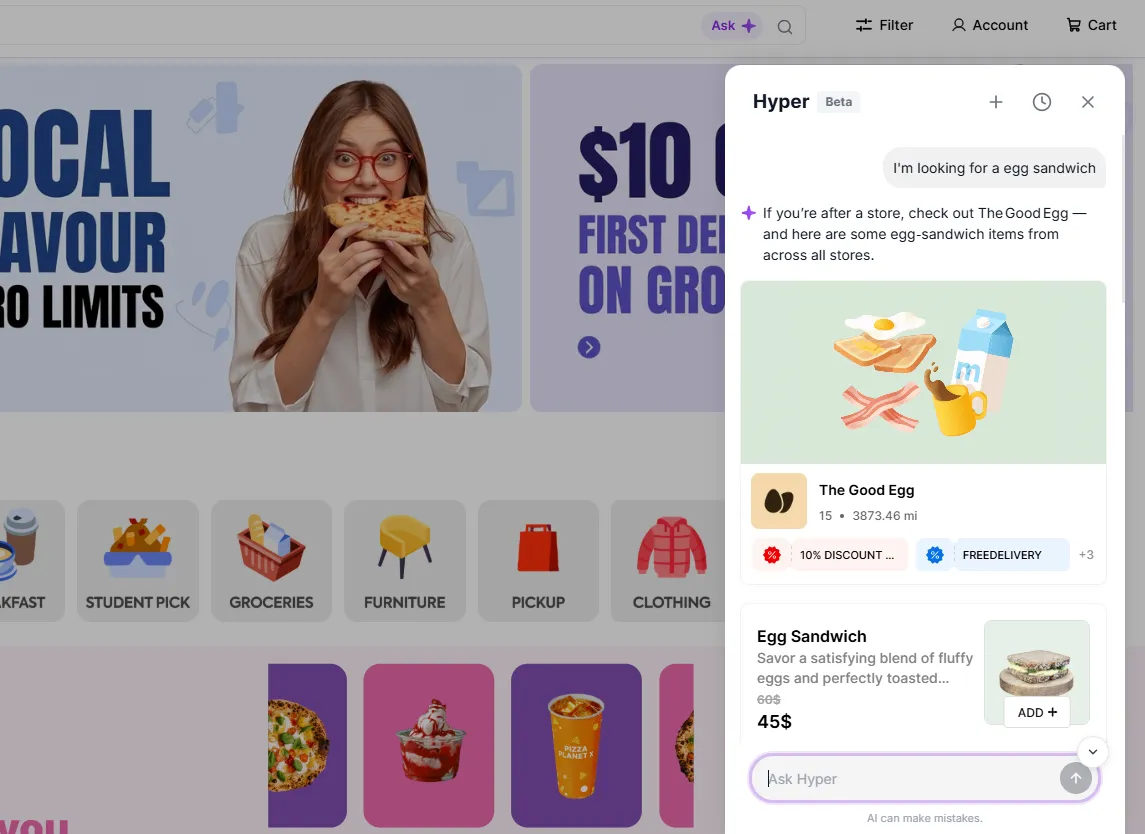
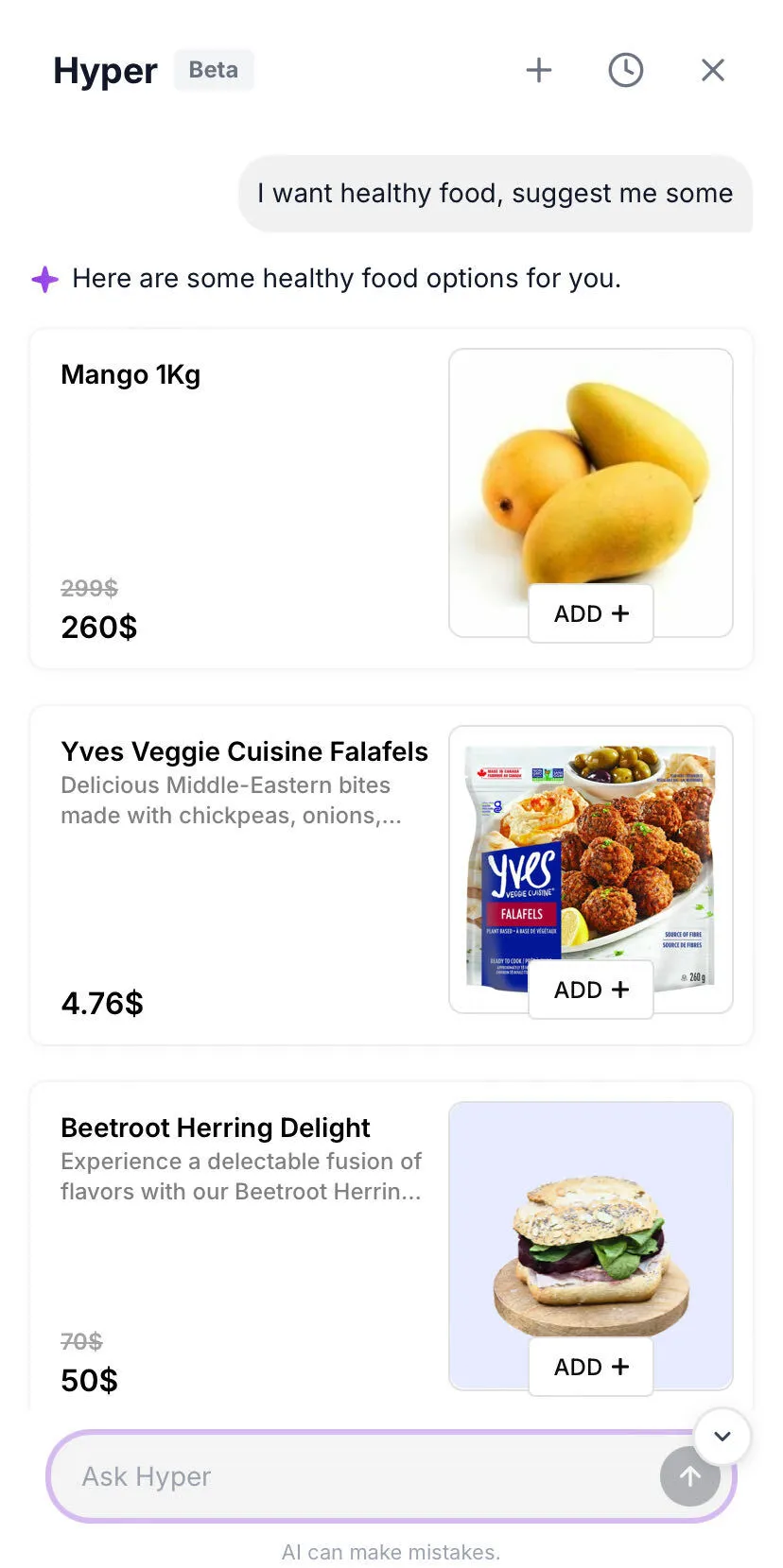
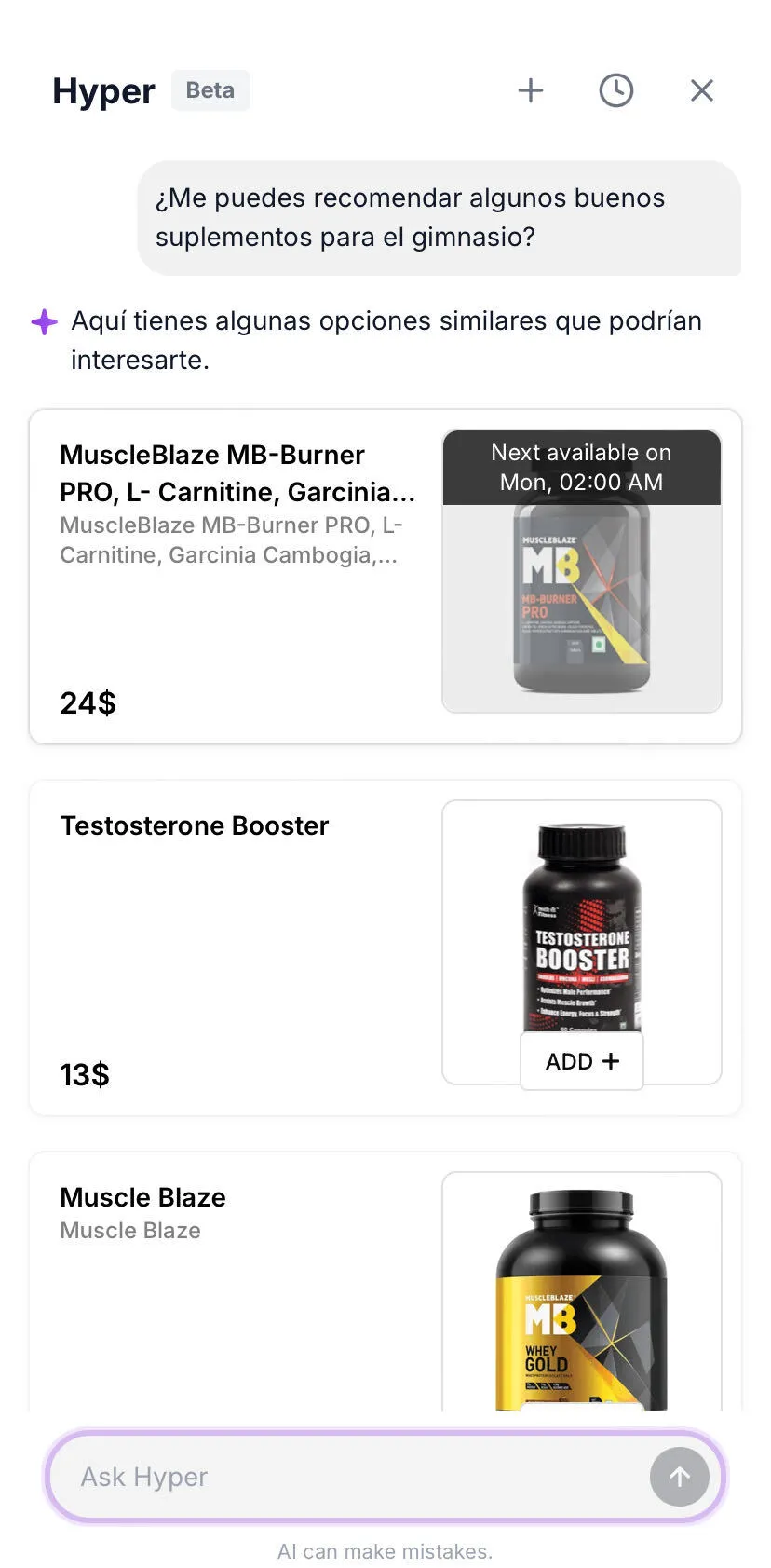
Customers can search for products using their name, category, or a simple description. The Shopping Assistant understands natural language and recommends the most relevant products available.
Natural Language Search
Customers can conversationally ask questions without needing to know exact product names. For example, they can search for phrases like "something spicy for dinner" or "healthy breakfast options".
Store & Menu Recommendations
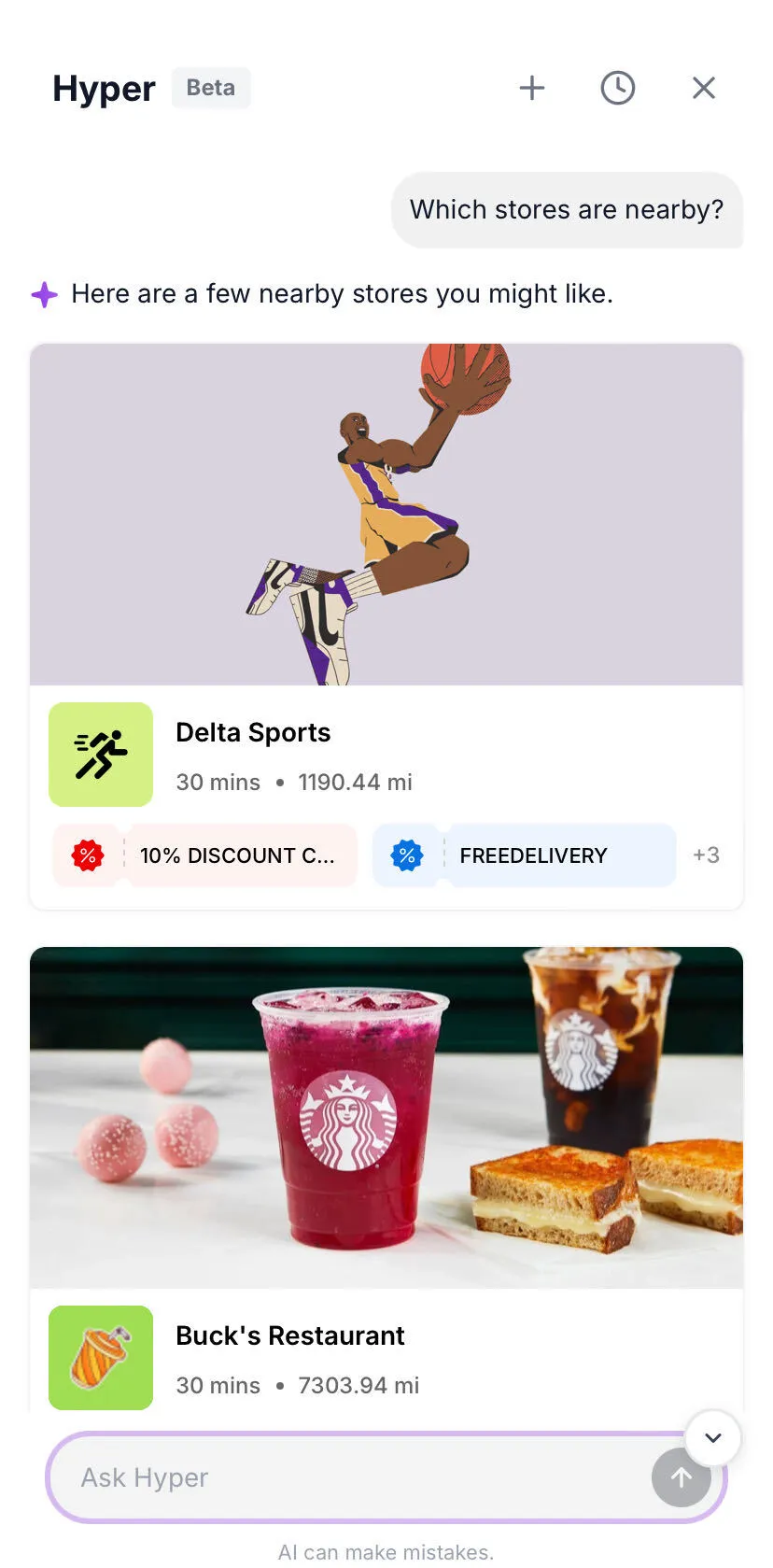
The Shopping Assistant can recommend nearby merchants and help customers discover products available within a specific store's menu.
Note: The customer must have shared or selected a location. Store search, store recommendations, and category search all depend on it.
Category-Based Suggestions
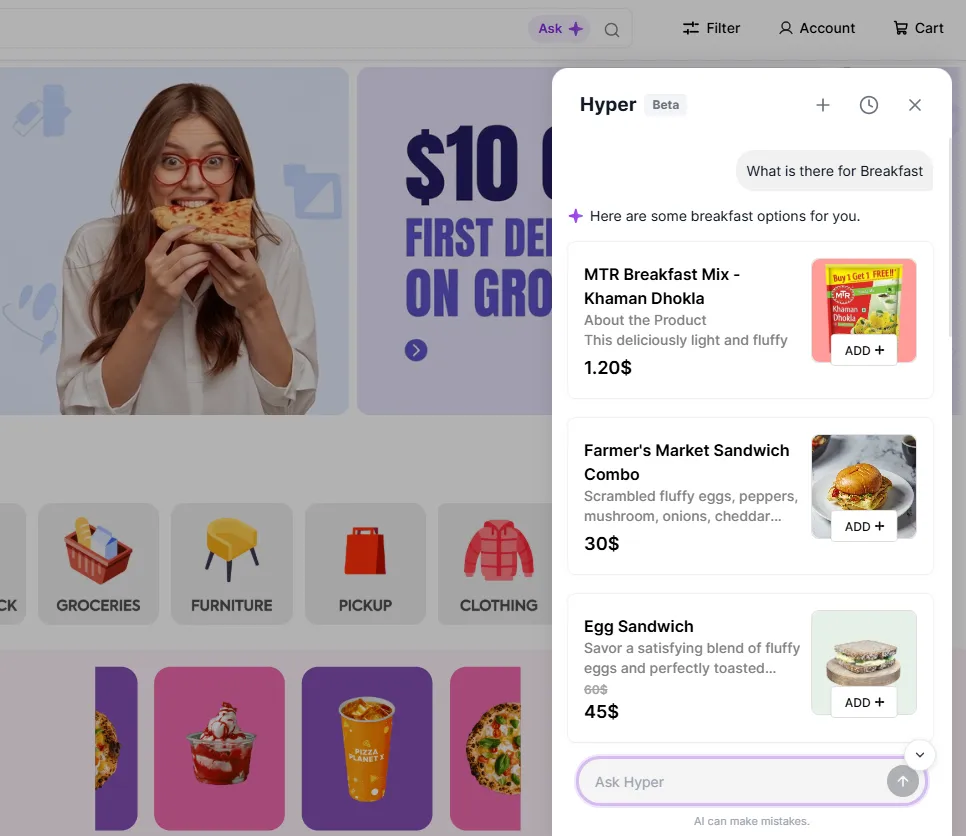
Customers can ask for a type of cuisine or product category, such as "pizza" or "sushi", and the assistant will recommend relevant merchants and products.
Store Information
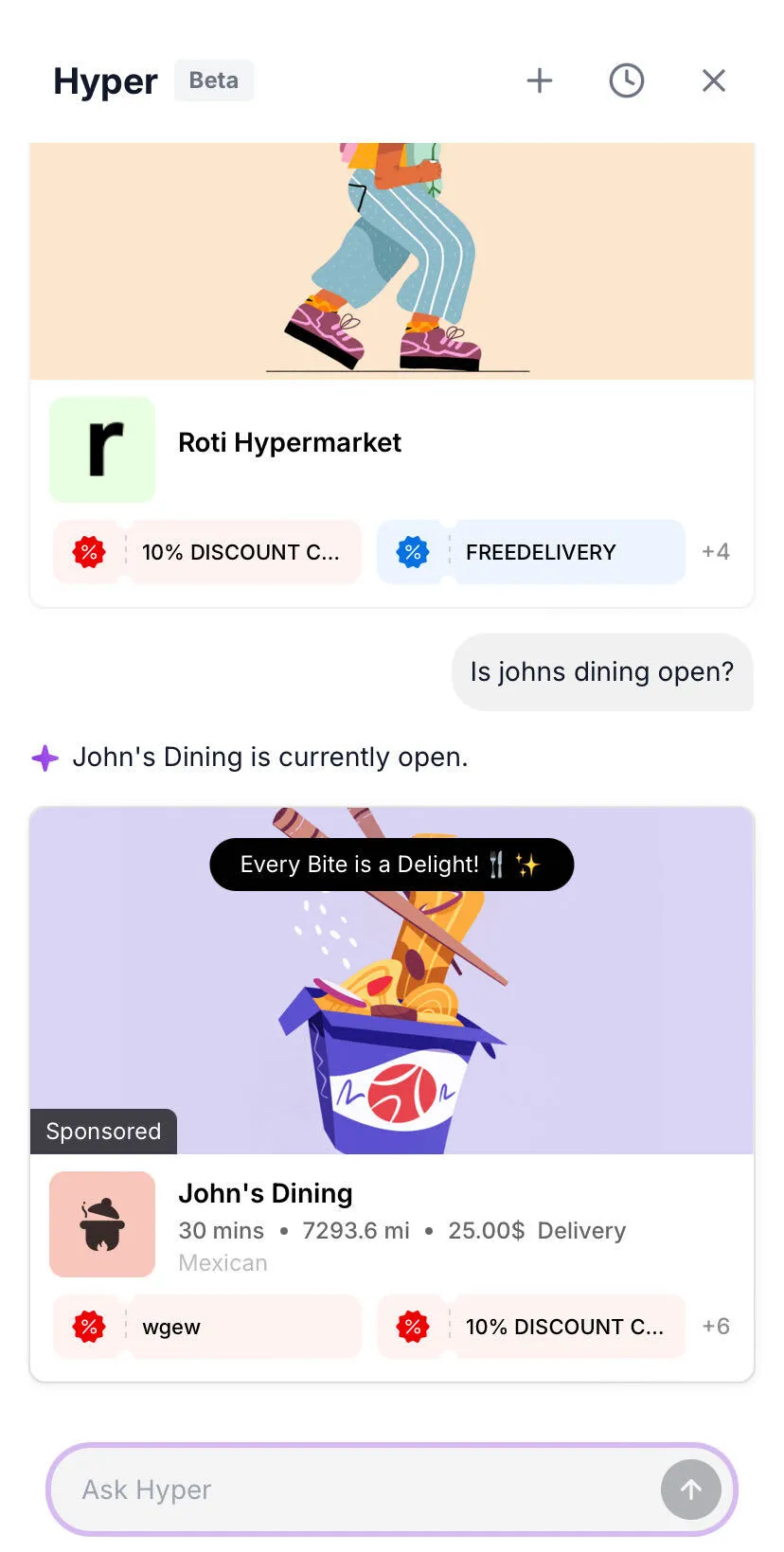
Customers can ask questions about a specific merchant, including whether they're open, their delivery availability, ratings, and other store-related information.
Help & Policy Questions
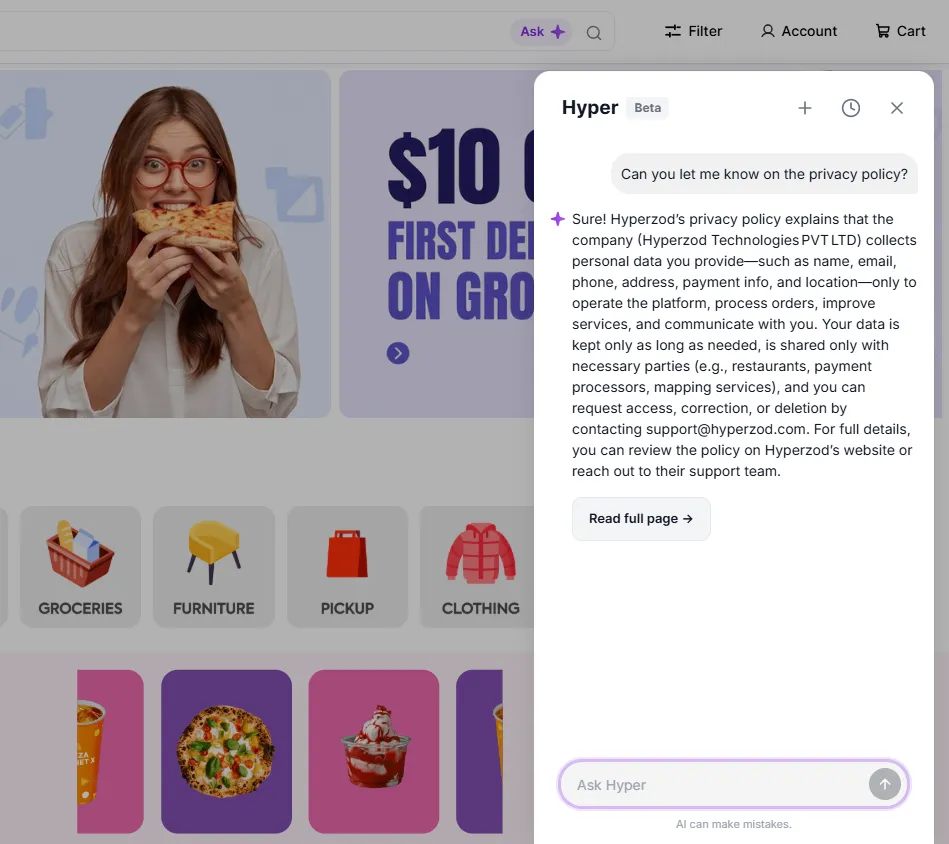
The assistant can answer common questions related to your store's policies, FAQs, shipping, returns, and other published help articles.
Note: Policy questions are answered from your own pages. With no published pages, the assistant says it does not have that information.
Personalized Shopping Suggestions
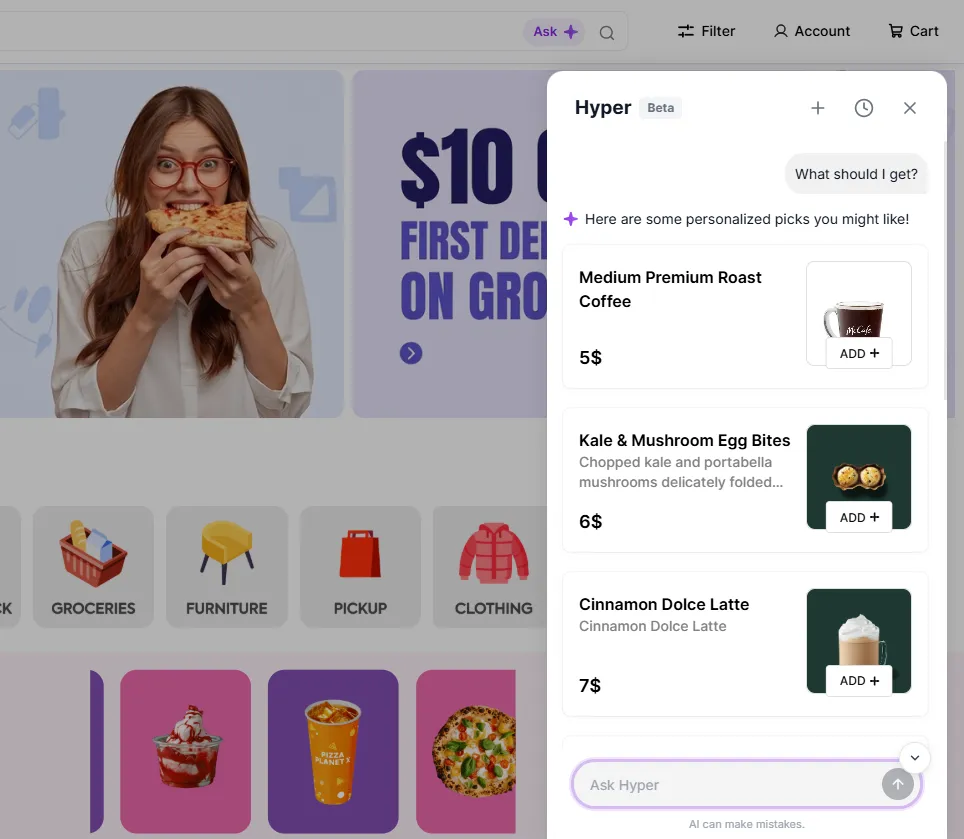
Customers can ask for recommendations based on their preferences, such as vegetarian options or specific ingredients, to quickly discover suitable products.
Cart Assistance
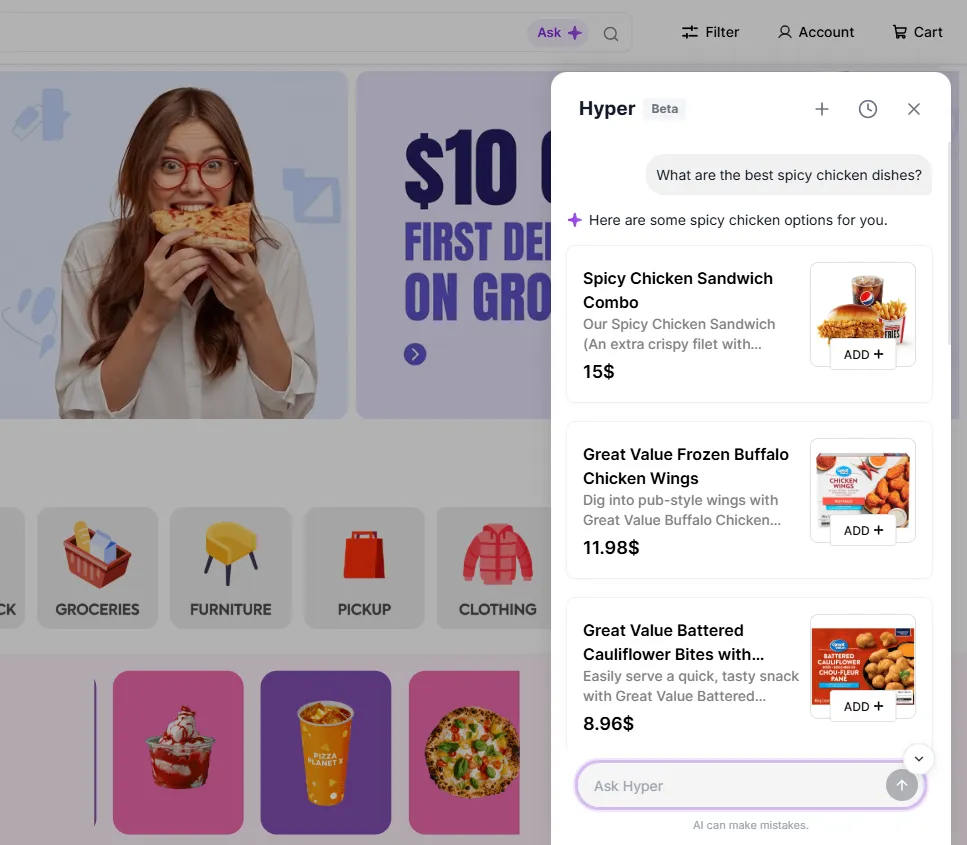
Recommended products include an Add button, allowing customers to quickly add items to their cart and continue shopping.
Order Assistance
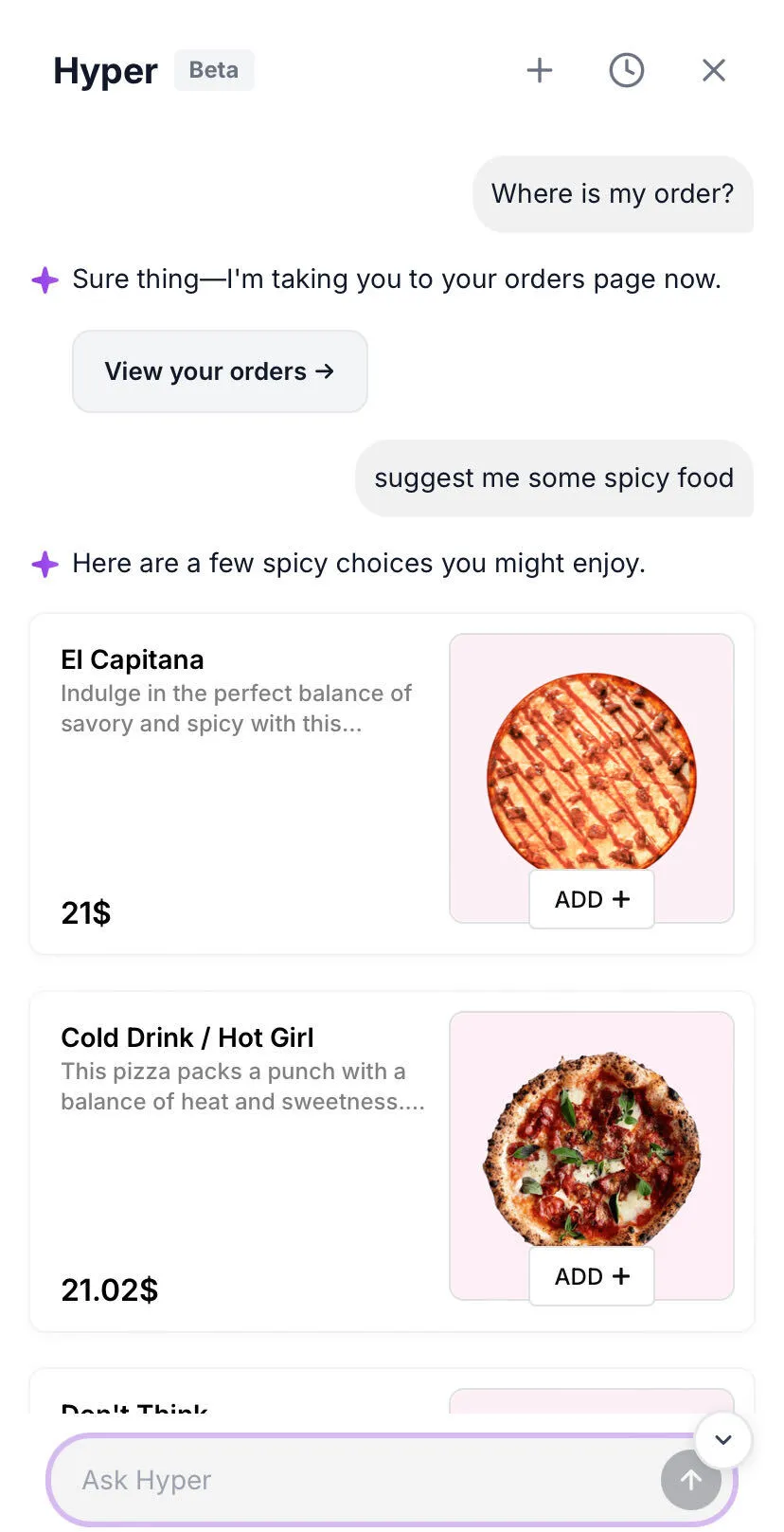
Customers can quickly navigate to their order history to review their previous and ongoing orders.
Multilingual Support
The Shopping Assistant communicates in the customer's selected storefront language, providing a seamless shopping experience across supported languages.
Shopping Assistant Trial & Pricing
The Shopping Assistant includes a 14-day free trial, allowing you to explore its capabilities at no cost. The trial begins as soon as you enable the Shopping Assistant from the configuration settings.
Once the 14-day trial ends, the Shopping Assistant will continue as a separate paid module with a recurring monthly subscription of $19 USD, which will be charged automatically.
In addition to the monthly subscription, the Shopping Assistant and North's Agentic AI capabilities consume AI Credits when processing AI-powered requests. If your available AI Credits are exhausted, you will need to purchase additional credits to continue using these AI features.
Note: The Shopping Assistant subscription ($19/month) and AI Credits are separate. The subscription enables access to the Shopping Assistant, while AI Credits are consumed when using AI-powered capabilities such as the Shopping Assistant and Agentic North.
AI Credits
AI Credits power the North's AI-driven actions and automations. Credits are consumed when using capabilities such as Agentic North to perform platform tasks, North AI within the Theme Builder to generate storefront sections, and the Shopping Assistant to deliver intelligent customer conversations and recommendations.
Note: To help you get started, every account receives $10 worth of complimentary AI Credits, allowing you to explore North's Agentic capabilities and experience these AI-powered features before purchasing additional credits.
Managing AI Credits
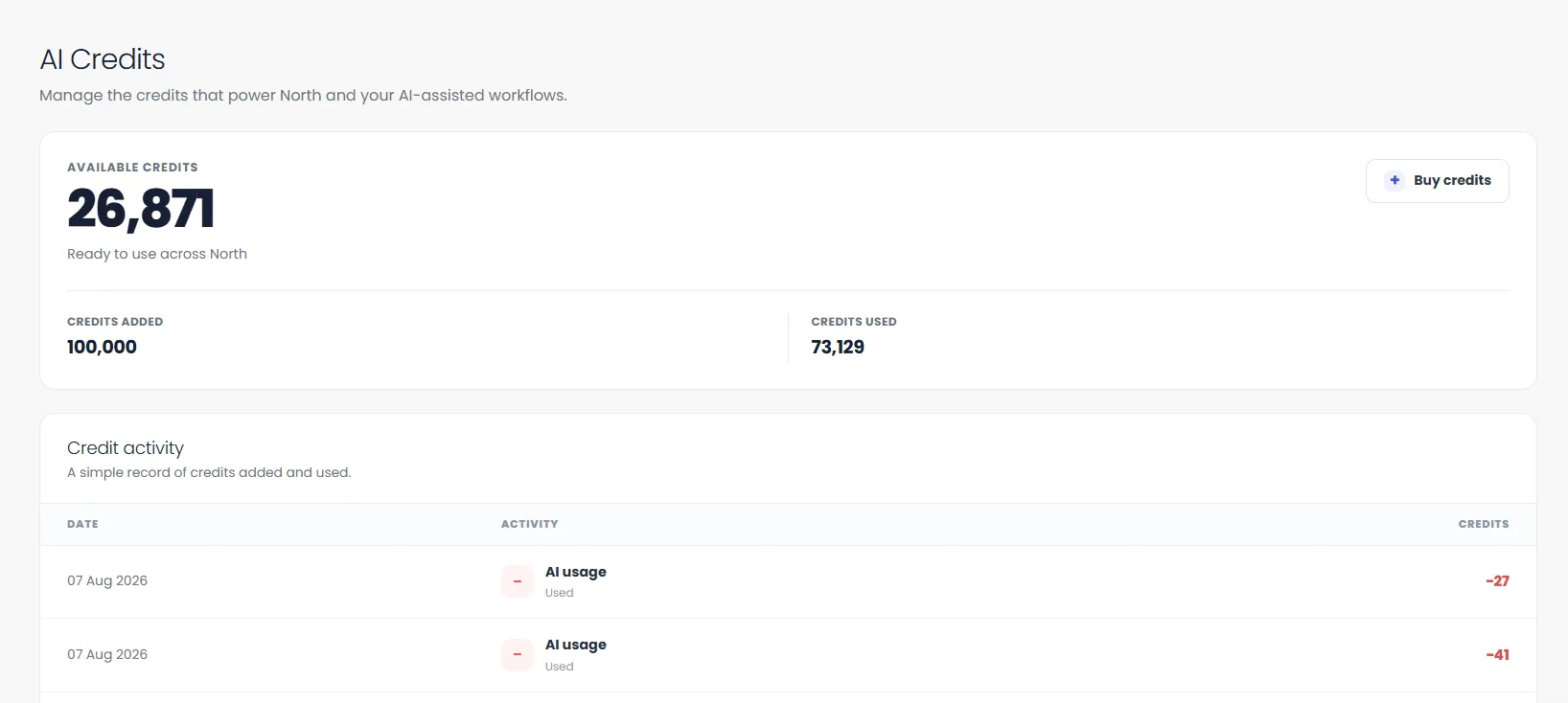
You can monitor and manage your AI Credits by navigating to: Admin Panel > Billing > AI Credits.
From here, you can:
- View your available AI Credits.
- Track the total credits used.
- Review your AI credit activity and usage history.
- Purchase additional AI Credits when required.
Purchasing Additional Credits
Once your complimentary credits have been exhausted, you can purchase additional AI Credits directly from the AI Credits page.
Hyperzod offers both predefined credit packages and the option to purchase a custom amount based on your requirements.
Note: Current Conversion
- $1 USD = 1 AI Credits
Simply click Buy Credits, choose a credit package (or enter a custom amount), and complete the checkout process to continue using North's AI-powered capabilities across the platform.
Best Practices
Use the following best practices to optimize the Shopping Assistant's performance and improve customer interactions.
- Name the assistant after your brand. “Aria” or “Sam” reads far better in chat than the default “Shopping Assistant”, and the name appears in every reply.
- Write a welcome message that sets expectations. Mention what customers can ask for. “Hi! Ask me for any dish, or tell me what you’re in the mood for” outperforms a generic greeting.
- Publish your policy pages. Returns, shipping, contact, and FAQ pages are the assistant’s only source for policy answers. Every missing page becomes a question it cannot answer.
- Keep product names and descriptions accurate. Both search paths read your catalog text. Descriptive names (“Spicy Chicken Burger” rather than “Combo 4”) lift result quality more than any setting on this page.
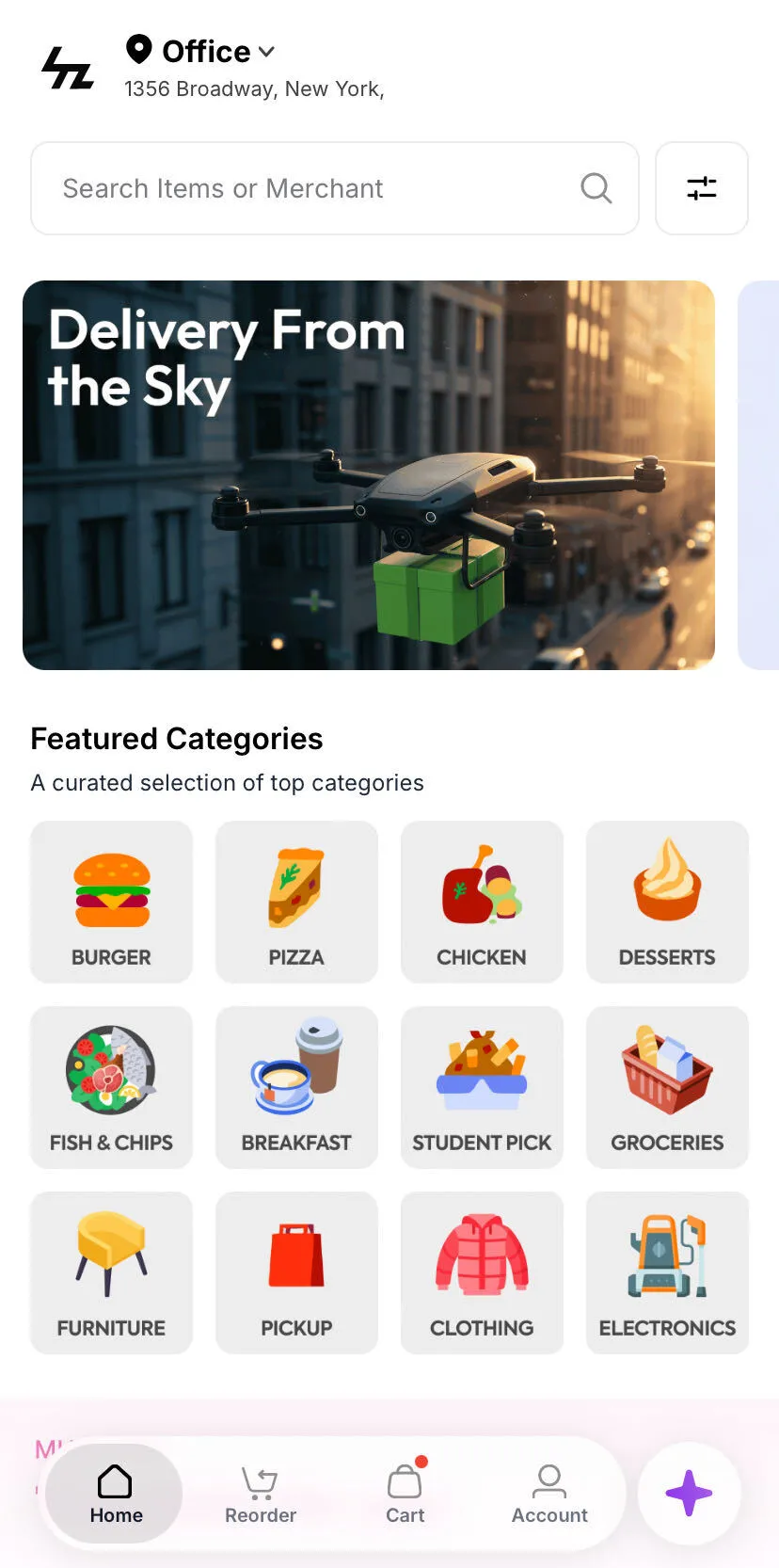
- Match the theme colour to your brand. The accent tints the sparkle icon, the Ask button, and the chat input, so a mismatched colour is visible on every page.