Delivery Fee
There are four types of delivery fees from which the merchant can choose based on their business logic. The delivery fee can be configured based on your business requirements and delivery strategy. Choose from four different delivery rate types to determine how delivery charges are calculated for customer orders.
Navigating to the Delivery Fee Settings
In the Merchant Panel, navigate to Settings > Delivery. From here, you can configure the delivery fee settings for the merchant based on your preferred delivery pricing method.
Note: You can also configure the delivery fee in the Admin Panel and apply it across your merchants. Refer to the Global Delivery Fee guide for step-by-step instructions.
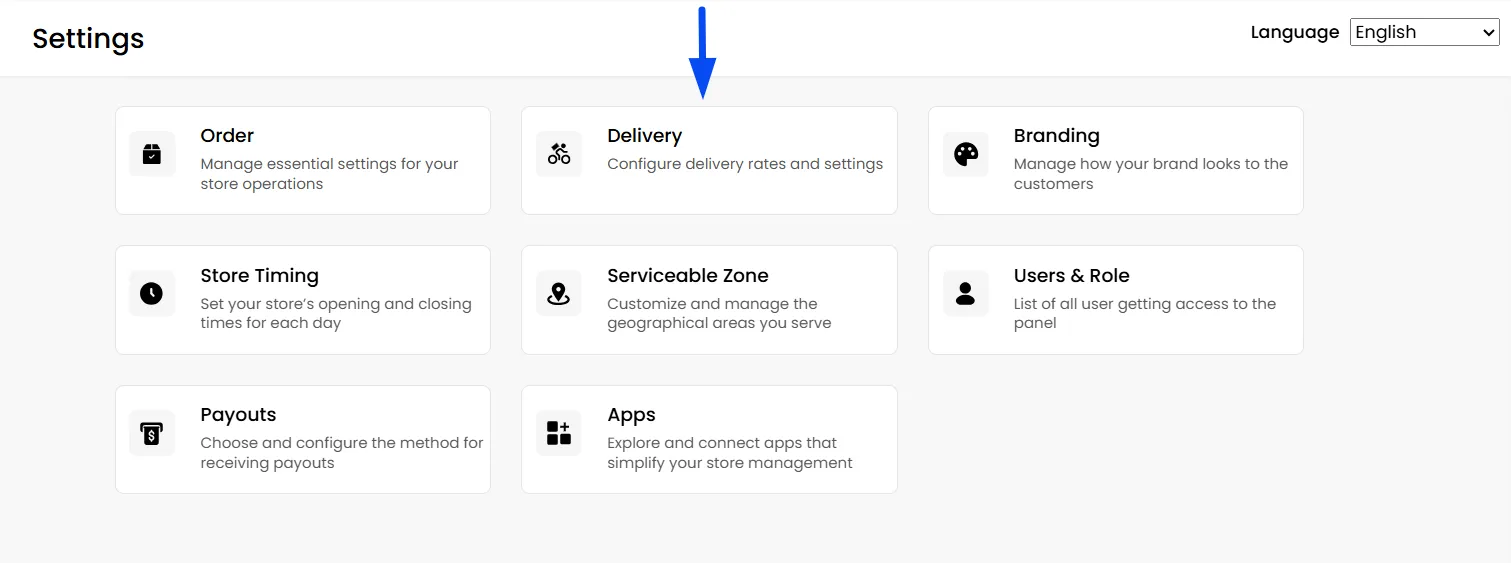
Delivery Fee Configurations
Whether you want to offer free delivery, apply a flat fee, or calculate charges based on distance, these options provide the flexibility to match your operational needs.
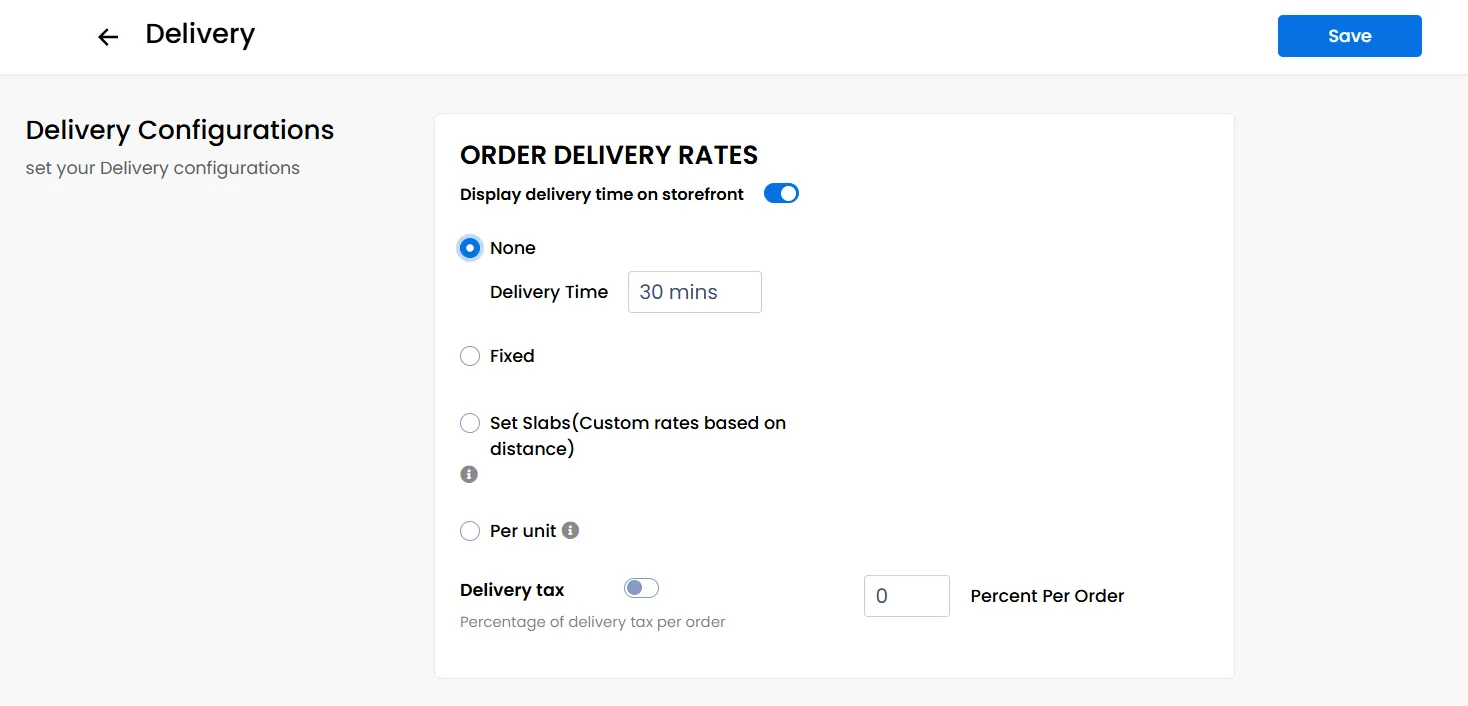
None
No delivery fee is charged. You can enter an expected delivery time displayed on your storefront on ordering channels.
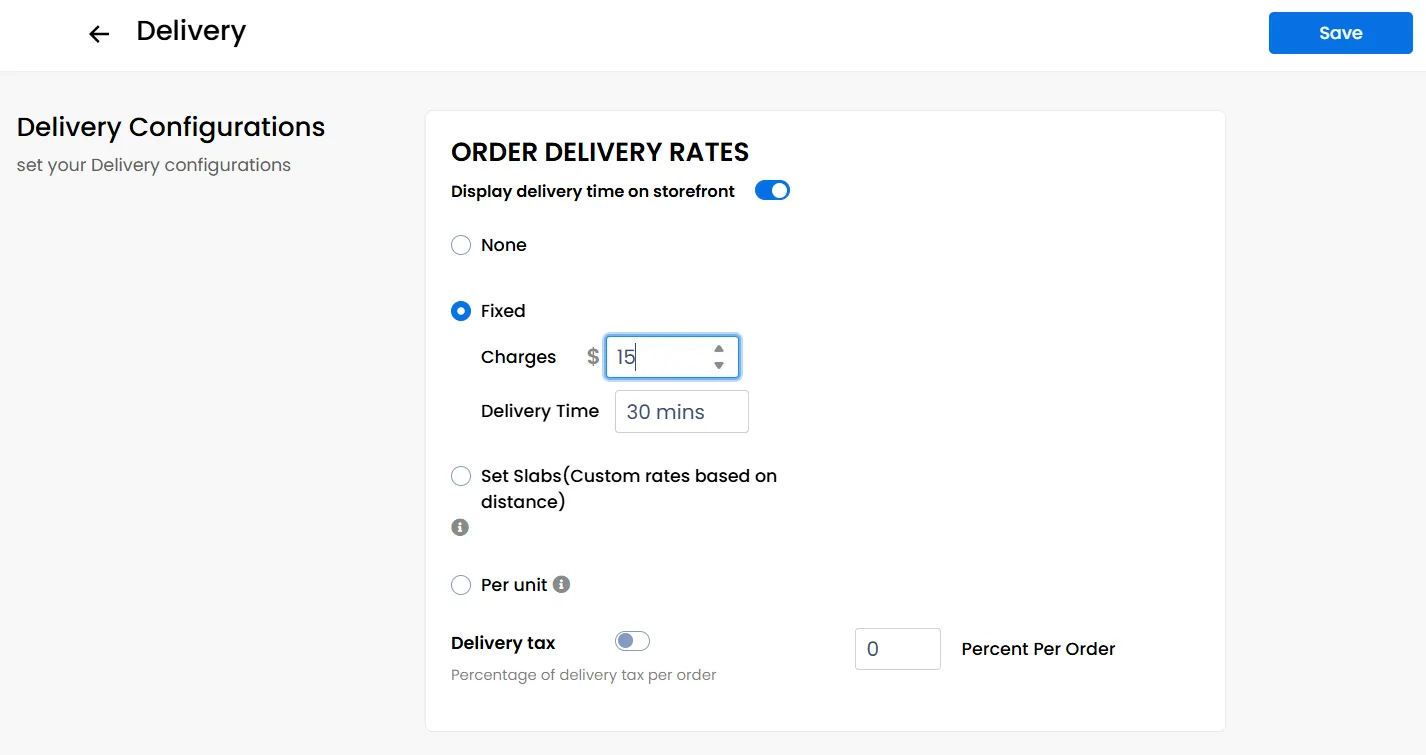
Fixed
Set a fixed amount for delivery charges, along with the expected delivery time displayed on your storefront on ordering channels.
Set Slabs
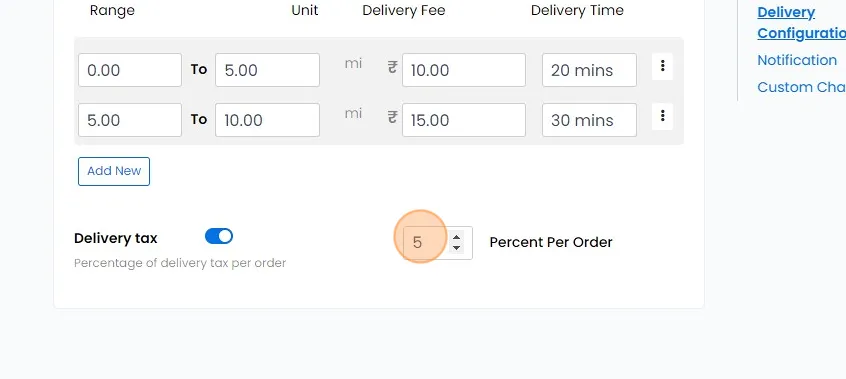
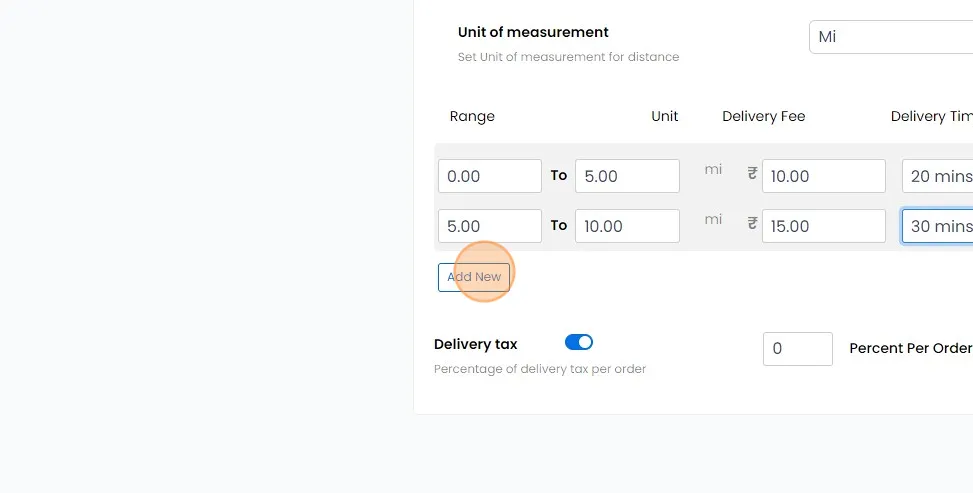
Establish delivery fees based on the distance from which the customer is placing their order by creating distance range slabs. For instance, you can define slabs such as 0-5 miles, 5-10 miles, and 10-20 miles, alongside mentioning the expected delivery time for each range. When a customer orders from a distance of 3 miles, they fall within the 0-5 mile slab range. Consequently, they will be charged the delivery rate associated with this range, and the expected delivery time displayed on ordering channels will correspond to this range. Similarly, if a customer orders from a distance of 13 miles, they fall within the 10-20 mile range slab. The same process applies as described above.
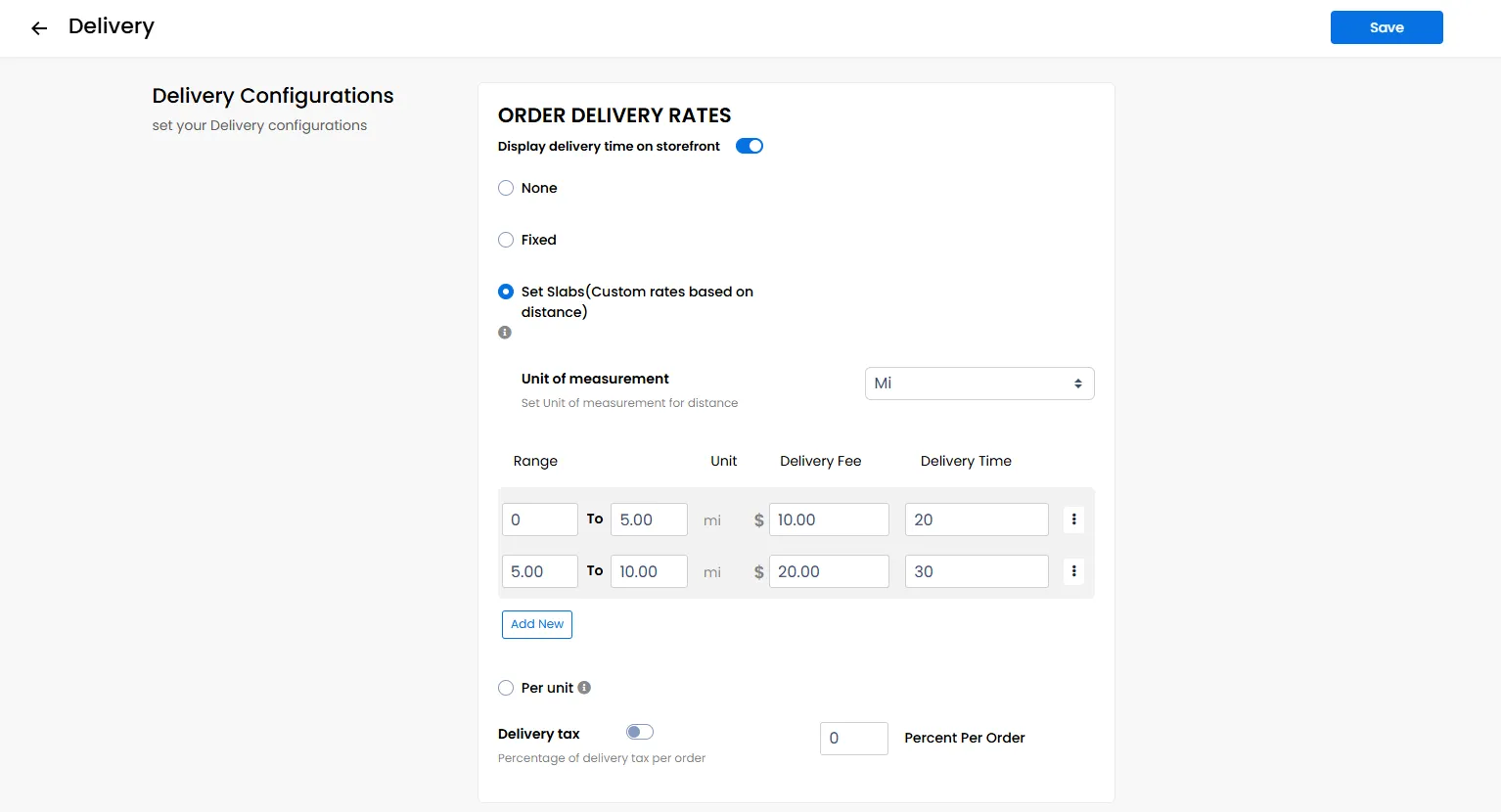
Click on "Add New" to include additional distance slabs.
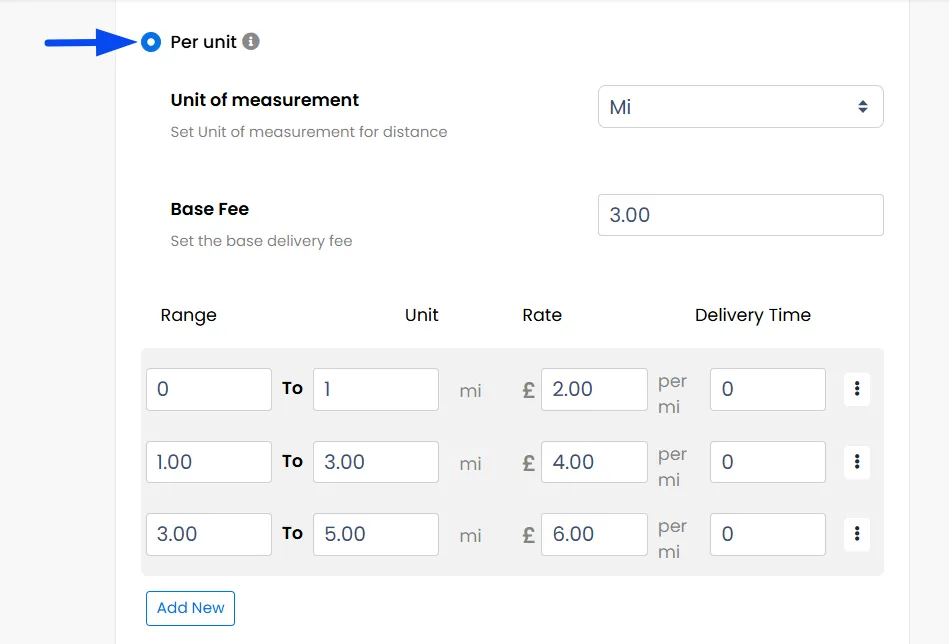
Per Unit Distance-Based Delivery Fees
The Per Unit delivery type calculates delivery charges dynamically based on the exact distance from which the customer is placing their order.
For example, you can define distance ranges such as 0–1 mile, 1–3 miles, and 3–5 miles, each with a specific rate per mile and an associated delivery time. Additionally, you can set a base fee, which ensures a minimum delivery charge is applied when the calculated fee is lower than the base amount.
When a customer places an order from 1.5 miles away, the system calculates the delivery fee in parts:
- The first 1 mile is charged using the 0–1 mile rate.
- The remaining 0.5 mile is charged by simply multiplying 0.5 by the rate set for 1-3 mile. These amounts are added together to form the final delivery fee. If this calculated total is lower than the base fee, the base fee is applied instead.
Delivery Tax
Apply a tax percentage on top of the delivery fee.
Note: Request the Administrator to specify whether your store taxes should be inclusive or exclusive on the customer's cart.