Membership
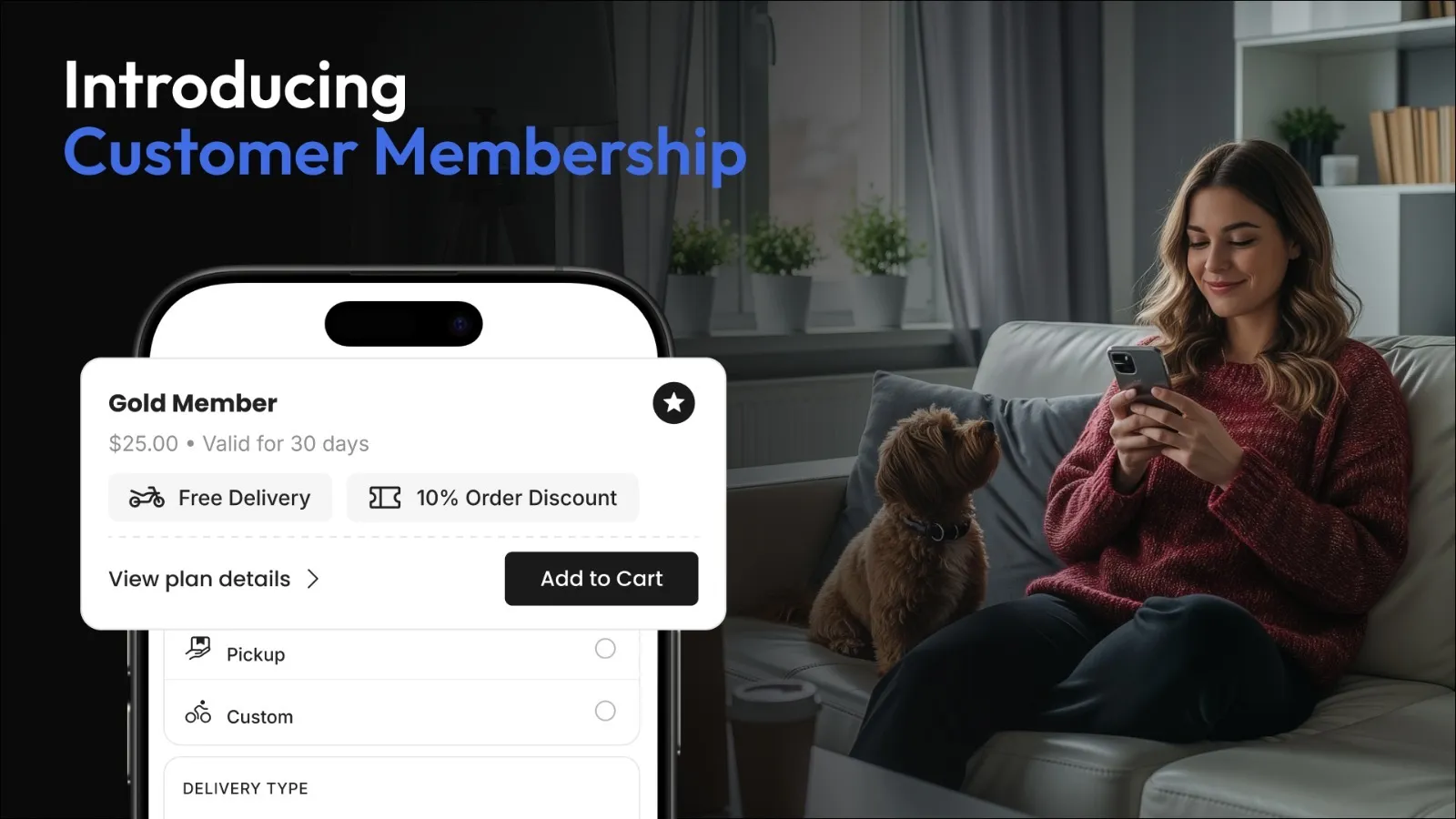
Membership allows you to create subscription-based plans that customers can join to unlock exclusive benefits across your platform. Whether you want to reward loyal customers with discounts or offer free delivery, Membership helps you build long-term customer engagement while encouraging repeat purchases.
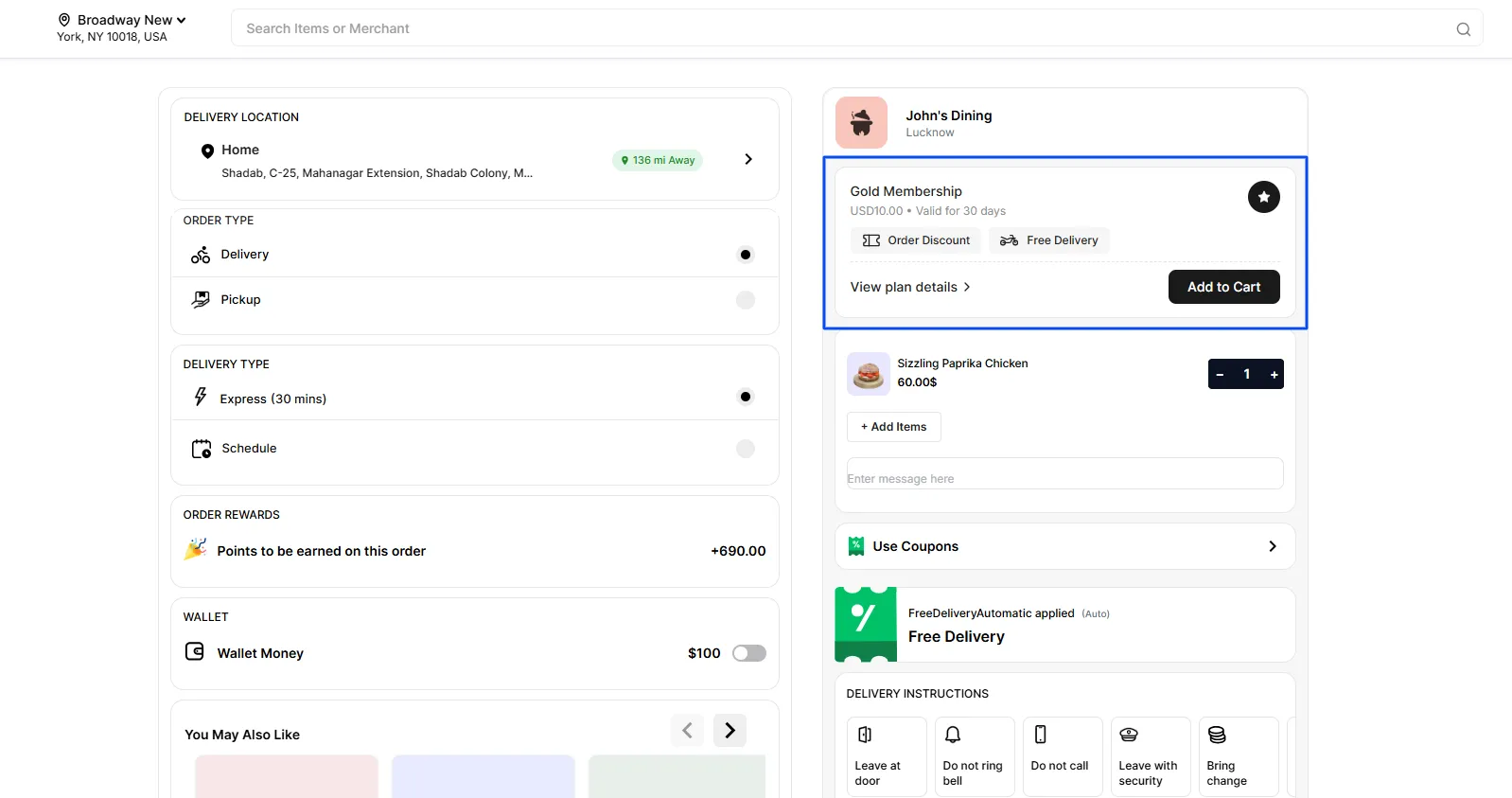
Customers can view membership plans during checkout and add the plan to their cart to activate their membership
By offering memberships, businesses can create a more rewarding customer experience while generating recurring revenue and improving customer retention.
Navigating to the Membership section
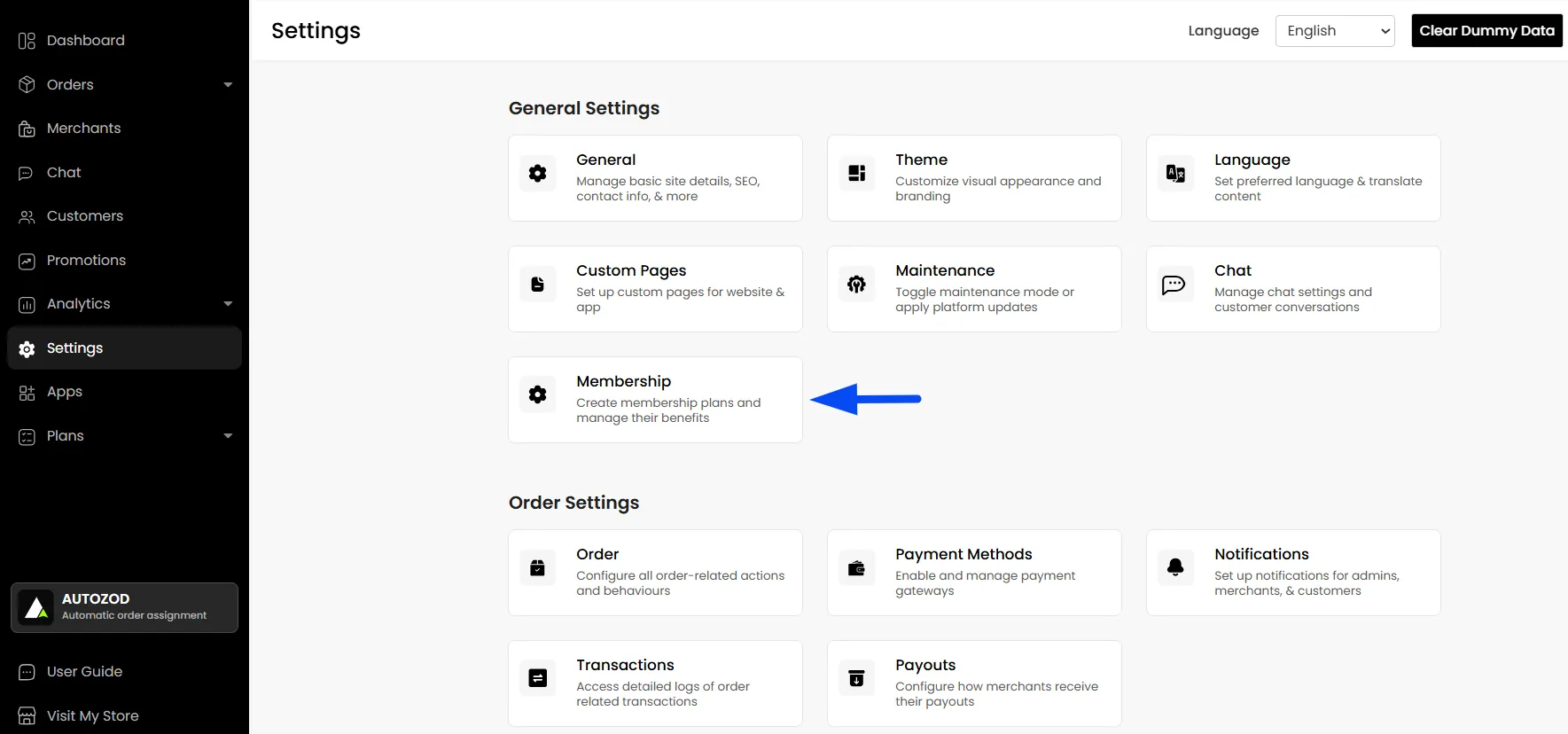
To create the membership plans, from your Admin Panel, navigate to Settings > Membership
Membership Settings
Set up and manage every aspect of your membership program from a single place. From enabling memberships and creating subscription plans to configuring benefits, managing members, tracking transactions, and monitoring activity logs, this section provides all the tools needed to build and operate your membership offering.
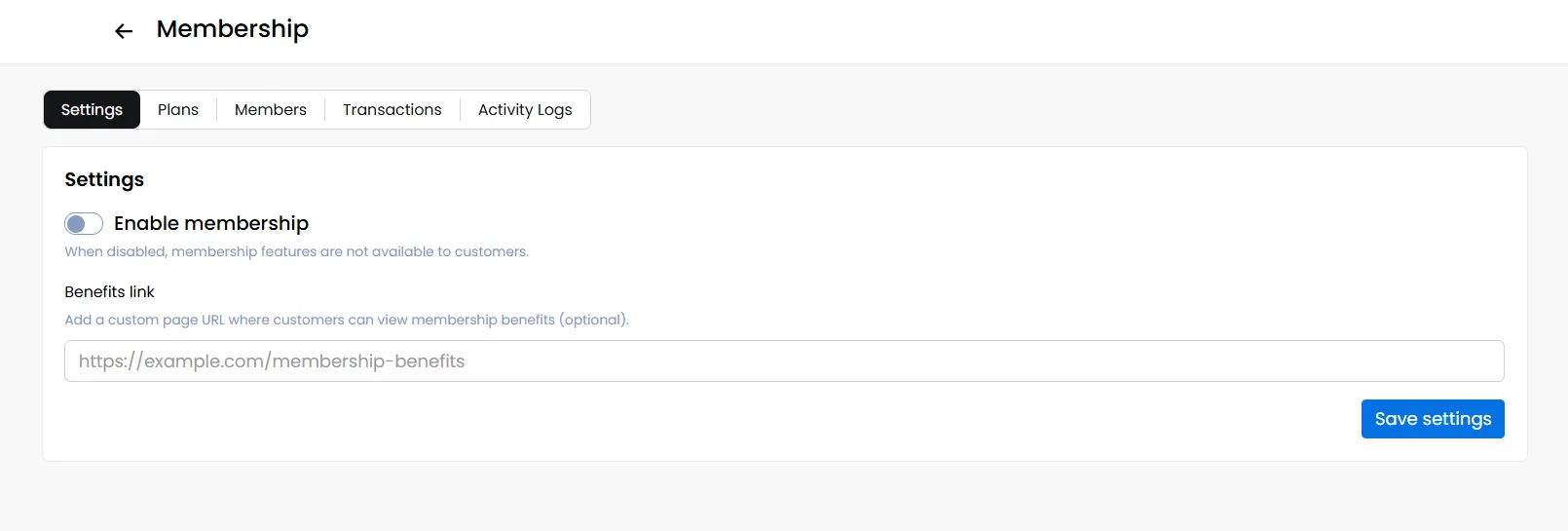
The Settings tab controls whether memberships are available on your platform.
Enable Membership
Toggle Enable Membership to make membership plans available to customers. Once enabled, customers can purchase membership plans at checkout.
Benefits Link
You can optionally provide a custom URL where customers can view detailed information about membership benefits. For example, "Membership Terms & Conditions" or "Membership Benefits Page."
You can create such pages through the Custom Page feature and paste the link accordingly.
Creating and Managing a Membership Plan
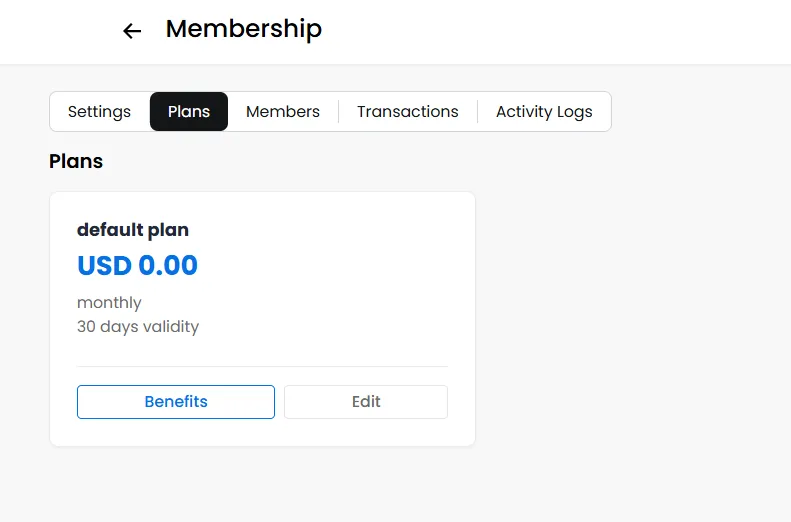
Use the Plans tab to create, configure, and manage the membership plan that customers can subscribe to on your platform.
Note: You can create only one membership plan on the platform.
Plan Configuration
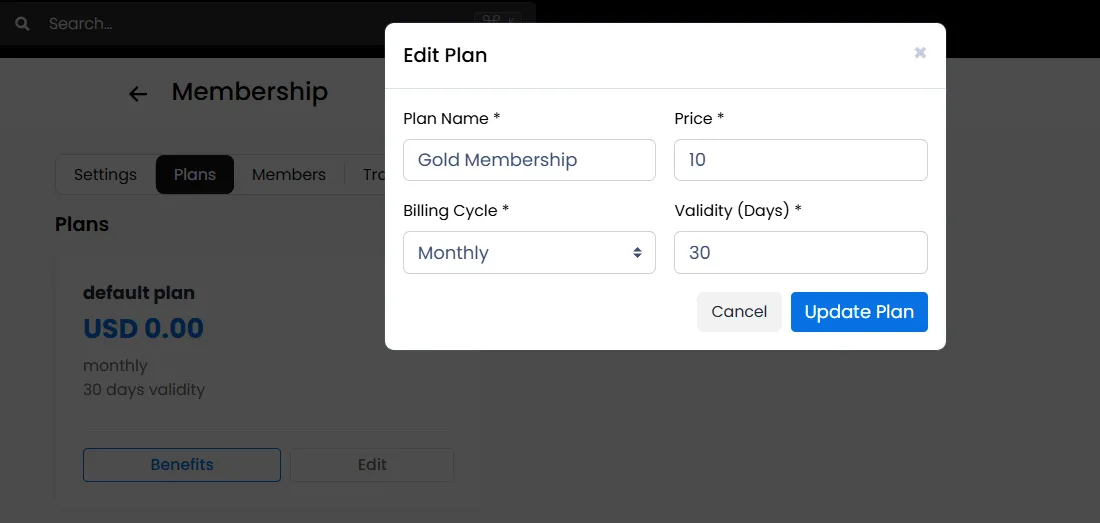
Click Edit to configure the basic membership plan details, including the plan name, subscription price, billing cycle (e.g., monthly or yearly), and the validity period during which the membership will remain active.
Note: Once a customer's membership plan expires, the membership option will automatically become available again during checkout, allowing the customer to purchase and activate a new membership plan if desired.
Note: The Validity Period determines how long the membership remains active. Once the validity period ends, the membership expires, and the customer will need to purchase it again.
Configuring Membership Benefits
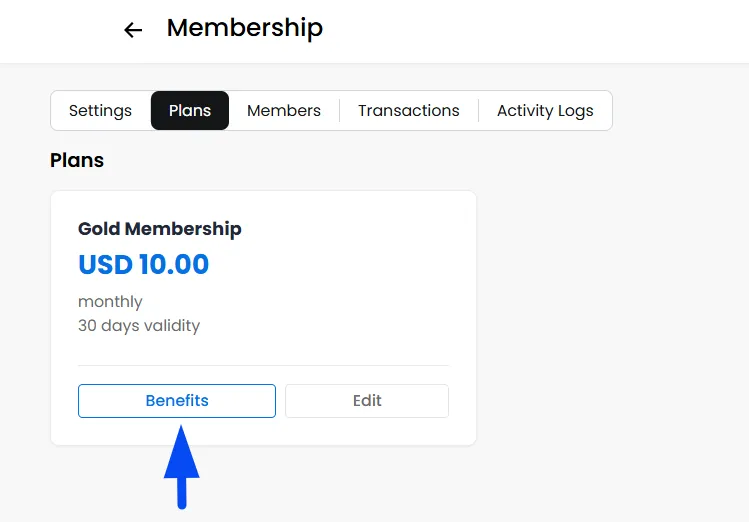
Benefits are the core value of a membership plan. Click Benefits within a plan to configure what customers receive after purchasing the membership.
Adding Benefits to a Plan
Click Add Benefit. Select the benefits you want to include in the membership plan and click Continue.
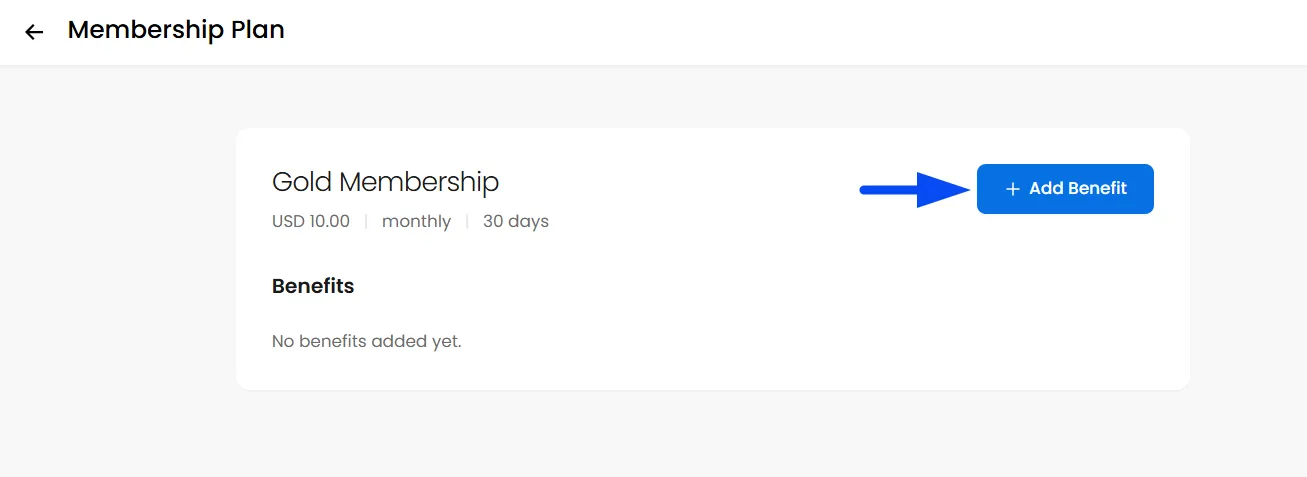
Available Benefits
Currently, the platform supports:
Order Discount
Provides a discount on customer orders.
For example: 5% off every order or $5 off eligible purchases
Delivery Fee Discount
Provides discounts on delivery charges.
For example: Free Delivery
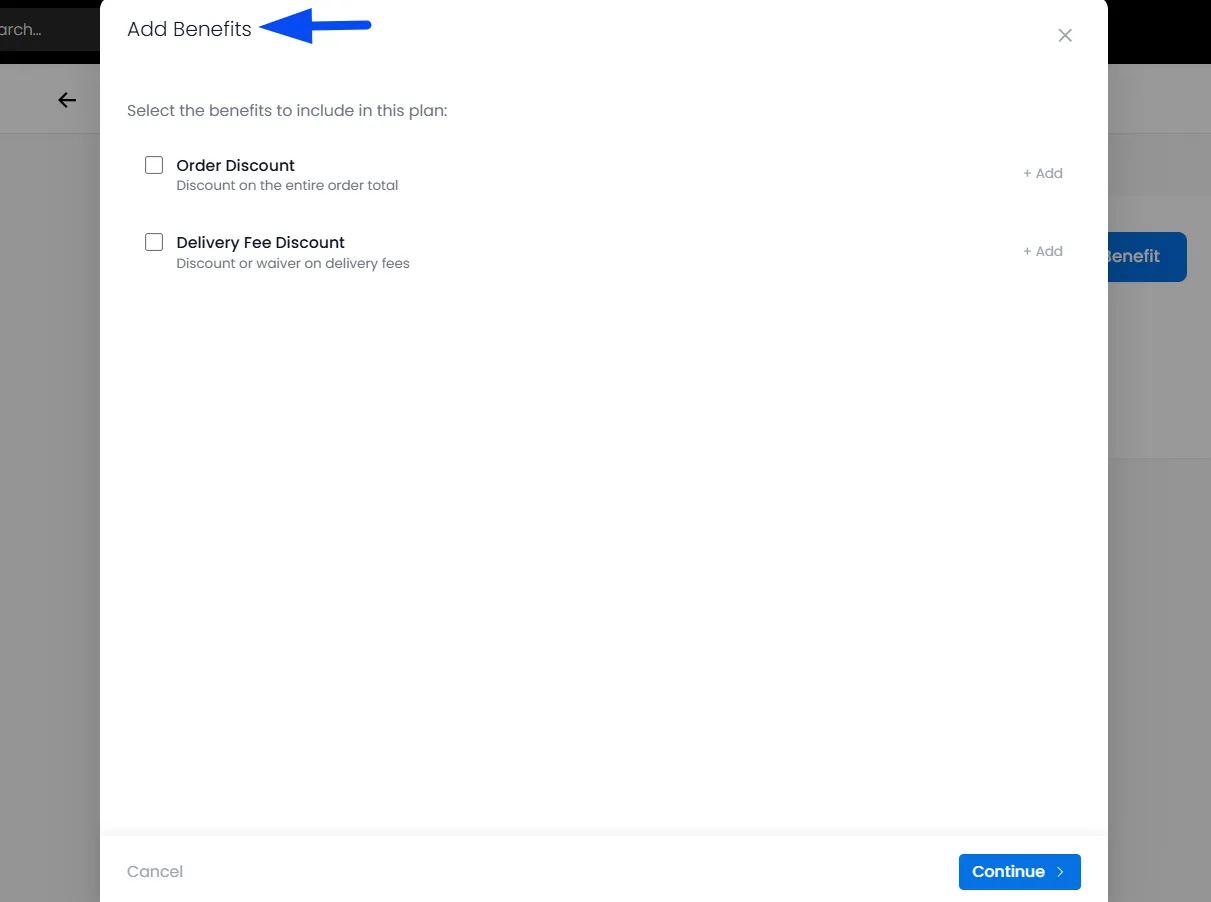
Configuring Discount Benefits
Configure the Discount benefit by defining its value, usage conditions, order eligibility, and any restrictions you would like to apply.
Discount Title
This is the title customers will see during checkout. For example: Membership Order Discount
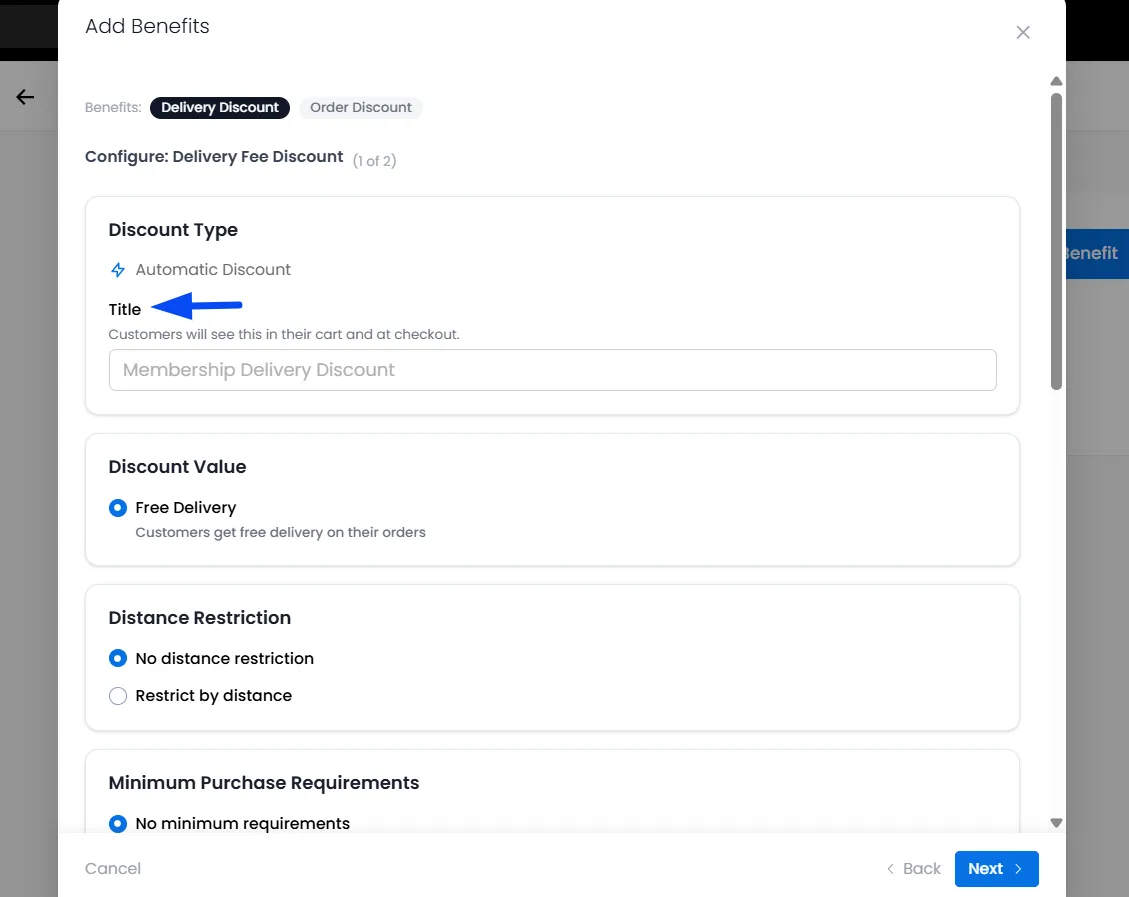
Discount Type
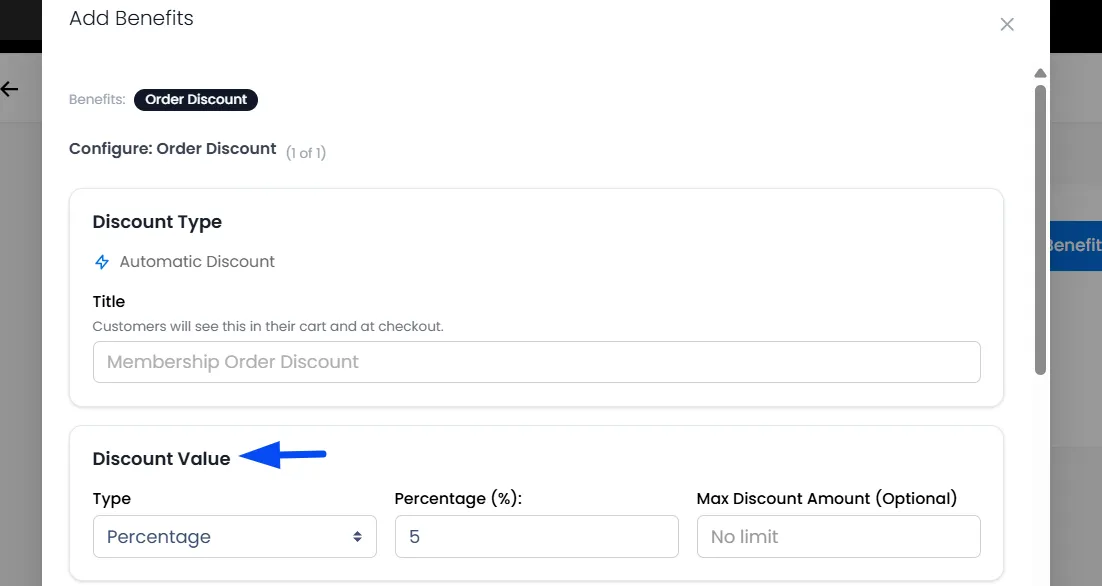
Select how the discount should be calculated.
Percentage Discount
Applies a percentage reduction to the order value.
For a percentage discount, you can optionally limit the maximum discount a customer can receive.
Fixed Amount Discount
Applies a fixed monetary discount.
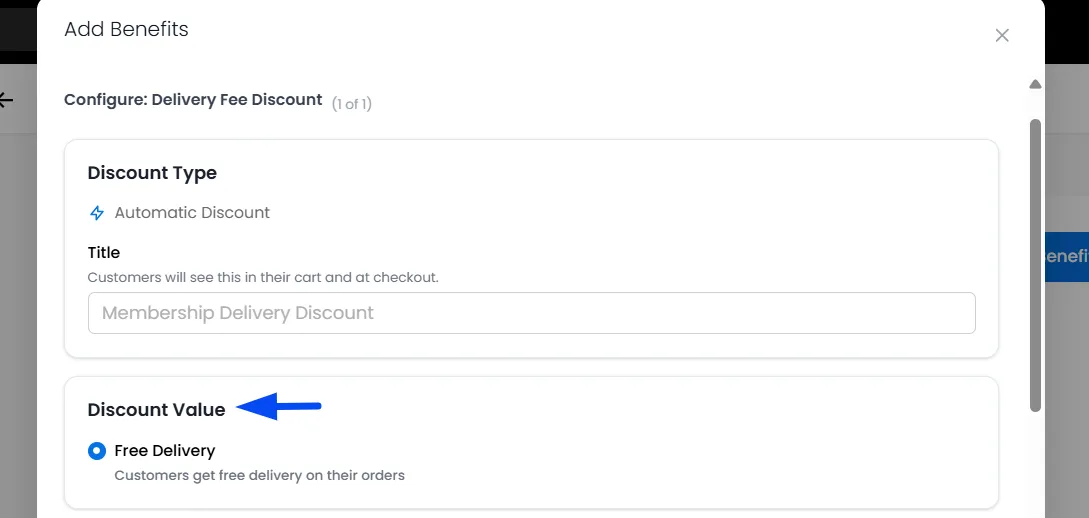
Discount Value (Free Delivery)
Members receive free delivery on eligible orders, allowing customers to save on delivery charges while encouraging more frequent purchases through the membership program.
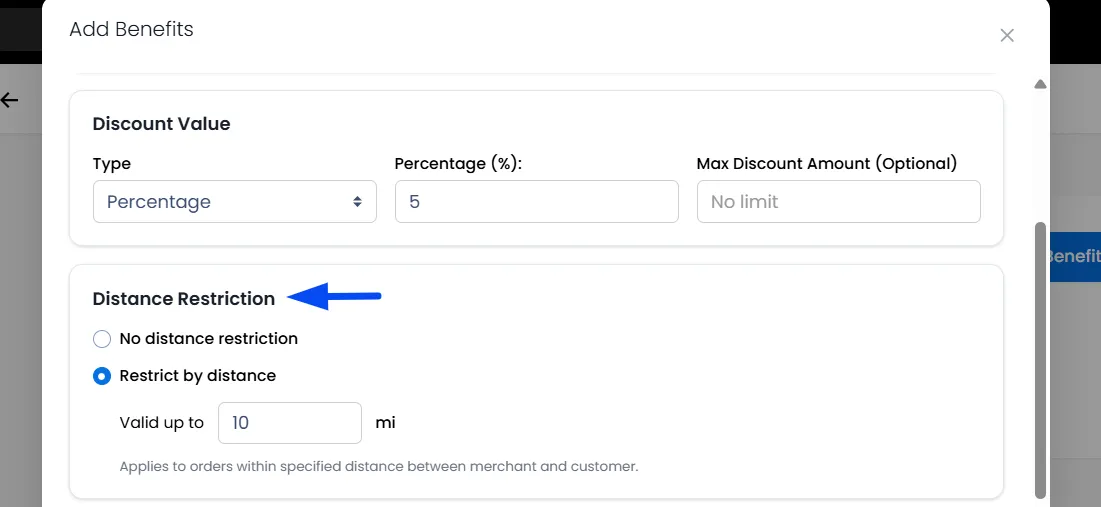
Distance Restrictions
Control whether the discount applies based on delivery distance.
No Distance Restriction
The discount applies regardless of delivery distance.
Restrict by Distance
Apply the discount only when the delivery distance falls within a specified range. This can help manage delivery-related costs.
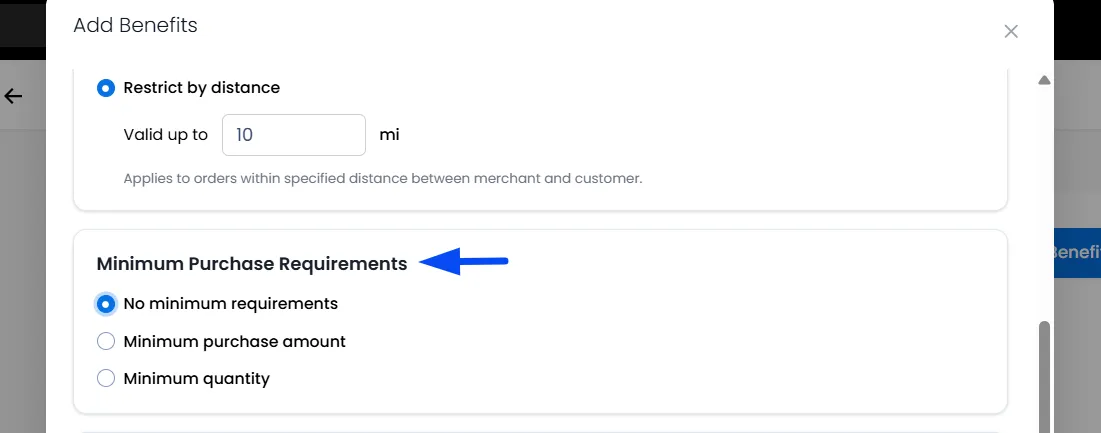
Minimum Purchase Requirements
Define conditions customers must meet before the discount becomes available.
Learn how Minimum Purchase Requirements work.
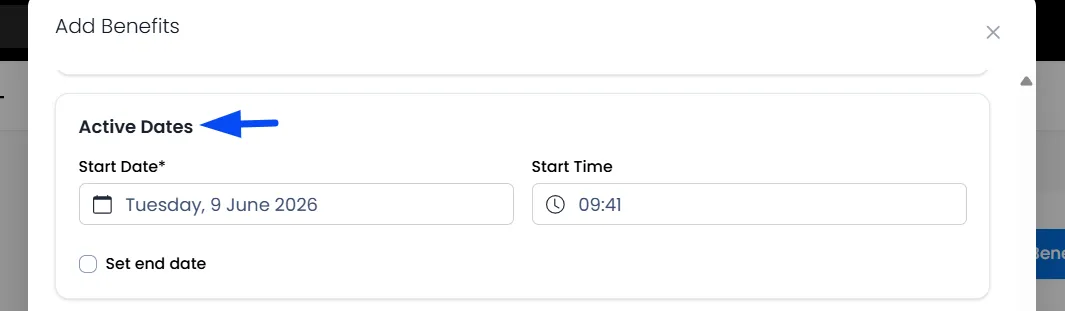
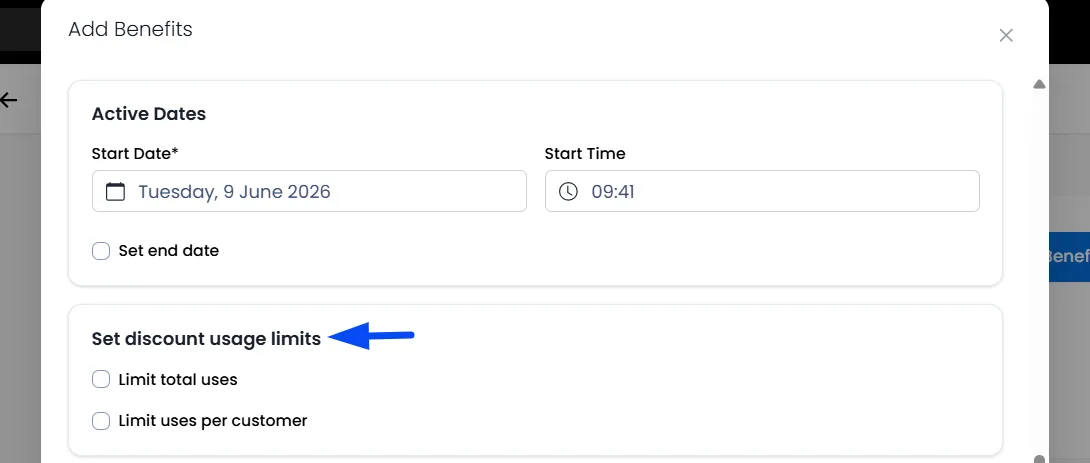
Active Dates
Set when the discount becomes active and when it should end.
Usage Limits
Control how frequently the benefit can be used.
Learn how Discount Usage Limits work.
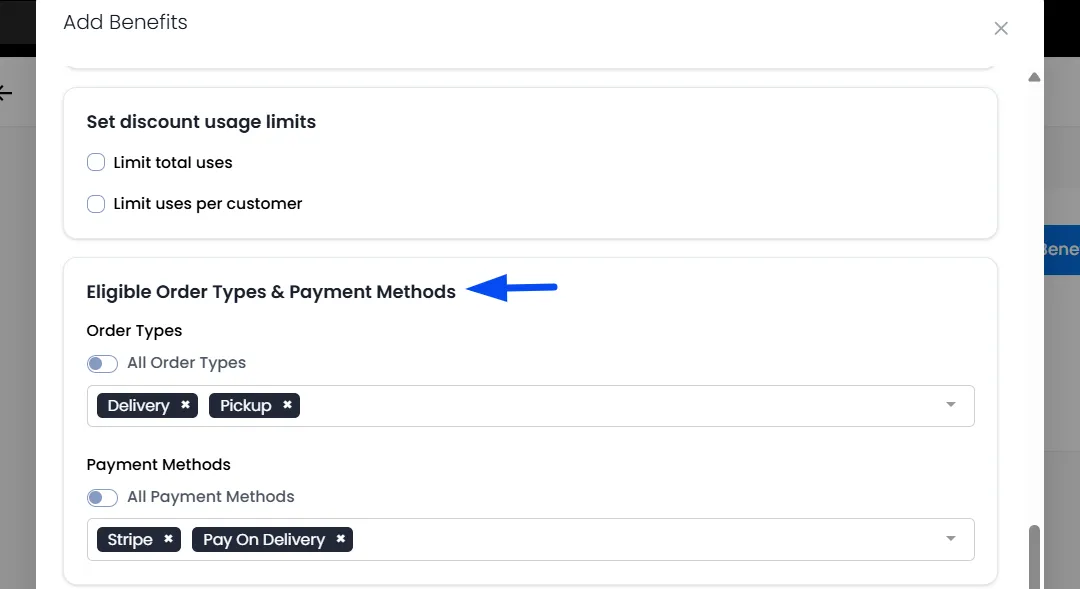
Eligible Order Types & Payment Methods
Choose which order types and Payment methods qualify for the discount.
Learn how Eligible order types and Payment methods work.
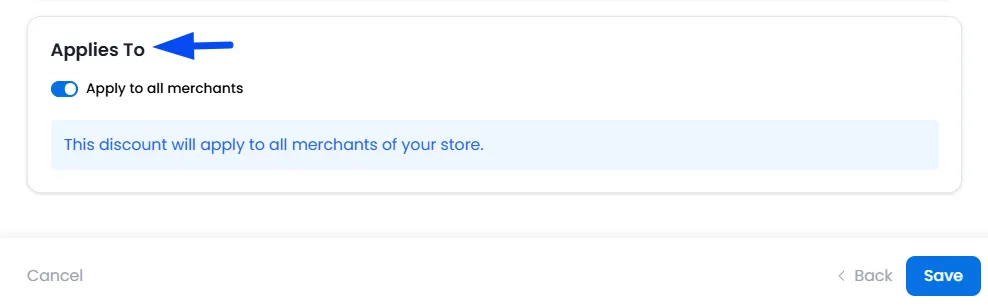
Eligible Merchants
Choose whether the membership discount should be available across all merchants on your platform or only for specific merchants.
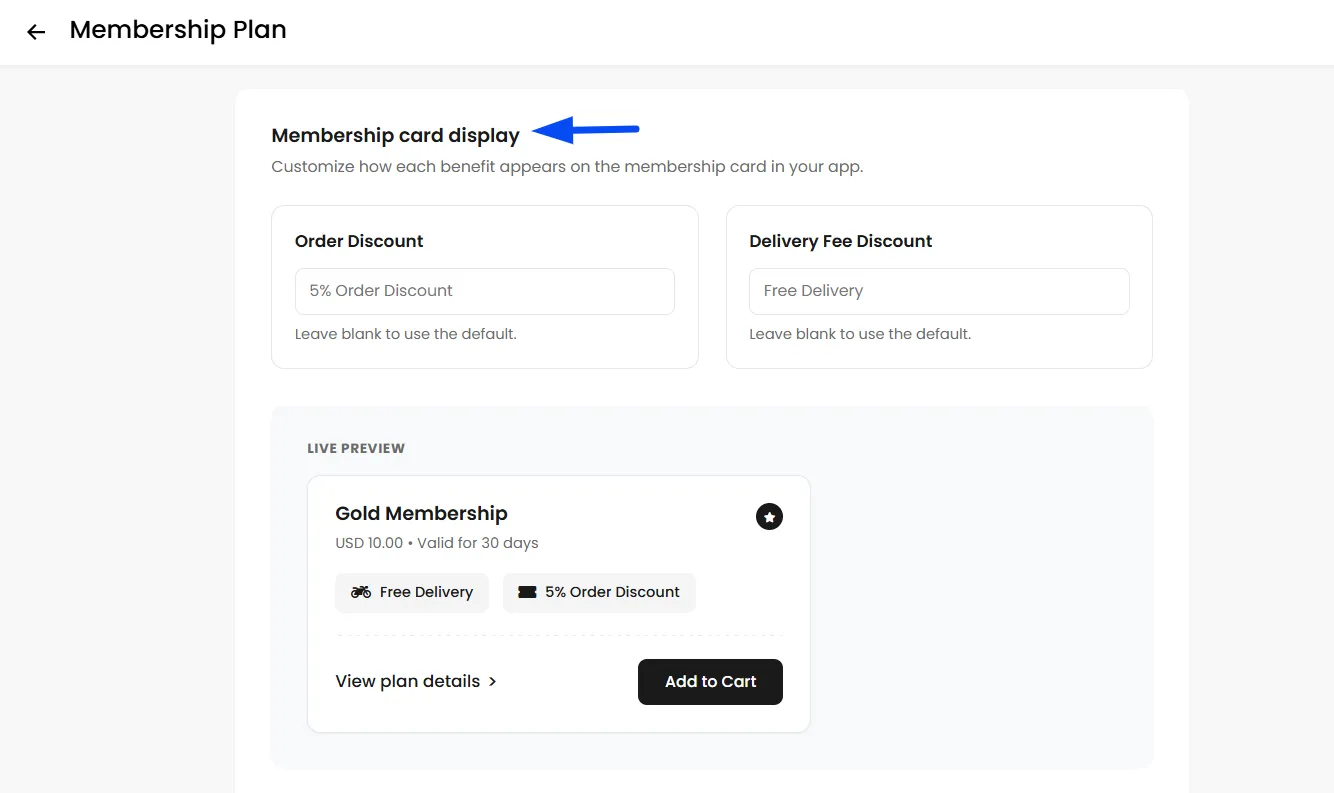
Customizing Membership Card Display
The Membership feature also allows you to customize how benefits appear to customers.
Within the plan settings, you can modify the display labels shown on the membership card.
Managing Members
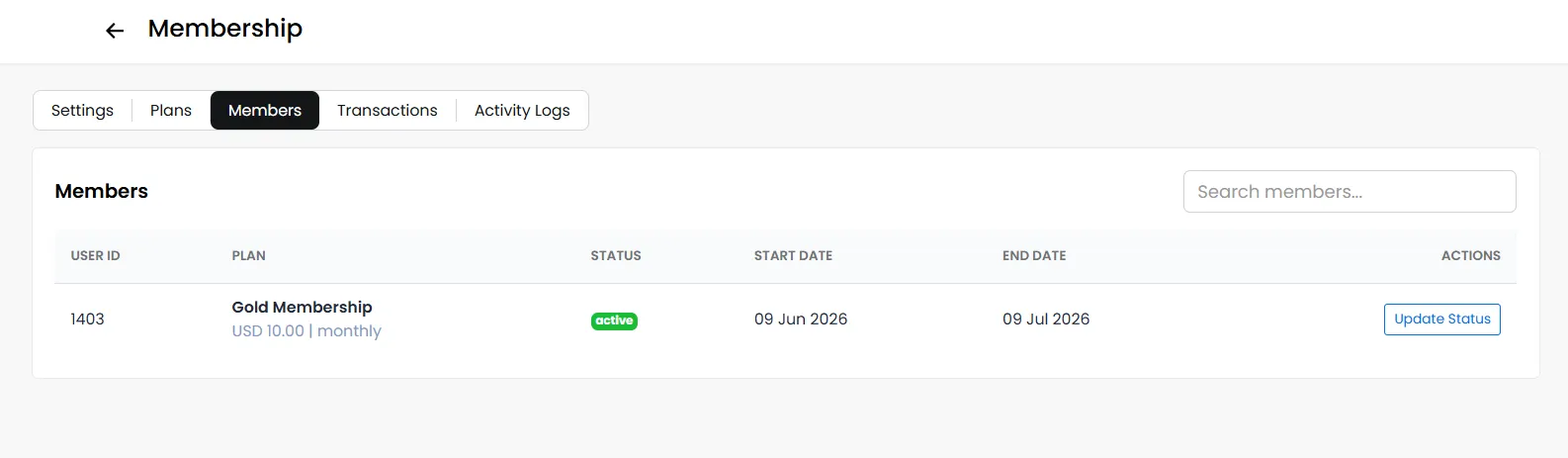
Navigate to the Members tab to view all customers currently enrolled in membership plans.
You can also use the Update Status option to change a member's subscription status as needed, including Active, Paused, Expired, or Cancelled.
Transactions
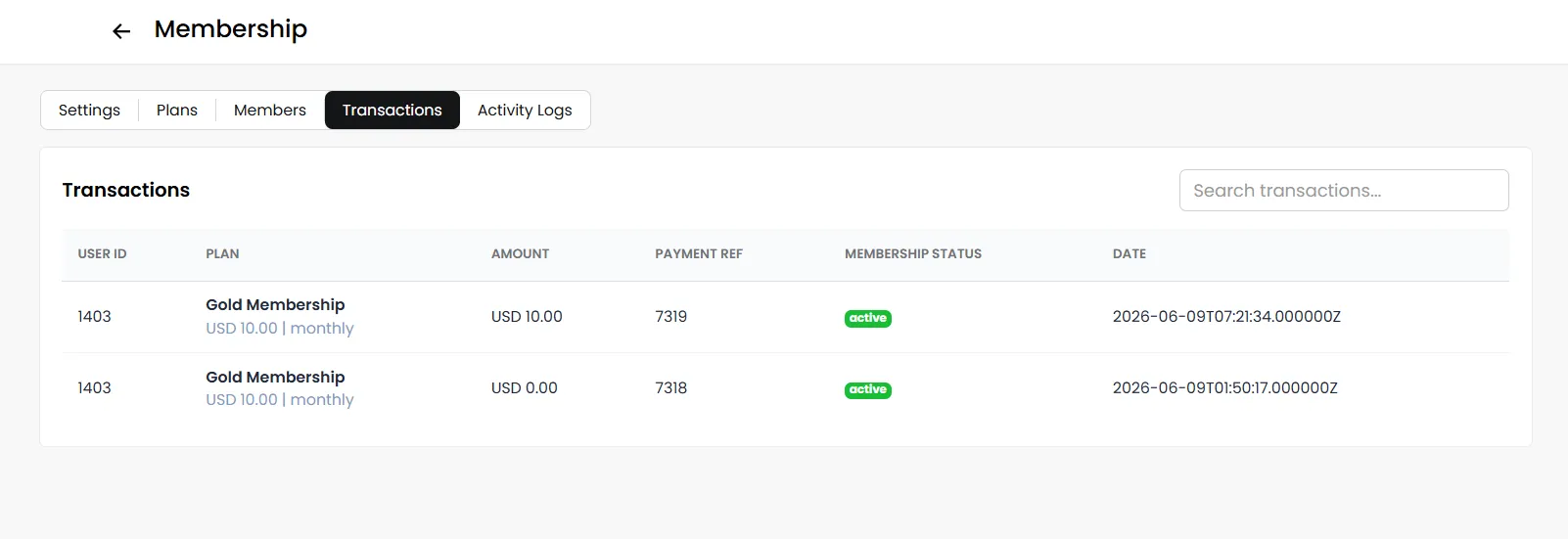
The Transactions tab provides visibility into membership-related purchases and payments. This helps monitor membership performance and revenue generated through subscriptions.
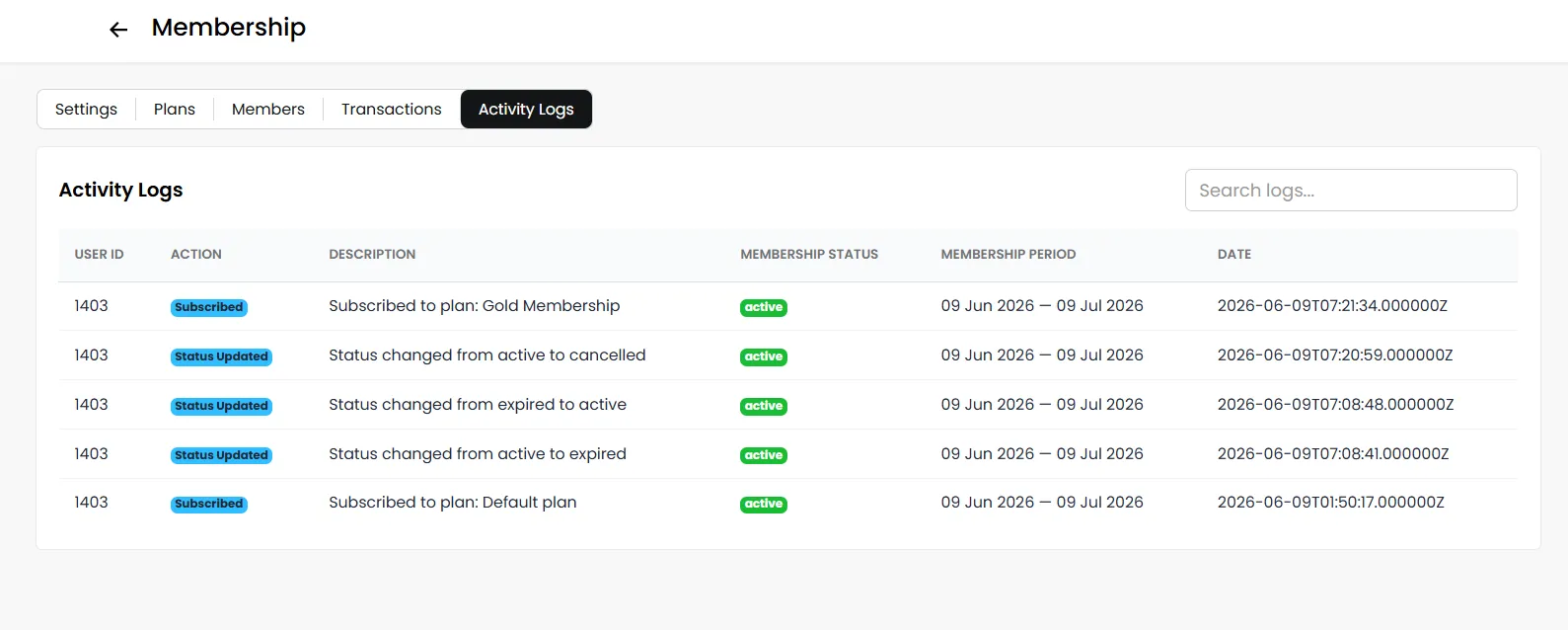
Activity Logs
The Activity Logs tab maintains a record of membership-related actions performed across the platform. For example,
- Membership creation
- Plan updates
- Status changes
- Administrative actions
This provides transparency and simplifies auditing and troubleshooting.